Smartsheet
Languages:
Deutsch
English
Español
Français
Italiana
日本語
Portuguese
Русский
Localization:
World

What is Smartsheet used for?
Smartsheet is an intelligent work management platform designed to help organizations plan projects, automate business processes, coordinate teams, and monitor results. It combines the familiar structure of spreadsheets with project management, collaboration, reporting, and workflow automation tools.
Teams can organize tasks, owners, deadlines, budgets, dependencies, documents, and approvals within connected workspaces. Information entered into sheets can feed dashboards, reports, calendars, forms, and automated workflows, giving managers a clearer view of ongoing operations.
Smartsheet supports individual projects as well as large portfolios involving multiple departments, clients, or business units. It is suitable for project management offices, IT teams, operations departments, marketing teams, professional services firms, and other organizations that need flexible processes without developing a custom system. Built-in AI capabilities assist with analysis, summaries, formulas, and content generation, while integrations connect Smartsheet with other business applications.
What are the key Smartsheet features?
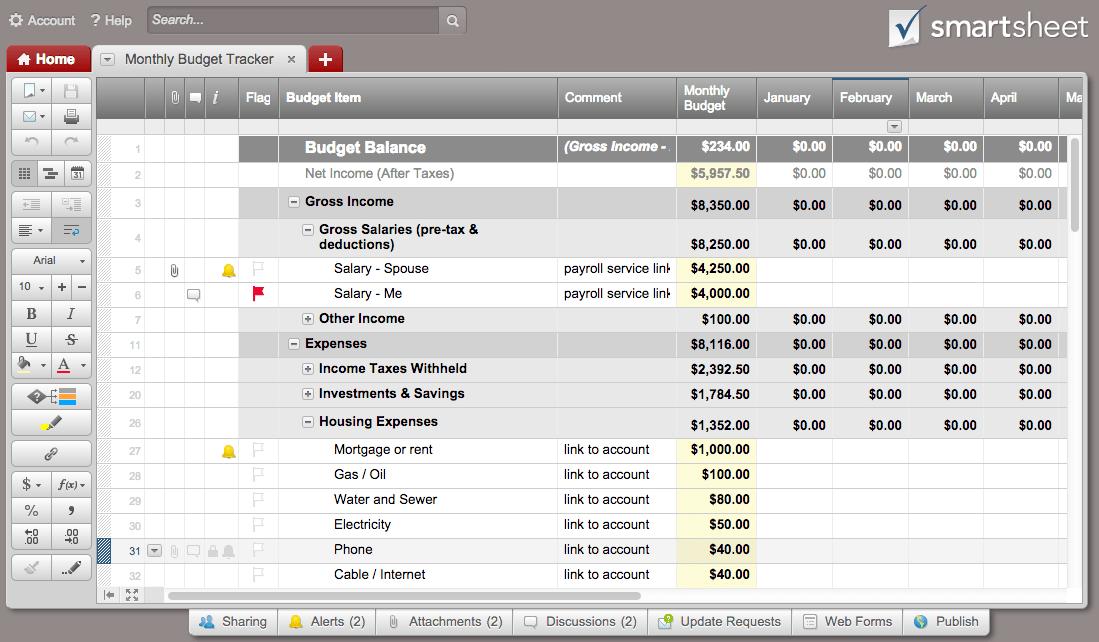
- Flexible sheets and workspaces: Teams can structure projects and operational processes using customizable rows, columns, formulas, attachments, comments, and hierarchical task relationships.
- Multiple work views: Information can be displayed as a traditional grid, Gantt chart, Kanban-style board, calendar, timeline, or dashboard. Each view helps different users understand the same underlying data.
- Project and portfolio management: Smartsheet supports milestones, dependencies, critical paths, project schedules, status reporting, and portfolio-level oversight across multiple initiatives.
- Workflow automation: No-code rules can send notifications, request approvals, assign tasks, update records, lock rows, or remind employees when dates and conditions change.
- Dashboards and reports: Real-time dashboards combine metrics, charts, project statuses, and important links. Reports can collect selected information from multiple sheets into a unified view.
- Forms and centralized intake: Custom forms allow employees, customers, and partners to submit requests without editing the underlying sheet. Submitted data can automatically launch review and approval workflows.
- Resource and capacity planning: Managers can evaluate workloads, forecast staffing needs, identify scheduling conflicts, and distribute work more effectively across teams.
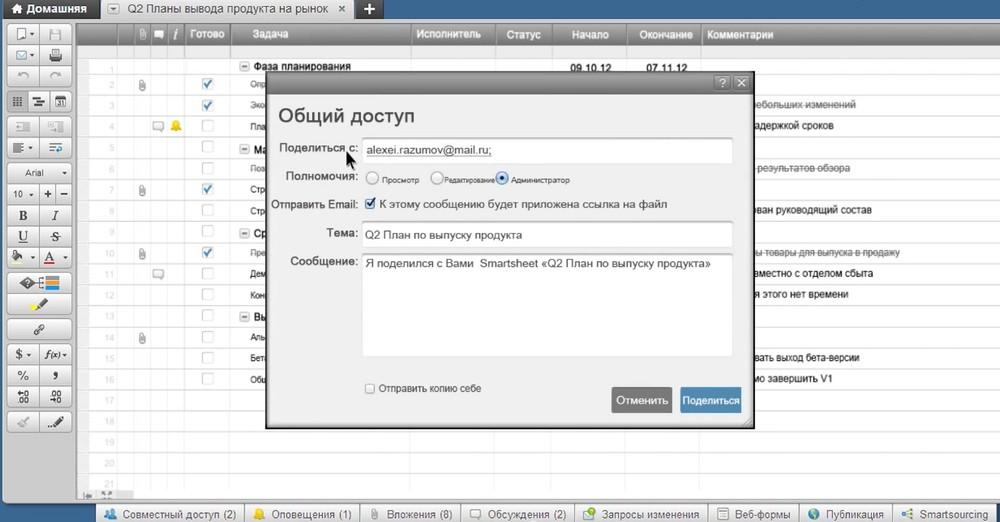
- Collaboration tools: Users can discuss individual items, mention colleagues, share attachments, track changes, and communicate decisions within the context of the work.
- AI-powered assistance: Smartsheet AI can help analyze information, generate summaries, create formulas, categorize feedback, and turn project data into useful insights.
- Integrations and connected workflows: The platform can exchange information with popular communication, productivity, document storage, CRM, development, and enterprise systems.
How can businesses use Smartsheet?
- Project delivery: Plan activities, assign responsibilities, manage dependencies, monitor deadlines, and report progress to stakeholders.
- Business operations: Coordinate recurring processes, vendor requests, compliance checks, procurement activities, and operational improvement programs.
- IT portfolio management: Centralize technology requests, prioritize initiatives, track milestones, balance capacity, and give leadership portfolio-level visibility.
- Marketing management: Organize campaigns, editorial calendars, creative approvals, launch plans, budgets, and performance reporting.
- Client service delivery: Manage onboarding, implementation, consulting projects, customer requests, and client-facing progress portals.
- Product development: Collect ideas, prioritize requirements, coordinate launches, monitor risks, and connect work across technical and commercial teams.
- Request and approval management: Replace email-based processes with forms, routing rules, notifications, approval stages, and searchable records.
What benefits does Smartsheet provide?
Smartsheet helps reduce fragmented communication and manual status reporting by placing project information, documents, responsibilities, and decisions in one connected environment. Automated reminders and approval workflows can shorten process cycles while reducing missed tasks.
Its flexible structure allows organizations to digitize existing spreadsheet-based processes without immediately adopting a rigid enterprise system. Managers gain real-time visibility into progress, workload, costs, bottlenecks, and risks. Standardized templates and portfolio controls also make successful processes easier to repeat across departments.
What is the Smartsheet user experience like?
Smartsheet feels familiar to users who regularly work with spreadsheets, but its project management capabilities require some initial setup and training. Simple trackers and forms can be created quickly, while advanced portfolios, automated workflows, resource planning, and integrations require stronger process design.
The interface works particularly well for teams that want configurable tools and visual reporting. However, organizations should establish naming rules, permissions, ownership, and workspace standards early. With proper governance, Smartsheet can scale from a basic task tracker into a central system for managing complex work.
2026-10-13 21:51:22: Smartsheet helps LifeStyles Healthcare increase project capacity by 4x. Youtube
2026-08-25 22:27:18: HP centralizes program management for faster product launches with Smartsheet. Youtube
2026-08-13 15:37:15: How to use Smartsheet Smart Assist Youtube
2026-08-10 20:56:00: Flight Centre Travel Group: Charting a Path Forward for AI that Delivers Results Youtube
2026-07-22 18:08:52: Smartsheet Admin Center & Safeguard Youtube
2026-07-15 19:04:58: Smartsheet Careers Youtube
2026-06-24 19:19:44: Douglas Pharmaceuticals improves continuously with Smartsheet. Youtube
2026-06-24 19:11:45: Douglas Pharmaceuticals brings structure and accountability to its matrix environment. Youtube
2026-06-24 19:11:28: Douglas Pharmaceuticals unlocked multidimensional reporting with Resource Management by Smartsheet. Youtube
2026-06-17 22:56:46: NASCAR Productions standardized project management and unlocked budget visibility with Smartsheet. Youtube
2023-03-31 00:30:20: Extra! Extra! Read all about it! 🗞️
We’ve added another batch of game-changing Smartsheet capabilities and updates in the past few months to help you level up the work you are already doing in Smartsheet. Check it out → https://t.co/IRQDOj3vdo
#productnews #productupdates https://t.co/guCzLucPHwTwitter
2023-03-28 01:10:26: En-light-ening! 💡
How #ArborMetrics powers their team across the United States and Canada. → https://t.co/iHt8EMRP4zTwitter
2023-03-22 17:00:17: Raise your hand if you have a few too many browser tabs open right now…Don’t worry, we do too 🤷
Download the new Smartsheet Desktop App to reduce clutter and work without distractions. → https://t.co/l2V0ktQYfl https://t.co/8OwmG94TtDTwitter
2023-03-21 22:16:09: At Smartsheet, we aim to amplify the voices of our employees. This #GivingTuesday, we asked our employee resource groups: Which nonprofits would you donate to?
Check out the incredible organizations chosen. → https://t.co/rFwJOMocwJTwitter
2023-03-16 15:02:48: See how AI and Smartsheet work together to eliminate the manual tasks associated with collaborative work. ➡️ https://t.co/Tc8nLAUTV3
#ArtificialIntelligence #generativeAI https://t.co/EhPClFGSAKTwitter
2023-03-15 23:25:13: 🗓️ Mark your calendars: #SmartsheetENGAGE is back!
Stay tuned for more information on ENGAGE 2023. 🔜 https://t.co/Wiscp12Lqi https://t.co/NJq2BC40uRTwitter
Smartsheet Alternatives




Smartsheet Integrations