What is Invoiced used for?
Invoiced is a cloud platform for accounts receivable teams that want invoice-to-cash automation instead of manual chasing. It focuses on the full receivables lifecycle: generating and delivering invoices, collecting payments, running consistent follow-up sequences for overdue balances, and keeping payment status and customer activity visible in one place. The goal is simple: get paid faster with fewer human hours burned on reminders, reconciling payments, and fixing avoidable errors.
It’s a fit for B2B businesses where invoices are frequent, payment terms vary by customer, and cash flow depends on disciplined collections. It’s also relevant when an organization already has an ERP/accounting system but needs a stronger A/R layer for collections workflows, customer payment experience, and clearer receivables reporting.
What key features does Invoiced include?
-
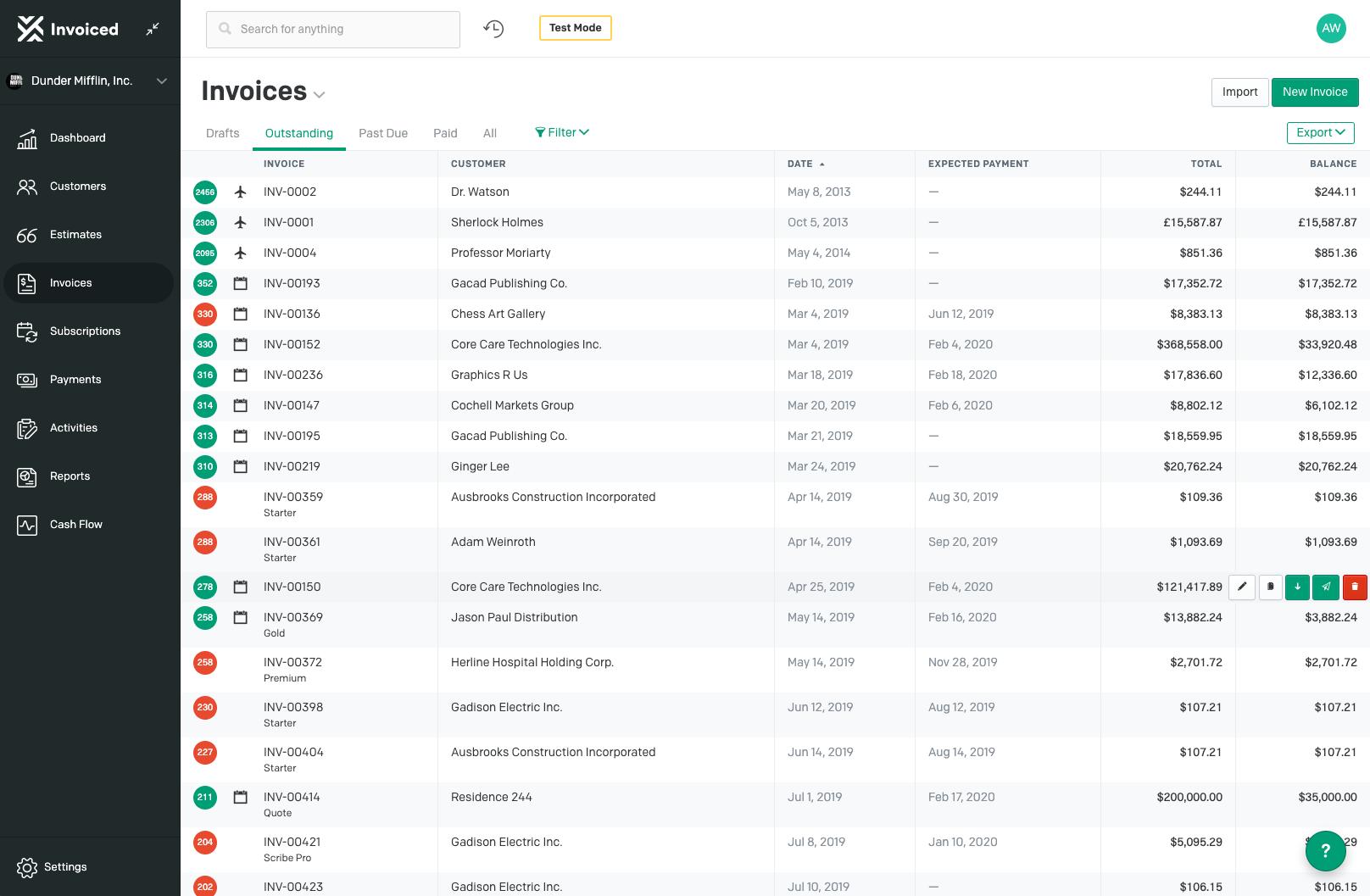
End-to-end invoice-to-cash workflow automation: Set up repeatable workflows for invoice creation, delivery, payment capture, and tracking so the process runs consistently at scale.
-
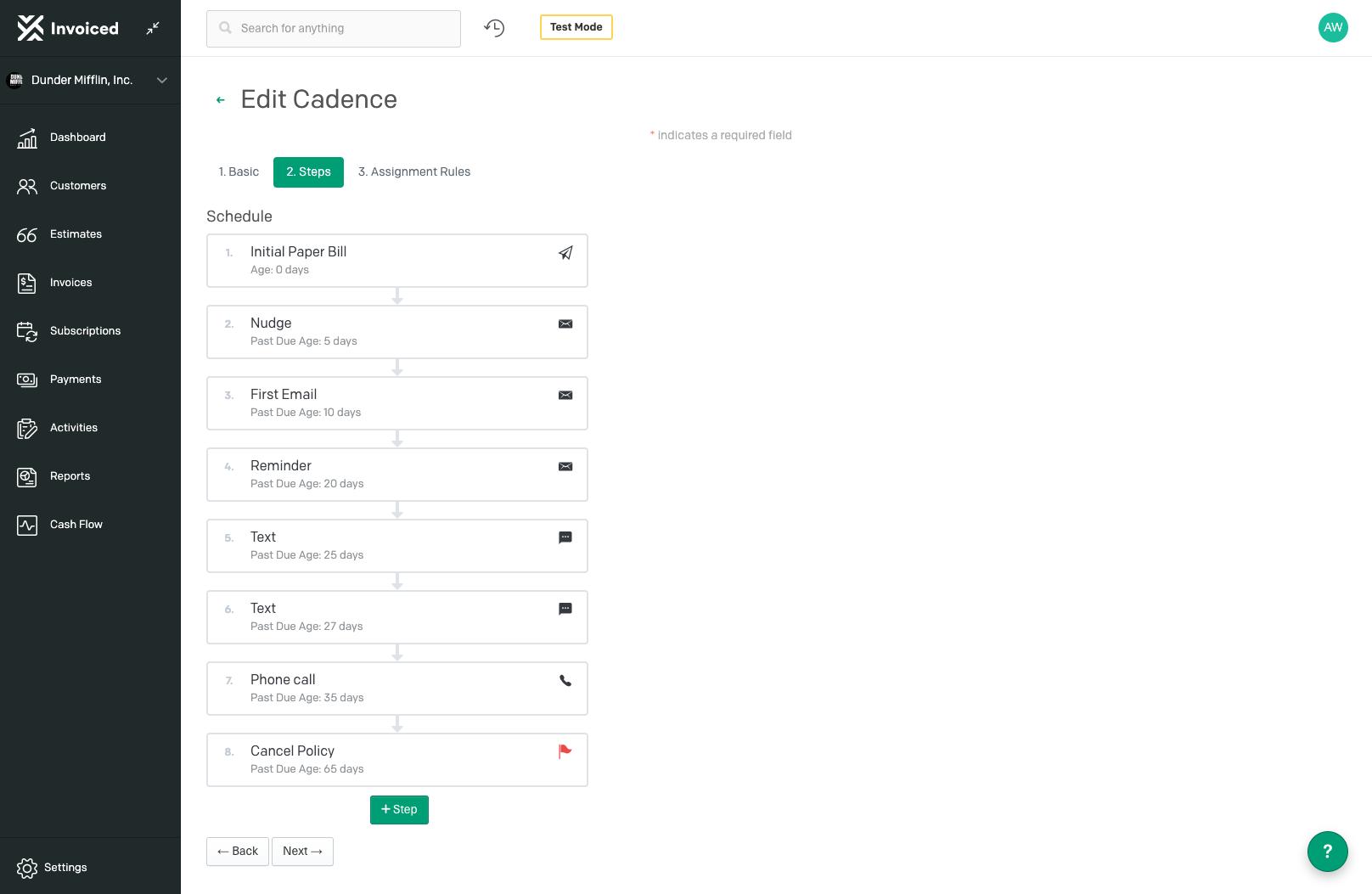
Automated collections and dunning: Create collection cadences (timing, tone, escalation) that trigger automatically based on due dates, aging rules, and customer-specific logic.
-
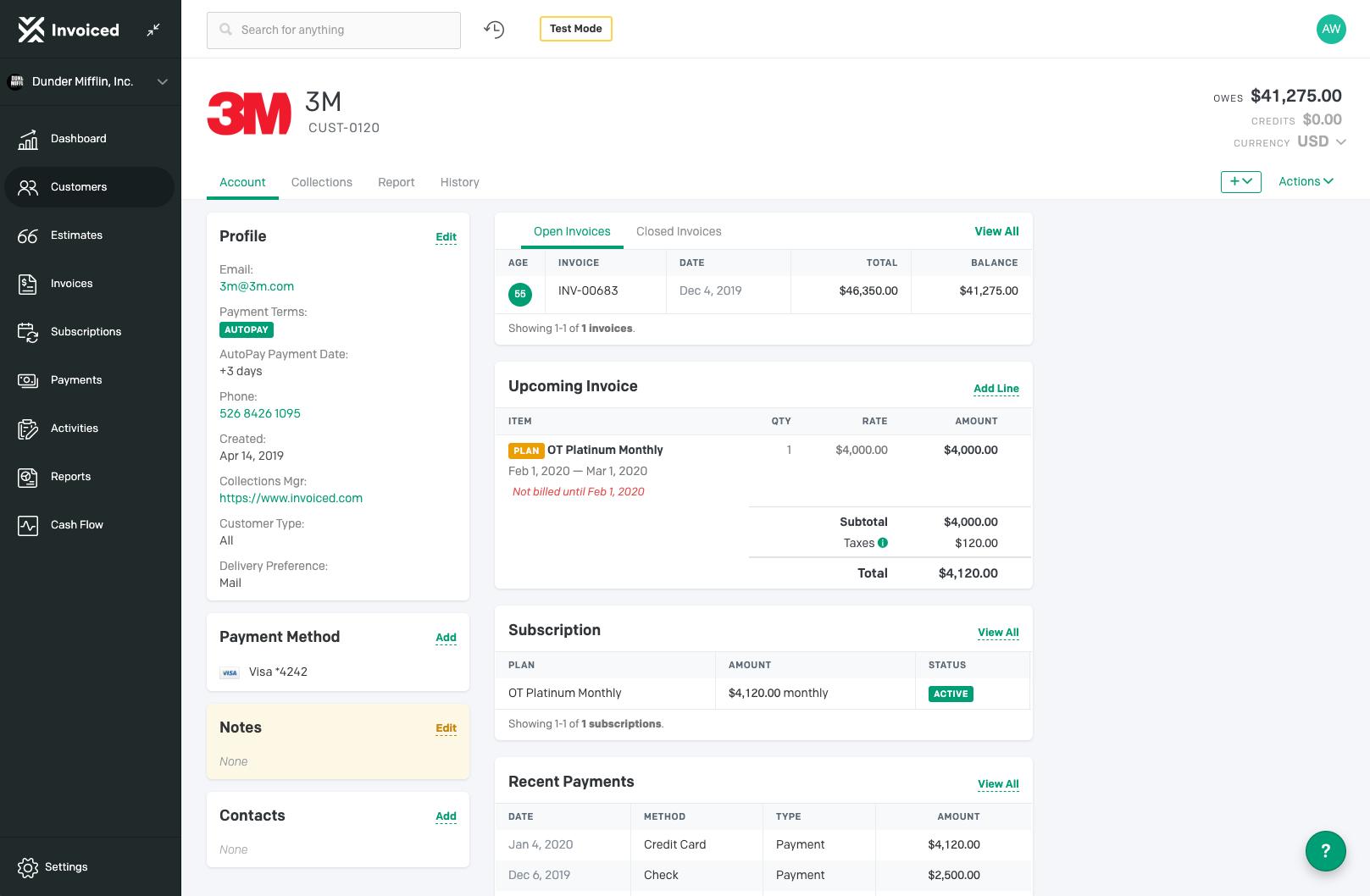
Self-serve customer payment portal: Give customers a branded place to view invoices, pay online, enable AutoPay, download receipts and statements, and manage certain account details.
-
Payment enablement built for faster completion: Reduce friction by making payment options easy to access directly from invoices and the portal, improving on-time payment behavior.
-
Cash application and reconciliation support: Minimize the “where did this money come from?” problem by aligning payments to invoices and reducing manual matching work.
-
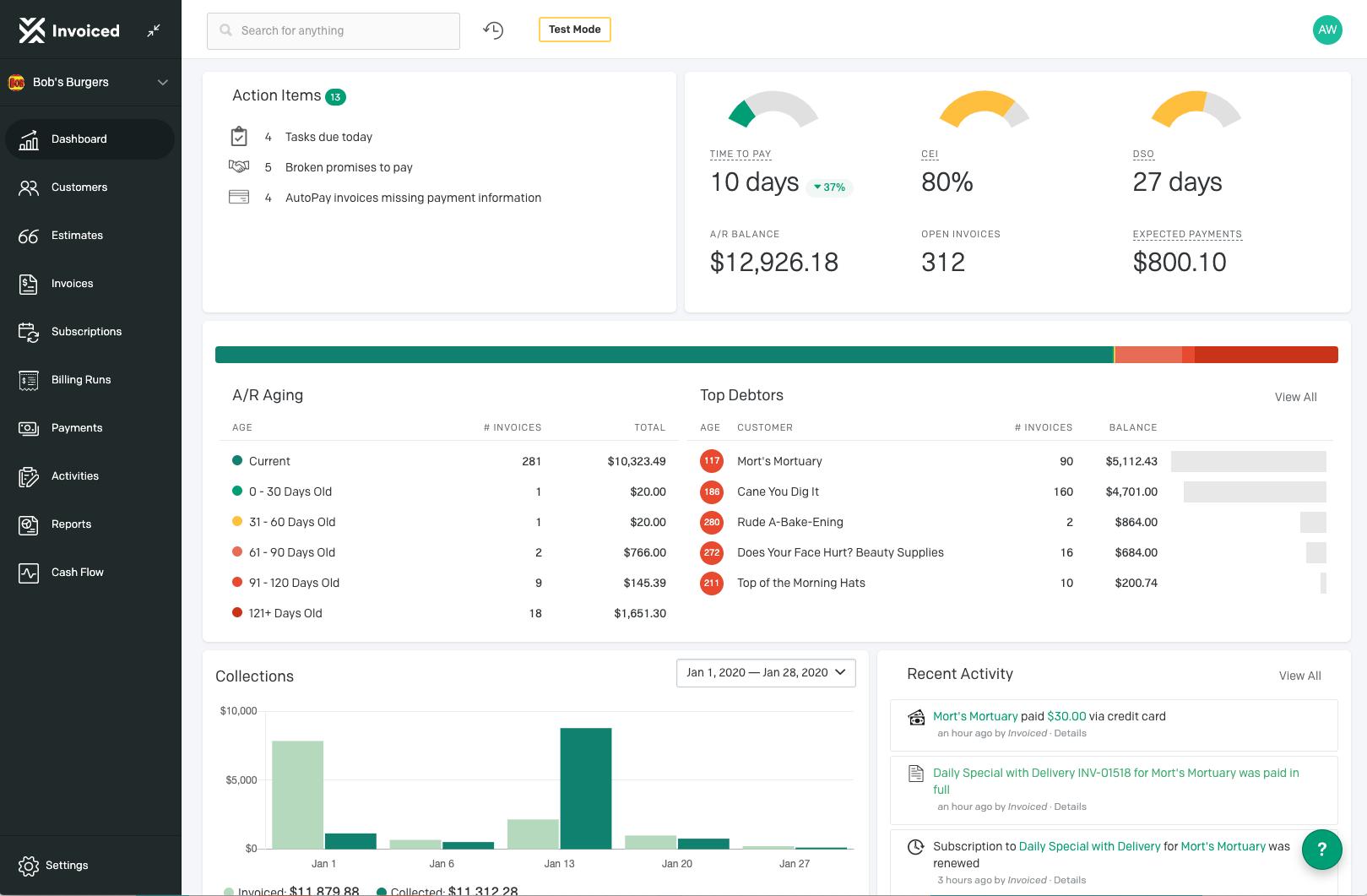
Reporting and cash collection forecasting: Track receivables performance and expected collections timing, helping finance teams plan with more confidence.
-
Accounting/ERP integrations: Sync invoices, payments, and customer data with popular accounting and ERP environments to avoid double entry and keep systems aligned.
-
API and extensibility: Support custom workflows and integrations when the business needs something beyond standard connectors.
Which use cases fit Invoiced best?
-
High-volume B2B invoicing: When sending invoices and tracking statuses manually is already painful, and late payments are starting to feel “normal.”
-
Collections that depend on individual heroics: When reminders and follow-ups live in someone’s inbox and results vary depending on who is on shift.
-
Teams trying to lower DSO without hiring: When the company wants faster cash collection but doesn’t want to scale headcount just to send more emails.
-
ERP-first organizations needing a stronger A/R layer: When the accounting/ERP system is the system of record, but collections automation and customer payment experience are weak.
-
Subscription or recurring billing scenarios: When consistent billing and AutoPay options reduce churn-like payment delays and constant back-and-forth.
-
Finance leaders who need visibility, not stories: When forecasting and reporting must reflect reality (what’s due, what’s late, what’s likely to be paid soon), not guesswork.
What benefits can teams expect from Invoiced?
The main payoff is speed and consistency. Invoice-to-cash automation reduces time lost to manual follow-ups and helps collections run like a system instead of a scramble. That usually translates into improved on-time payments, fewer overdue balances, and a cleaner view of receivables health.
It also improves operational hygiene: fewer spreadsheet trackers, fewer “who contacted this customer last?” questions, fewer reconciliation errors, and less context-switching across tools. When integrations are used well, data stays aligned across finance systems, reducing the hidden cost of duplicated effort and mis-synced records.
What is the day-to-day user experience in Invoiced?
Day-to-day work becomes exception-driven. Instead of pushing every invoice and follow-up manually, the team configures workflows once, monitors execution, and focuses attention where it matters: disputes, high-risk accounts, broken payment patterns, or large overdue balances.
Customers get a more modern experience too. A self-serve portal reduces email back-and-forth by letting them view invoices, pay immediately, set up AutoPay, and pull receipts and statements when they need them. For the finance team, that means fewer repetitive requests and a tighter, more predictable accounts receivable process.
2026-08-14 14:45:03: Why Gen Z Communicates Differently | Dream vs Reality | Make it Make Sense Youtube
2026-08-11 07:42:34: The Emotional Reality of Studying Abroad | Dream vs Reality | Make It Make Sense Youtube
2026-08-06 07:30:38: The Truth About Moving Abroad at a Young Age | Dream vs Reality | Make It Make Sense Youtube
2026-08-06 07:00:39: When Ego Gets in the Way | Dream vs Reality | Make It Make Sense Youtube
2026-08-06 06:30:22: The 4-Step Emotional Reset | Dreams vs Reality | Make It Make Sense Youtube
2026-07-30 21:01:55: Dream vs Reality | Make It Make Sense | Fees, Finances & Foreign Lands Youtube
2026-07-28 05:37:57: Here are the translations for the provided phrases:
1. The Hidden Side of Tuition Payments - The Hidden Side of Tuition Payments
2. The Last Minute Sprint - The Last Minute Sprint
3. Make It Make Sense - Make It Make Sense
Since the service name "Invoiced" is a generic noun and the phrases do not require translation as they are already in English, no changes are needed. Youtube
2026-07-25 03:30:17: Sure! Here are the translations for the titles you provided:
1. Will Your Visa Get Approved?
2. The Last Minute Sprint
3. Make It Make Sense
These phrases remain unchanged as they are in English. If you need a translation into a specific target language, please let me know! Youtube
2026-07-24 11:40:41: Your Last-Minute Study Abroad Checklist | The Last Minute Sprint | Make It Make Sense Youtube
2026-07-22 11:56:51: Here are the translations for your requested phrases while keeping the service name "Invoiced" intact:
1. Visa Red Flags ?
2. The Last Minute Sprint
3. Make It Make Sense
Since you requested the translation in English, the phrases remain unchanged as they are already in English. If you need translations into another language, please specify the target language. Youtube
2023-04-13 01:20:37: Anyone who has billed customers has probably heard the "I never received it" excuse at least once. Whether or not this is true, built-in tracking can help your team solve this dilemma. Get more A/R automation tips in our guide here: https://t.co/EZmrviJK3C. #accountsreceivable https://t.co/vcUwgn9FlYTwitter
2023-04-11 00:52:16: Need help with your #accountsreceivable processes? Maybe it’s time to automate them! Learn how we can help your business increase #productivity and get paid faster >> https://t.co/3f7woDuOT2.
#B2B #finance https://t.co/sWdGZaPZRXTwitter
2023-03-30 18:56:33: Need some pointers on A/P? We got you! A smart #accountspayable strategy will drive the health of your #business and your bottom line. Check out our blog on A/P #bestpractices to learn more >> https://t.co/nOH5d05W6b!
#B2B #finance #accounting https://t.co/alOyDgedluTwitter
2023-03-28 00:35:26: Hate dealing with late-paying customers? We get that it can be frustrating. But it doesn't have to create headaches. We can help walk you through it >> https://t.co/3jTPqq0OTC! #B2B #finance #accountsreceivable https://t.co/YDsFjw8gOMTwitter
2023-03-24 00:18:42: We've been keeping an eye on #B2B payments trends —particularly on evolving B2B #payment policies and where they will likely go. Check out what we've discovered >> https://t.co/hnOUz9mX1x! https://t.co/4thIxfxxEuTwitter
2023-03-23 23:49:32: Thanks, CMIT Solutions Chicago DT. We think you’re awesome too!
#B2B #finance #accountsreceivable #customerreviews https://t.co/ZqzZMfezF2Twitter
2023-03-21 19:34:43: Learn how to streamline invoicing with an intuitive portal here >> https://t.co/F0XMSnQLlr!
#B2B #finance #accountsreceivable https://t.co/26uN4dUs37Twitter
2023-03-17 20:36:22: May your accounts receivable flourish with green and gold - happy #StPatricksDay2023!
#accountsreceivable #B2B #finance https://t.co/T219OCHuBJTwitter
2023-03-15 22:03:16: Did you know that a five percent reduction in customer defection has the potential to double profits? Learn about our top 6 customer retention strategies here >> https://t.co/zzCXsvNHSC! #B2B #finance https://t.co/AKVld3ABF4Twitter
2023-03-15 00:24:40: Can you accurately #forecast cash collection with autopay and payment plans? Learn more about our cash collection forecasting capabilities here >> https://t.co/5TtewSjehH! #B2B #finance #accountsreceivable https://t.co/xAOZ9v5VZ1Twitter
Invoiced Alternatives




Invoiced Reviews & Demos
Invoiced Integrations