HappyFox
Languages:
English
Localization:
World

What is HappyFox and what does it do?
HappyFox is a cloud-based help desk software designed to centralize, automate, and scale customer support and internal service operations. It brings requests from multiple channels—email, web forms, chat, and social platforms—into a single, structured ticketing system. The core idea is simple: replace fragmented inboxes and manual coordination with a unified workflow where every request is tracked, prioritized, and resolved transparently.
The platform is used both for external customer support and internal service desks such as IT, HR, facilities, and operations. HappyFox focuses on operational clarity: who owns a ticket, what the status is, how long it has been open, and whether service-level commitments are being met. Automation rules, SLA tracking, and reporting are built in from the start, making it suitable for teams that need control rather than just a shared inbox.
HappyFox positions itself as a scalable solution: usable by small teams without heavy setup, yet structured enough for large organizations with complex processes, multiple departments, and strict response-time requirements.
What key features does HappyFox provide?
-
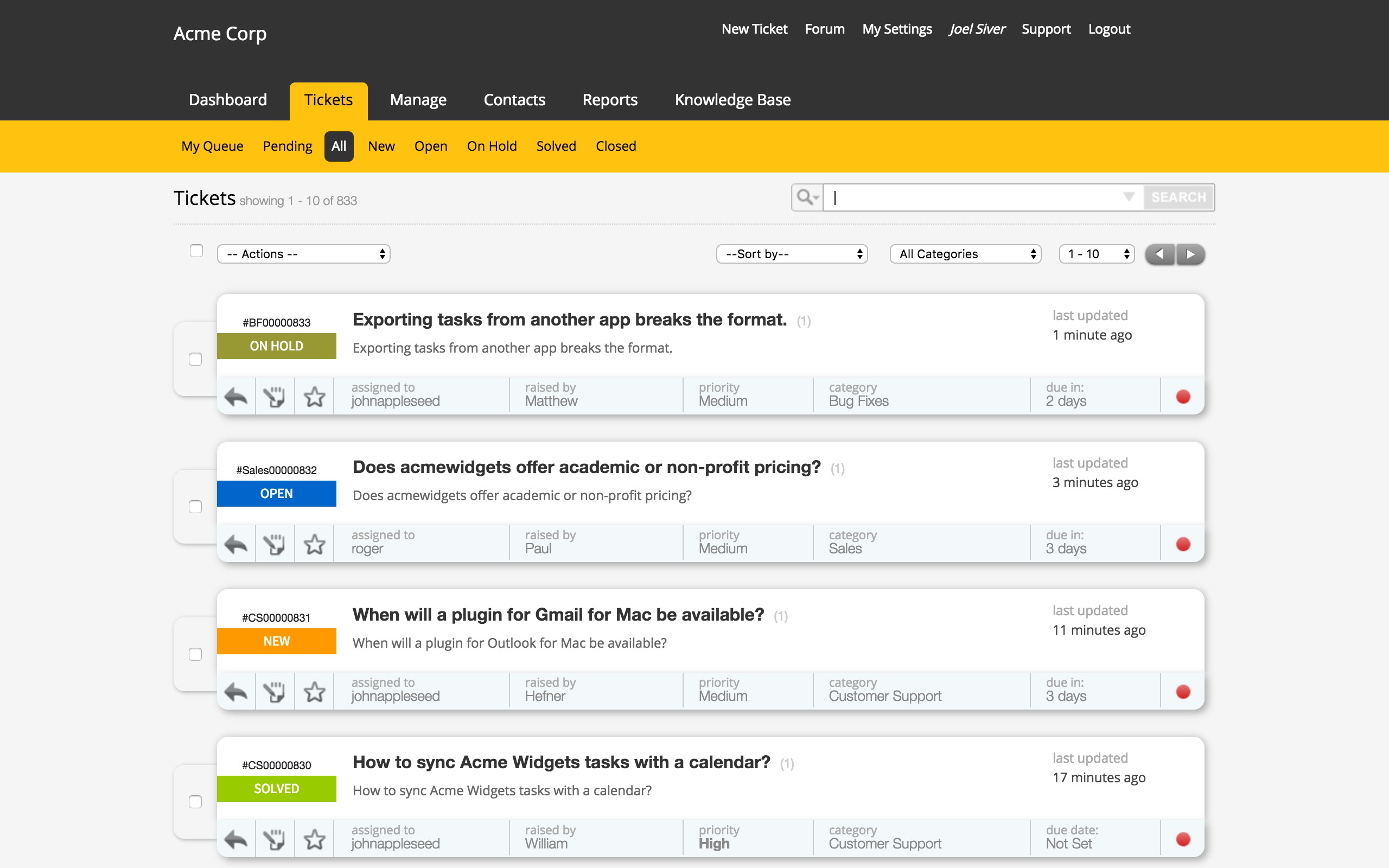
Centralized Ticketing System
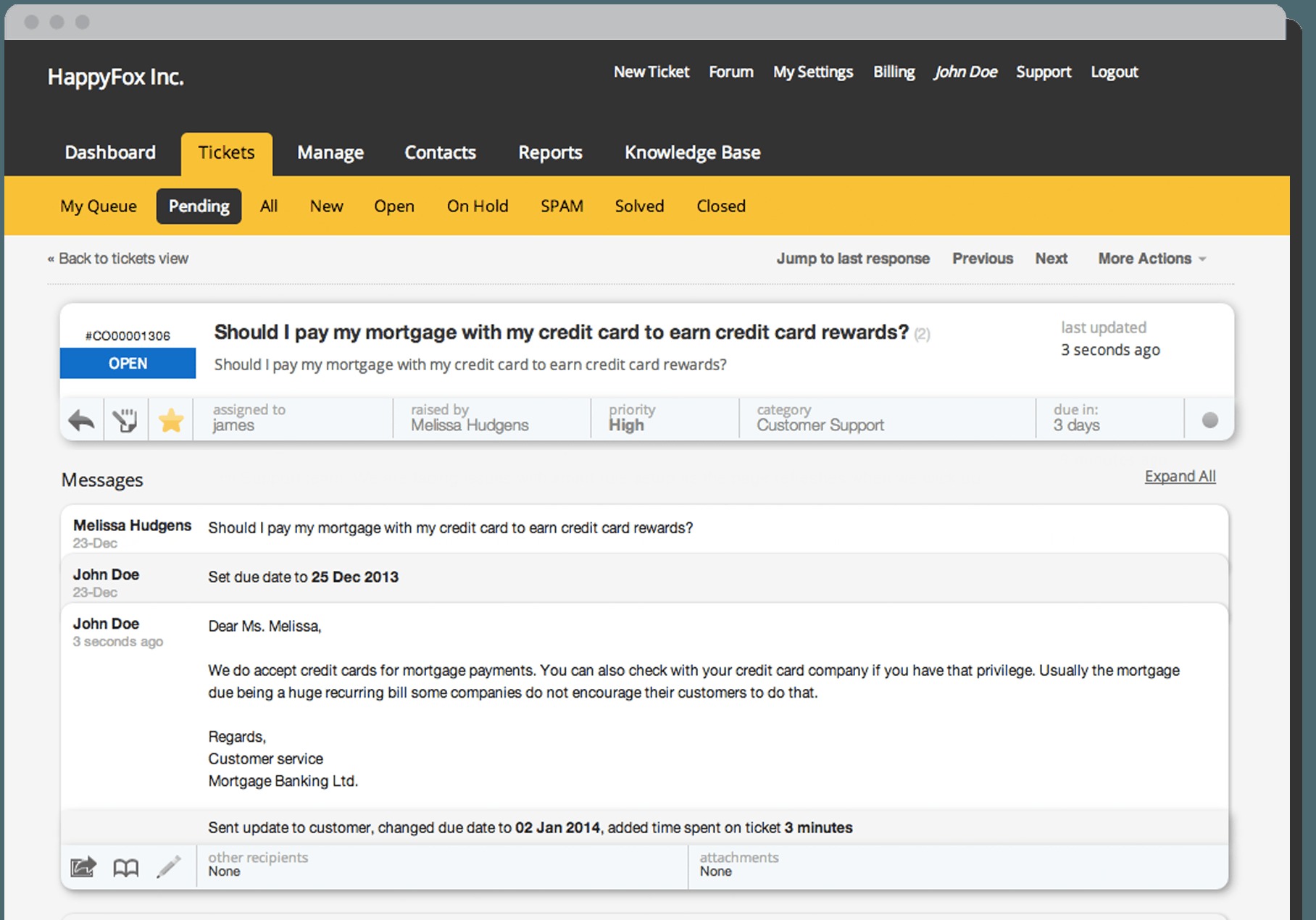
All support requests are converted into tickets and managed in a single dashboard. Tickets include full conversation history, metadata, priority, and ownership, reducing context switching and lost requests. -
Workflow Automation and Smart Rules
Automated rules route tickets to the right teams, apply priorities, escalate issues, or trigger actions based on conditions such as category, urgency, or SLA timers. This reduces manual triage and response delays. -
SLA and Escalation Management
Service Level Agreements can be defined per category or customer type. The system tracks deadlines in real time and escalates tickets automatically when thresholds are at risk. -
Knowledge Base and Self-Service Portal
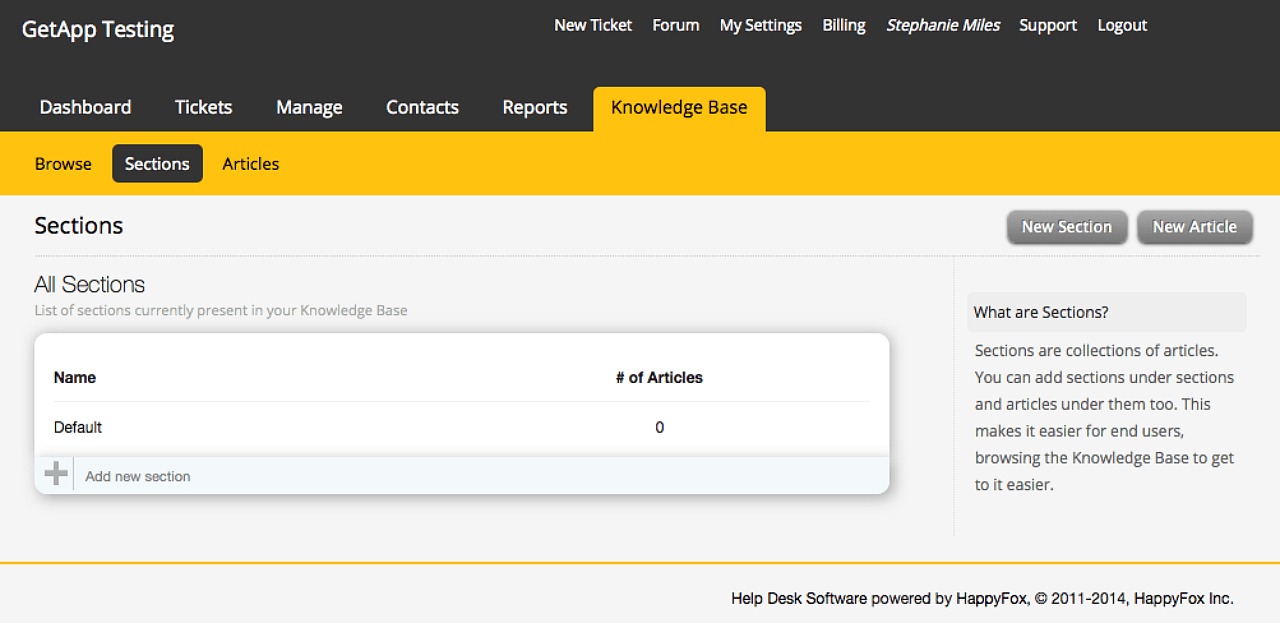
Teams can create searchable help articles and FAQs. Customers or internal users can resolve common issues themselves, lowering ticket volume and improving resolution speed. -
Canned Responses and Templates
Predefined replies and actions allow agents to respond consistently and faster to recurring issues without sacrificing quality. -
Role-Based Access and Permissions
Granular roles control who can view, edit, or manage tickets, making it suitable for multi-department and enterprise environments. -
Reporting and Analytics
Built-in reports provide insight into response times, resolution trends, workload distribution, SLA compliance, and agent performance.
In which situations is HappyFox most useful?
-
Customer Support Teams with Multiple Channels
Businesses receiving requests from email, web, and social media benefit from a single queue instead of scattered conversations. -
Internal IT and Employee Service Desks
IT, HR, and operations teams can manage internal requests with the same discipline as external customer support, improving accountability. -
Growing Companies Needing Process Control
Teams that have outgrown shared inboxes but are not ready for heavy enterprise ITSM tools can implement structured workflows quickly. -
Organizations with SLA Commitments
Companies that promise response or resolution times need automated tracking and escalation to avoid manual monitoring. -
Distributed or Remote Support Teams
A cloud-based system with clear ownership and visibility helps teams collaborate across time zones.
What benefits does HappyFox deliver to teams?
HappyFox improves operational efficiency by turning unstructured communication into predictable workflows. Automation reduces repetitive tasks such as ticket assignment and follow-ups, allowing agents to focus on problem-solving instead of administration.
Response times improve because tickets are routed correctly from the start and escalated automatically when deadlines approach. Managers gain visibility into bottlenecks and workload imbalances, enabling data-driven staffing and process decisions.
Self-service capabilities reduce incoming ticket volume, which lowers support costs while improving user satisfaction. Consistent templates and knowledge articles also standardize responses, reducing errors and miscommunication.
From a management perspective, HappyFox provides traceability. Every action on a ticket is logged, making audits, reviews, and post-incident analysis straightforward.
How does the user experience feel for agents and managers?
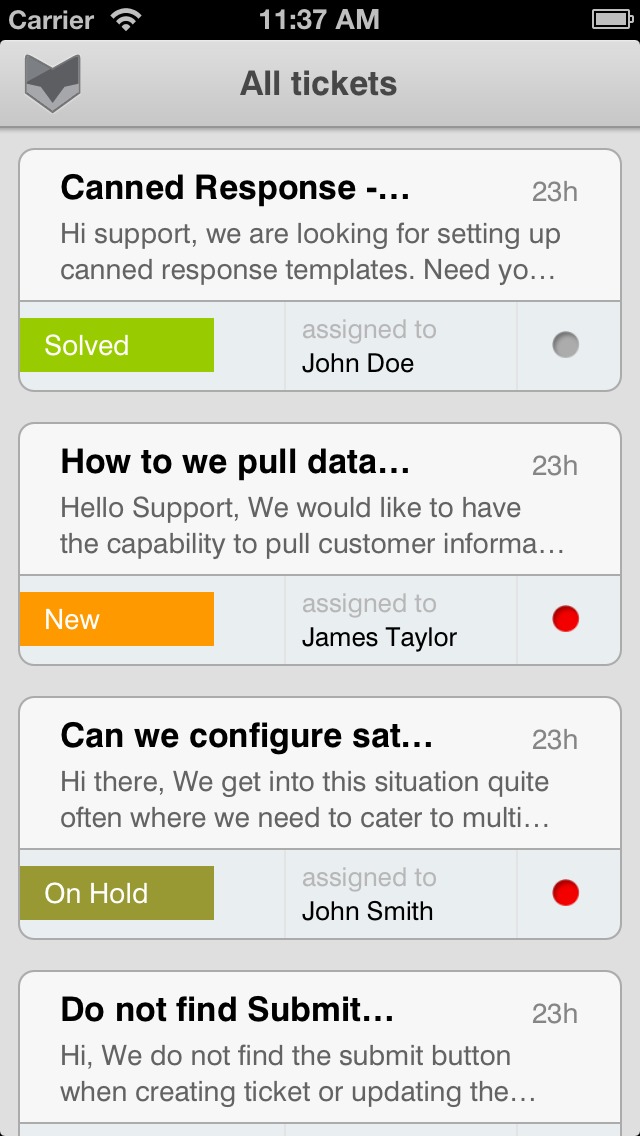
For support agents, the interface is structured and task-focused. Tickets are clearly categorized, prioritized, and searchable. Context is always available in one place, minimizing back-and-forth and confusion. Automation removes much of the manual sorting that typically slows down support work.
For managers, the experience centers on visibility and control. Dashboards show real-time performance metrics, SLA risks, and team workload. Configuration is largely rule-based rather than code-driven, allowing operational changes without developer involvement.
For end users—customers or employees—the experience is predictable and transparent. Requests receive acknowledgments, status updates, and timely responses. The self-service portal provides answers without requiring direct contact, which is often faster and more convenient.
Overall, HappyFox emphasizes clarity over complexity. It is designed to make support operations measurable, repeatable, and scalable rather than informal and reactive.
2026-09-02 08:37:21: Configuring Email Channel | HappyFox University Youtube
2026-09-02 08:27:21: Configuring Task Templates | HappyFox University Youtube
2026-09-02 08:11:35: How to import assets | HappyFox University Youtube
2026-09-02 07:59:45: How to Use Assets Within Tickets | HappyFox University Youtube
2026-09-02 07:56:37: Managing Email Notifications | HappyFox University Youtube
2026-08-11 05:59:26: Custom Fields Reports | HappyFox University Youtube
2026-08-11 05:57:58: Reports Inflow | HappyFox University Youtube
2026-08-11 05:54:47: How to set up a Multi-Brand Support Center | HappyFox University Youtube
2026-08-11 05:51:36: How to customize your New Ticket Form | HappyFox University Youtube
2026-08-11 05:49:07: How to organize your KB sections and articles | HappyFox University Youtube
2023-03-16 16:13:05: We are hiring! Apply online: https://t.co/mE182nODsv #saas #jobs #chennai #irvineTwitter
2022-06-23 09:45:21: Do Approval Management in #Zendesk with HappyFox Workflows. https://t.co/7pX60PuLT3
#automate #workflows #helpdeskTwitter
2021-09-14 15:03:52: We all do Google searches multiple times a day!
Reason: We love self-service🙋♂️
You can provide #selfservice options to your customers too, but how to convince them of its merits? 🤔
Find out with this guide 👉 https://t.co/kVzDbMBF6L
#customerservice #knowledgebase https://t.co/uKIMgHKisLTwitter
2021-08-27 13:53:39: ⚡️Speed is the biggest competitive advantage for any company's customer support efforts.
Find out how canned responses can help improve your #productivity while writing support emails (free resources available) 👉 https://t.co/2yyml6Cq1P
#customerservice #emails https://t.co/b7SSCLlmyaTwitter
2021-08-25 13:46:31: #Chatbots can be your secret marketing team member.
They can:
💥 Provide offers and discounts
📚 Share resources like e-books and case studies
🛍 Recommend products to customers
& much more 👉 https://t.co/DDW13qEMjf https://t.co/k1X6gS10nbTwitter
2021-08-19 17:09:03: Who would you rather talk to, Alexa or VoiceBot1? Naming your chatbot is important! Learn how 👉 https://t.co/KL5Mupd4gg https://t.co/bcuj5F1wOrTwitter
2021-08-17 16:34:23: Chatbots deal with words but here’s why you need numbers and graphs to improve your chatbot 👉 https://t.co/aYZv9lisoe https://t.co/1LH8opvBq3Twitter
2021-08-12 12:22:05: Chatbots can propel your business to new heights.
They can generate leads 🚀
They can collect feedback 💬
They can track online orders 🛍️
...And so much more! 👉 https://t.co/bdyohtuxi8 https://t.co/dB1L1kJjDATwitter
2021-08-10 11:09:36: Chatbots have made substantial progress, from solving basic queries to providing personal assistance. But the choice varies from business to business. See what's the best for your company! https://t.co/lFg1NKRmzMTwitter
2021-08-05 17:07:44: 9 Essential customer service trends for the future of customer support.
🧐 See which one is missing in your arsenal 👉 https://t.co/kf4B2LG7OL https://t.co/dMvpGlOYtcTwitter
HappyFox Alternatives




HappyFox Integrations