Backlog
Languages:
English
日本語
Localization:
World

What Is Backlog?
Backlog Project Management and Collaboration Platform is an all-in-one workspace developed by Nulab for planning projects, tracking tasks, managing development workflows, and coordinating teams. It brings issue tracking, Kanban boards, Gantt charts, documentation, file sharing, and version control into one environment.
Backlog is designed for development, product, design, marketing, operations, and other teams that need a shared view of responsibilities and progress. Work is organized into projects containing tasks, bugs, requests, milestones, and subtasks. Each issue can include an assignee, priority, deadline, attachments, comments, and relevant project details.
Unlike many project management services that charge for every additional user, Backlog offers flat-price plans with defined project, storage, and functionality limits. This model can make the platform attractive to growing organizations that want to involve clients, contractors, and employees without continuously increasing per-user expenses.
What Are the Key Features of Backlog?
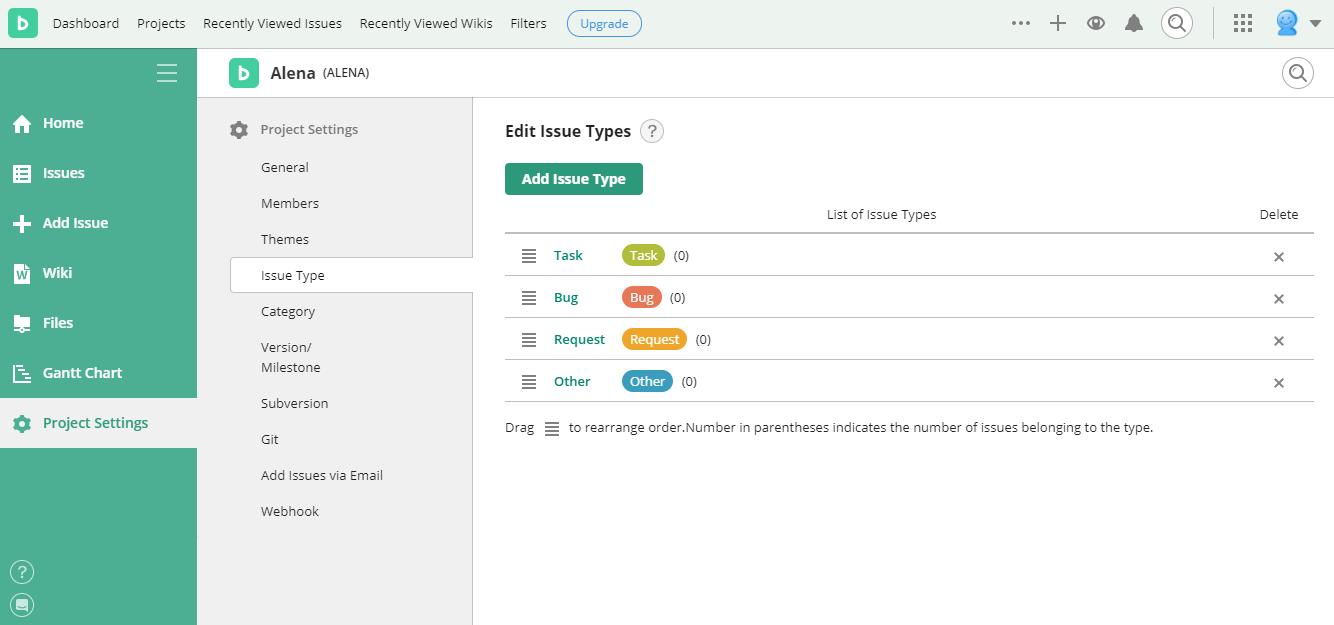
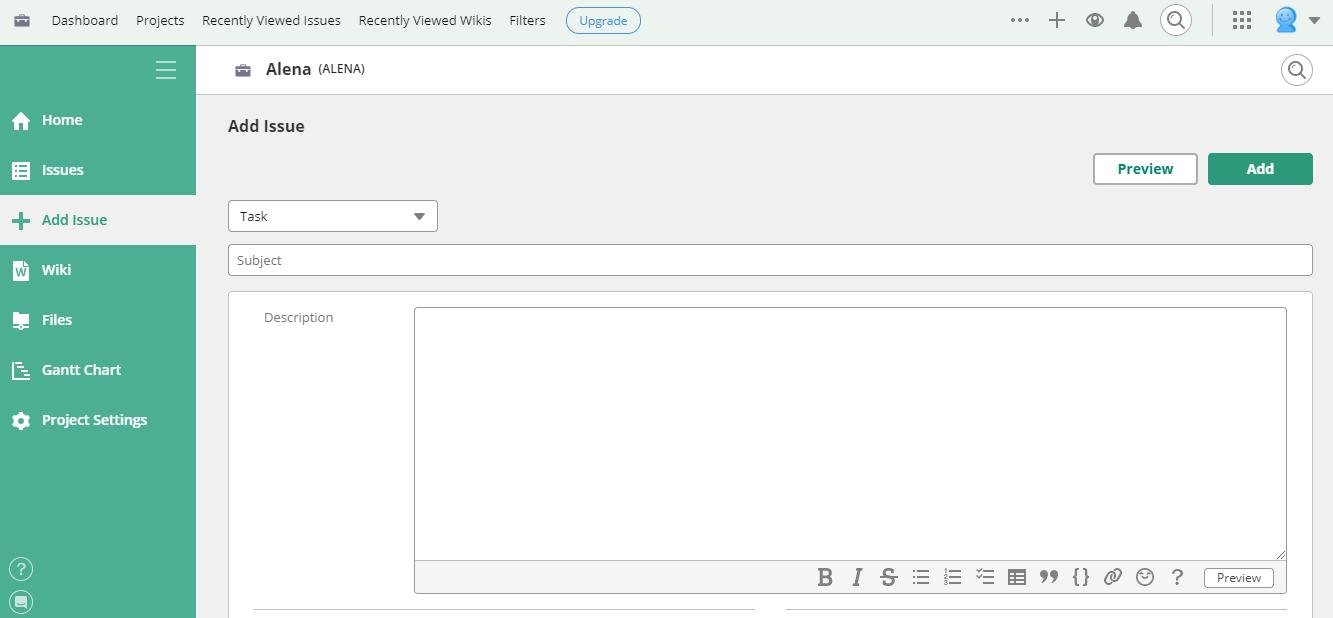
- Issue and task management: Teams can create tasks, bug reports, requests, and custom issue types. Issues support priorities, assignees, due dates, categories, milestones, attachments, comments, and parent-child relationships.
- Kanban-style boards: Visual boards display tasks according to their current workflow status. Team members can move cards between columns to reflect progress and quickly identify blocked or delayed work.
- Gantt charts: Project schedules can be viewed as timelines, helping managers understand deadlines, overlapping activities, milestones, and the overall sequence of planned work.
- Burndown charts: Agile teams can monitor how much work remains within a milestone or sprint. Burndown charts make it easier to recognize when delivery is falling behind schedule.
- Project documents: Collaborative documents provide a central location for requirements, meeting notes, procedures, plans, and internal knowledge. Rich formatting and real-time editing help teams maintain information without relying on separate document platforms.
- Built-in Git and Subversion: Development teams can host repositories, review code changes, manage branches, and connect commits with relevant issues. This creates a direct relationship between technical work and project requirements.
- File sharing: Files can be attached to individual issues or organized within project folders, keeping specifications, designs, reports, and other materials close to the related work.
- Team communication: Comments, notifications, mentions, activity feeds, and watchlists help users follow important discussions and receive updates about relevant tasks.
- AI assistance: Eligible plans provide AI-supported tools for finding information, summarizing project activity, organizing work, creating documents, and identifying important deadlines or details.
- Integrations and API access: Backlog connects with services such as Slack, Microsoft Teams, Google Drive, Dropbox, Jenkins, and other business tools. Its API and webhooks support custom integrations and workflow automation.
What Can Teams Use Backlog For?
- Software development: Development teams can manage feature requests, bugs, releases, source code, and technical discussions without separating project management from repository activity.
- Product planning: Product managers can organize roadmaps, define milestones, prioritize requests, and monitor progress across development, design, and business teams.
- Marketing campaigns: Marketing teams can assign campaign tasks, coordinate content production, track approvals, store assets, and manage launch deadlines.
- Design workflows: Designers can attach mockups, collect contextual feedback, coordinate revisions, and connect creative deliverables with larger project schedules.
- Customer and internal requests: Organizations can use issue types and custom workflows to process customer inquiries, maintenance requests, operational tasks, and internal support tickets.
- Remote collaboration: Distributed teams can keep responsibilities, files, decisions, and delivery status accessible in one structured workspace.
What Benefits Does Backlog Provide?
Backlog reduces fragmentation by combining task management, documentation, communication, and code collaboration. Teams gain clearer ownership of work because every issue can have an assigned person, priority, status, and deadline.
Visual boards and timeline tools improve operational visibility, while project histories preserve decisions and discussions for future reference. Built-in version control is particularly useful for technical teams that would otherwise manage tasks and repositories in separate systems.
Flat-rate plans can also provide more predictable costs for companies with many participants. Clients and external collaborators can be included without creating the same per-seat cost pressure found in many competing platforms.
What Is the Backlog User Experience Like?
Backlog offers a clean, structured interface that is accessible to both technical and non-technical users. Projects, issues, boards, documents, repositories, and files are organized through consistent navigation. Creating and updating tasks requires little training, while filters and search tools help users locate relevant work.
The terminology reflects Backlog’s development-oriented origins, with most work represented as “issues.” However, customizable issue types allow the same system to handle tasks, bugs, requests, and other workflows. Mobile applications provide access to assignments, comments, notifications, and project activity when users are away from their desks.
2026-03-05 10:17:23: Backlog AI Assistant Tutorial: Get Instant Project Insights Youtube
2026-03-05 10:17:20: Meet Backlog AI Assistant: Your Project Sidekick Youtube
2026-03-05 10:17:09: Backlog AI Assistant Tutorial: Create & Update Tasks Youtube
2026-03-05 10:17:05: Backlog AI Assistant Tutorial: Create & Revise Project Content Youtube
2026-03-03 11:32:54: How to Use Milestones, Gantt Charts & Custom Workflows with Backlog Youtube
2026-01-28 15:22:22: 2025 Nulab Year in Review Youtube
2026-01-05 15:48:36: How to share and archive boards in Backlog Youtube
2025-12-23 15:01:32: Happy holidays from Nulab! Youtube
2025-12-22 14:20:53: How to execute agile sprints in Backlog Youtube
2025-11-26 14:12:49: Backlog Features: Organize and collaborate with Documents Youtube
2023-04-03 18:15:00: In a highly competitive market, the most important thing is giving customers a satisfactory product. Read these steps to learn more about customer validation, and how to implement it in your #strategy and #planning
https://t.co/iJbljsDvj4Twitter
2023-03-31 16:11:01: Thank you Software Advice for listing Backlog as a top-rated front runner Kanban tool in 2022! We look forward to what 2023 has in store. 🎉
#projectmanagement
https://t.co/uUXZEubPlb https://t.co/YfnU8Ih3FPTwitter
2023-03-31 03:06:02: We're excited to share that Cacoo has been ranked as a top contender among idea #management software from Capterra! Cacoo is here to help simplify any job. 🙌
https://t.co/RoAC2HSujT https://t.co/mtmcwqn4SdTwitter
2022-12-31 15:02:01: Charisma is a trait many leaders share, and some people seem to have it innately. But actually, being personable is something you can learn! Here are some tips: https://t.co/Gbz4gAhfLK
#leadership #collaboration #teamwork https://t.co/AsSVT7l0aPTwitter
2022-12-30 16:11:01: An IT #projectmanager needs to ensure that projects are delivered on time and on budget, with as few interruptions as possible.
Check out some useful IT #projectmanagement methodologies: https://t.co/7TtWwXKSTh https://t.co/uAh6bF7de3Twitter
2022-12-30 00:59:01: The best managers are humble and self-reflective, so if you nurture these behaviors in yourself, you’ll have a good foundation on which to build the rest 💪⬇️
#management
https://t.co/NxgCrpCUaL https://t.co/T77xKeKlHTTwitter
2022-12-28 14:30:04: #Burnout makes people feel like they’ve got nothing left in the tank 😫 They may find even the smallest of tasks an enormous challenge or dread getting out of bed each morning ⬇️
https://t.co/JKhyYOi952 https://t.co/XG1RgZn1zKTwitter
2022-12-27 15:02:01: As the saying goes, less is more ✨ Yet, there is such a thing as being simple to a fault.
Sleek #design can’t make up for limiting a user’s ability to perform their desired task effectively. Here's how to achieve the perfect balance:
https://t.co/zz6mDJeMAH https://t.co/i3bCLNABK6Twitter
2022-12-26 23:04:01: Poor planning can lead to:
🗣 Communication breakdowns
💰 Wasted money & resources
😰 Project failures
Here's how #projectmanagement lifecycle can help! https://t.co/E26uZJeq5E https://t.co/v3zXFBX2hZTwitter
2022-12-25 23:15:01: Workplace #culture is about the way the team works together – and it has a massive impact on #productivity, employee mood, and even the way that outsiders perceive the business 👀
https://t.co/72L9UDyy0A https://t.co/6kHjBx9m0STwitter
Backlog Alternatives