1CRM
Languages:
English
Localization:
World
What is 1CRM and what does it help manage?
1CRM is an all-in-one business management platform built for small and mid-sized companies that want more than a basic contact database. It combines CRM, sales tracking, marketing automation, order management, project management, customer service, task management, design customization, and eCommerce-related capabilities inside one system. The core appeal is simple: instead of stacking multiple disconnected tools, a business can run a large share of customer-facing and operational work from one platform. 1CRM also supports cloud use and on-premise deployment, which gives companies more flexibility in how they implement and control the system.
This makes 1CRM a strong fit for organizations that need their CRM to connect with actual business operations. It is not only about tracking leads or sales calls. It is also about handling quotes, invoices, orders, tasks, support, and project delivery in a shared workspace. For businesses that want one operational center instead of a patchwork of tools, 1CRM is positioned as a practical middle ground between a classic CRM and a lightweight business management system.
What key features does 1CRM include?
- Sales and opportunity management
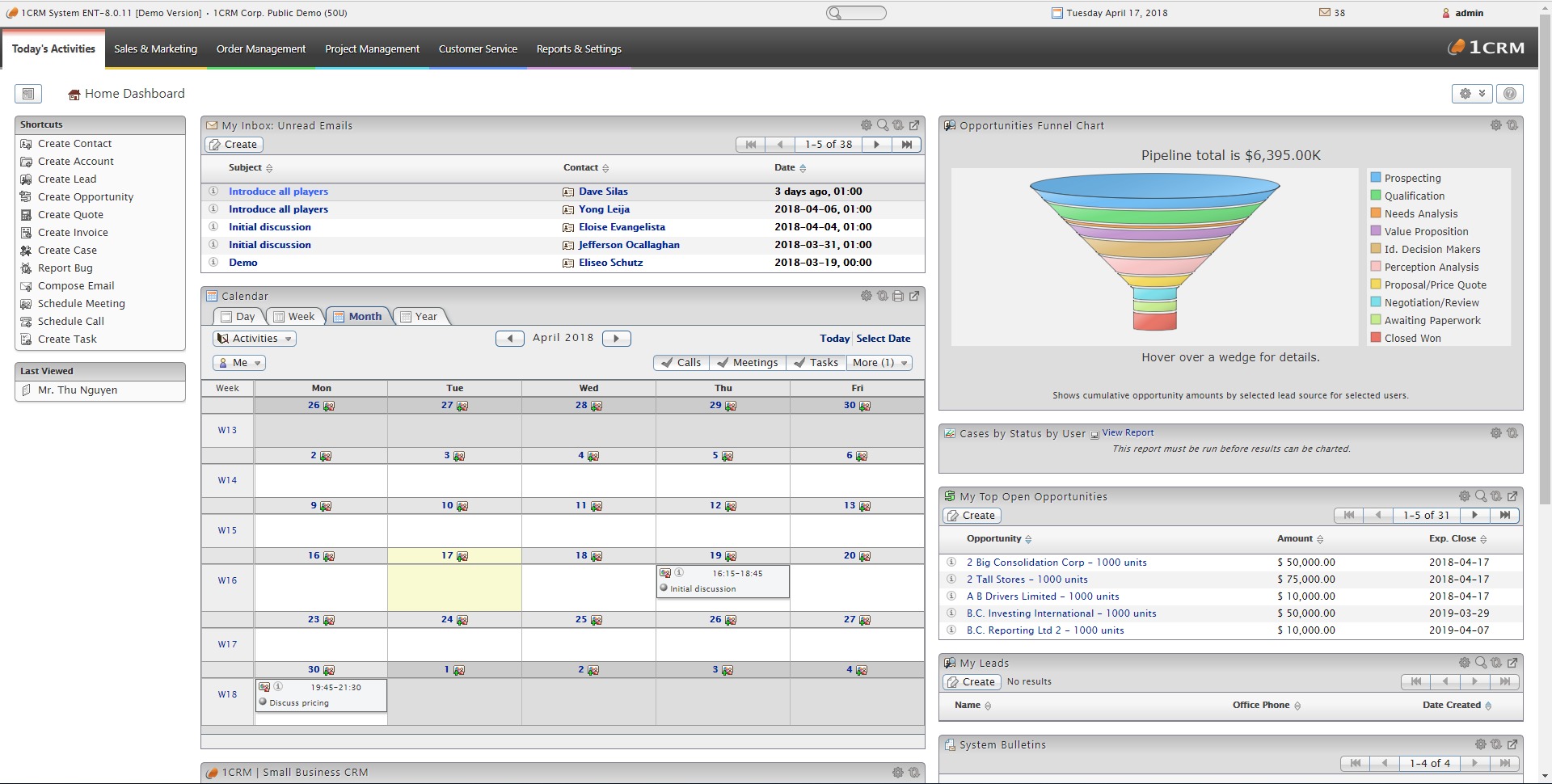
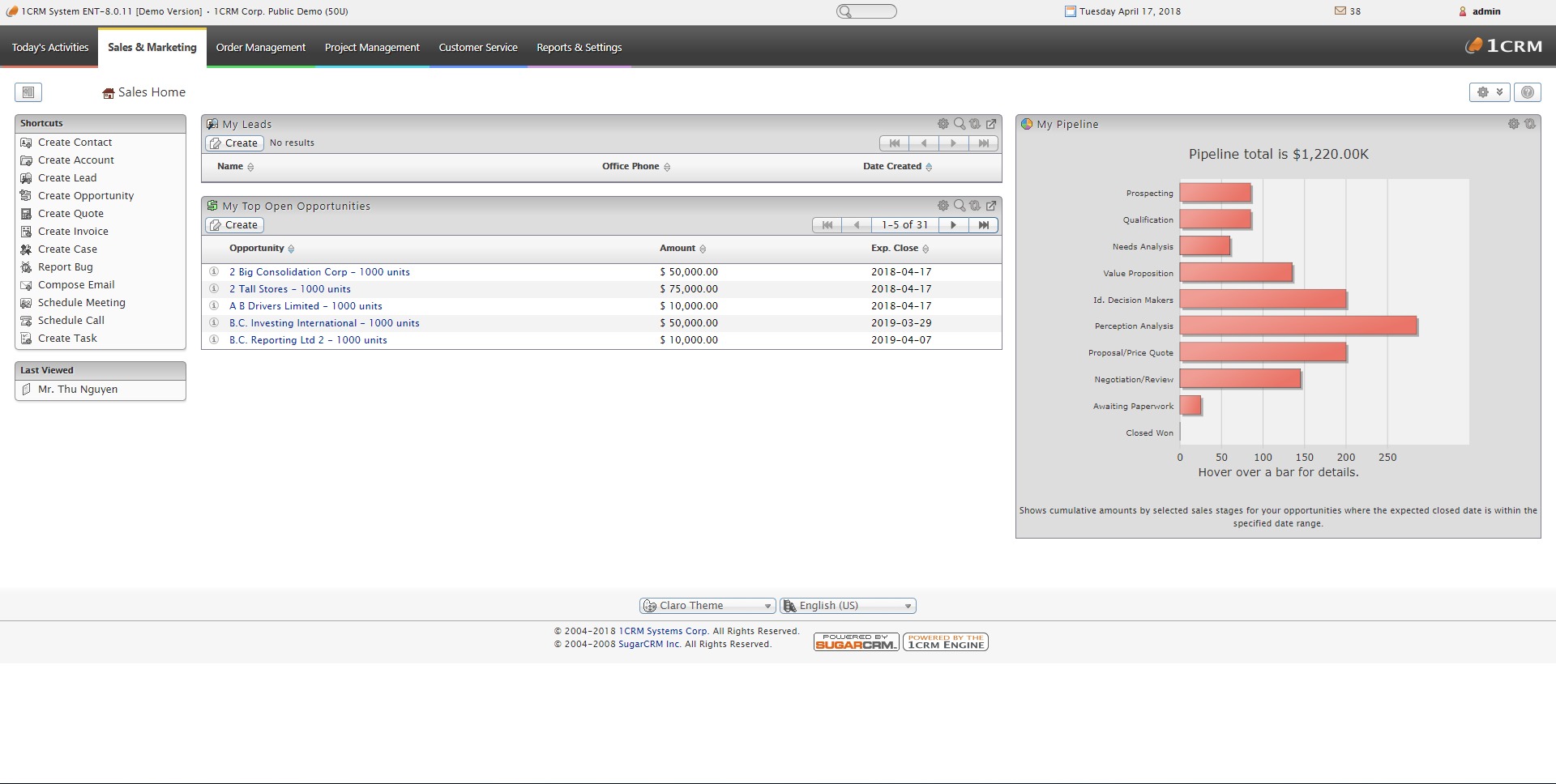
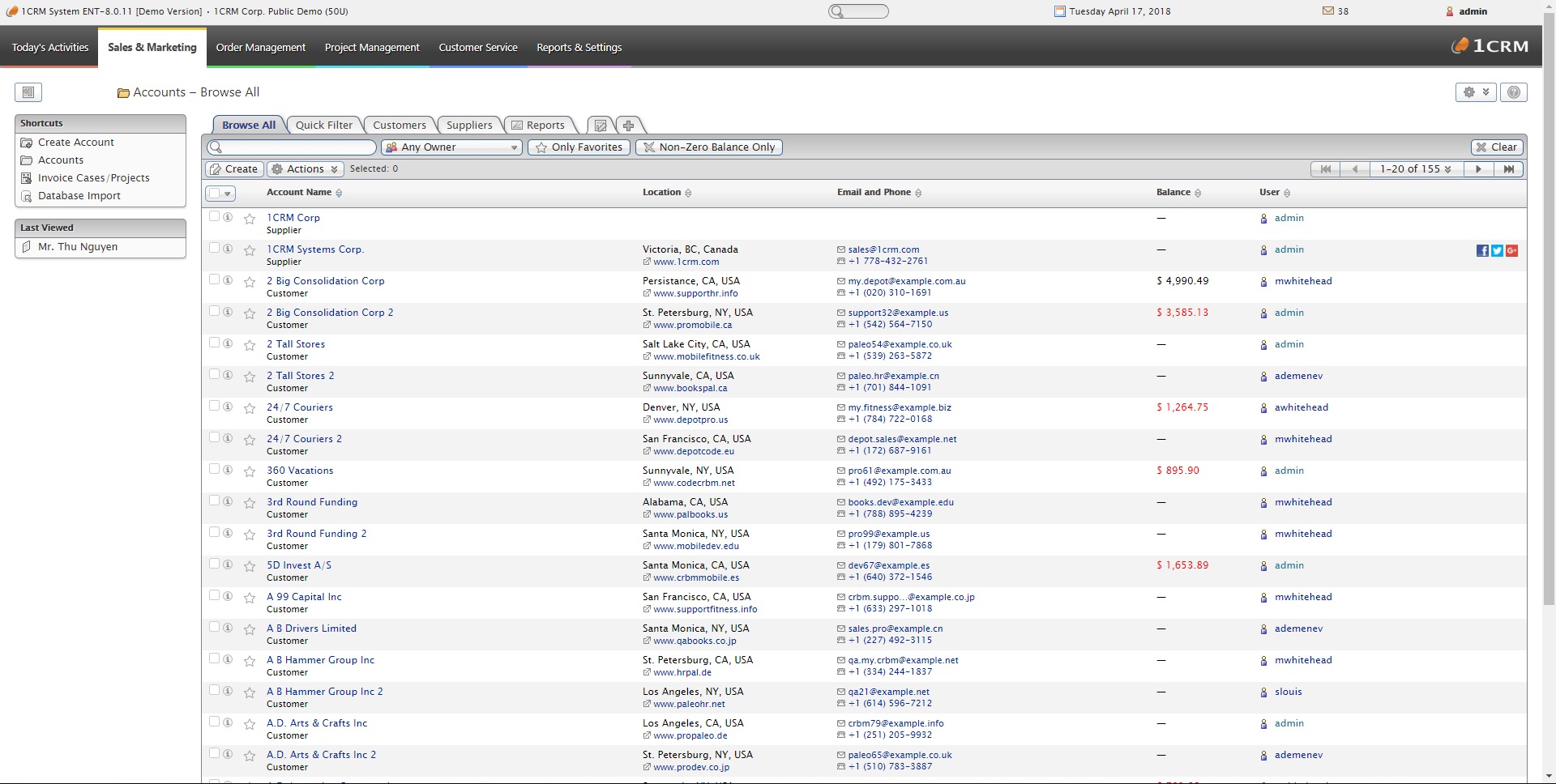
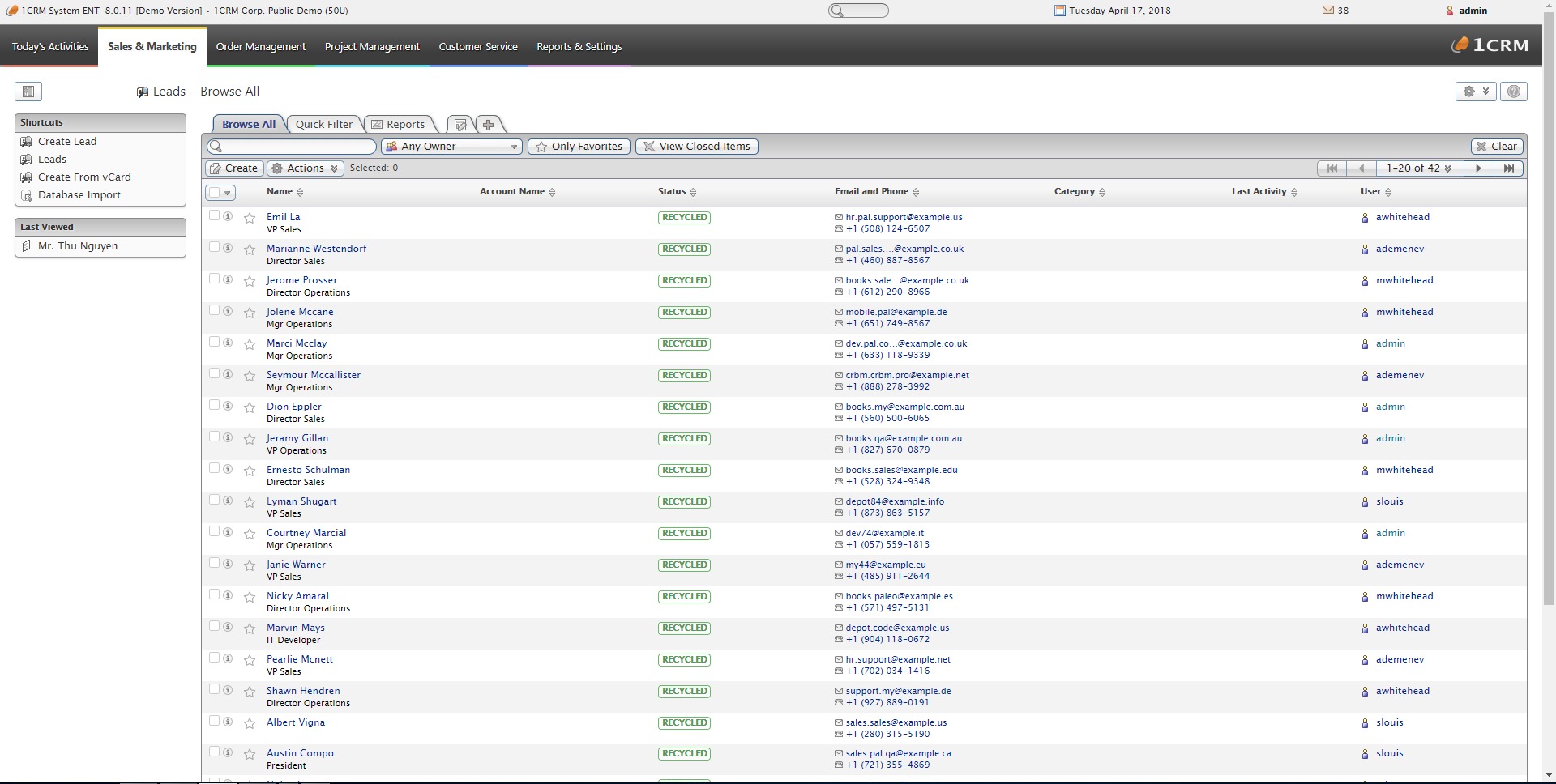
1CRM includes the core CRM layer expected from a modern platform: accounts, contacts, leads, opportunities, meetings, calls, and action items. This gives sales teams a structured view of pipeline activity and customer history, while keeping follow-ups and day-to-day work visible in one place. - Marketing automation
The platform includes built-in marketing automation, which is useful for businesses that want campaigns and lead nurturing tied directly to CRM records. Instead of exporting data into a separate marketing tool every time, teams can keep prospect activity and customer communication closer to the same source of truth. - Order management and invoicing
One of the more important strengths of 1CRM is its commercial workflow support. The platform highlights quotes, invoices, product catalog functions, purchase orders, inventory-related processes, and payment automation options. This pushes it beyond a simple “sales CRM” into a system that supports real transaction flow. - Project management
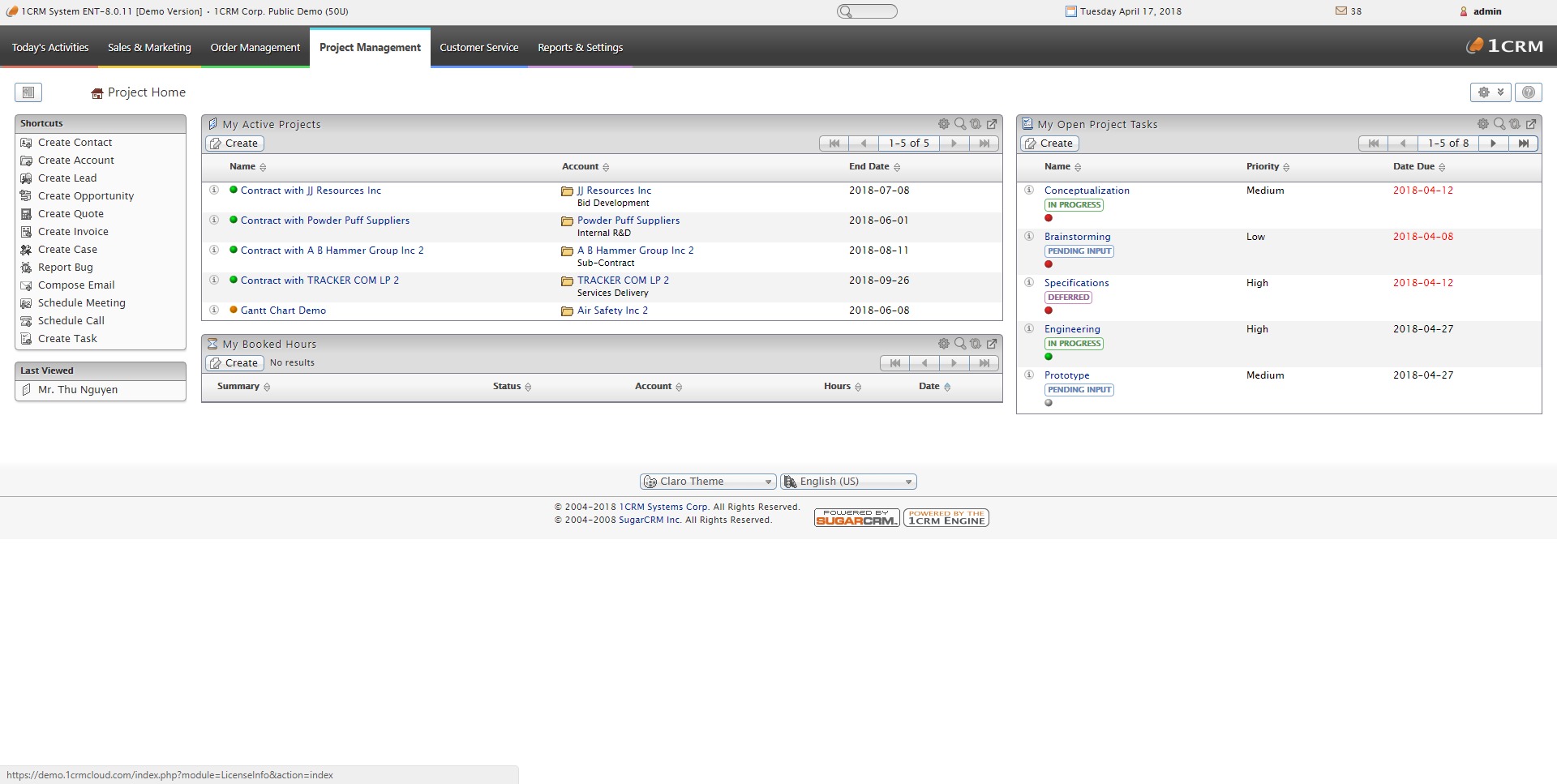
1CRM includes project tools such as Kanban and Gantt-style planning. That matters for businesses where winning the deal is only the first half of the job. Teams can move from sales into execution without switching into a completely different environment. - Daily task management
The platform is designed to support daily work organization as well, including action items, meetings, and task visibility. That helps turn the CRM into a real working system instead of a place where data goes to sleep. - Customer service and customization
1CRM includes customer service capabilities and a Design Studio for customization. It also provides documentation and developer resources, which is important for companies that expect to tailor workflows, layouts, or integrations over time.
Where can 1CRM be used most effectively?
- Small and mid-sized businesses with complex workflows
1CRM is well suited to companies that need sales, service, invoicing, and delivery connected rather than isolated. It makes more sense in businesses with moving parts than in ultra-simple lead-tracking environments. - Companies that manage quotes, invoices, and orders
Businesses that sell products or service packages often need more than deal stages. 1CRM is useful when quote generation, invoicing, order handling, and payment-related steps must live close to customer records. - Teams that want sales-to-delivery continuity
If work continues after the sale through projects, tasks, or service requests, 1CRM can reduce friction between departments by keeping pre-sale and post-sale activity in one system. - Organizations that want deployment flexibility
Some businesses prefer cloud simplicity, while others want on-premise control. 1CRM supports both paths, which can matter for budget, infrastructure, or policy reasons.
What benefits does 1CRM offer compared with simpler CRMs?
The main benefit is consolidation. 1CRM is designed to reduce the usual tool sprawl by combining customer management with broader business workflows. That can mean fewer handoff problems, less duplicated data entry, and a clearer operational picture across sales, service, and delivery. For companies that have outgrown lightweight CRMs but are not ready for a heavy ERP rollout, this is the sweet spot.
Another benefit is depth without extreme complexity. 1CRM offers a broad feature set, including marketing, projects, and order-related functions, while still being positioned for small to medium businesses rather than only large enterprises. The platform also offers free trial access and a startup edition, which lowers the barrier for testing whether the system matches a company’s workflow before a larger commitment is made.
What is the user experience like in 1CRM?
The user experience appears oriented toward businesses that want structure and operational range. Rather than presenting itself as a minimalist CRM, 1CRM leans into being a central workspace where multiple functions meet. Users get access to modules for sales, service, projects, and orders, plus tools for meetings, tasks, and customization. That means the platform likely rewards teams that are ready to organize their processes properly, not just store contacts and hope for magic.
In practice, 1CRM feels best suited to companies that want a CRM with operational muscle. It is less about shiny simplicity and more about bringing real business processes under one roof. For teams tired of duct-taping five systems together, 1CRM offers a more unified way to run the machine.
1CRM Alternatives




1CRM Integrations