WebinarJam
Languages:
English
Localization:
World

What is WebinarJam?
WebinarJam is a browser-based platform for creating, promoting, hosting, and monetizing live webinars. The WebinarJam Live Webinar Marketing Platform is designed primarily for coaches, consultants, educators, creators, software companies, and businesses that use online presentations to generate leads or sell products.
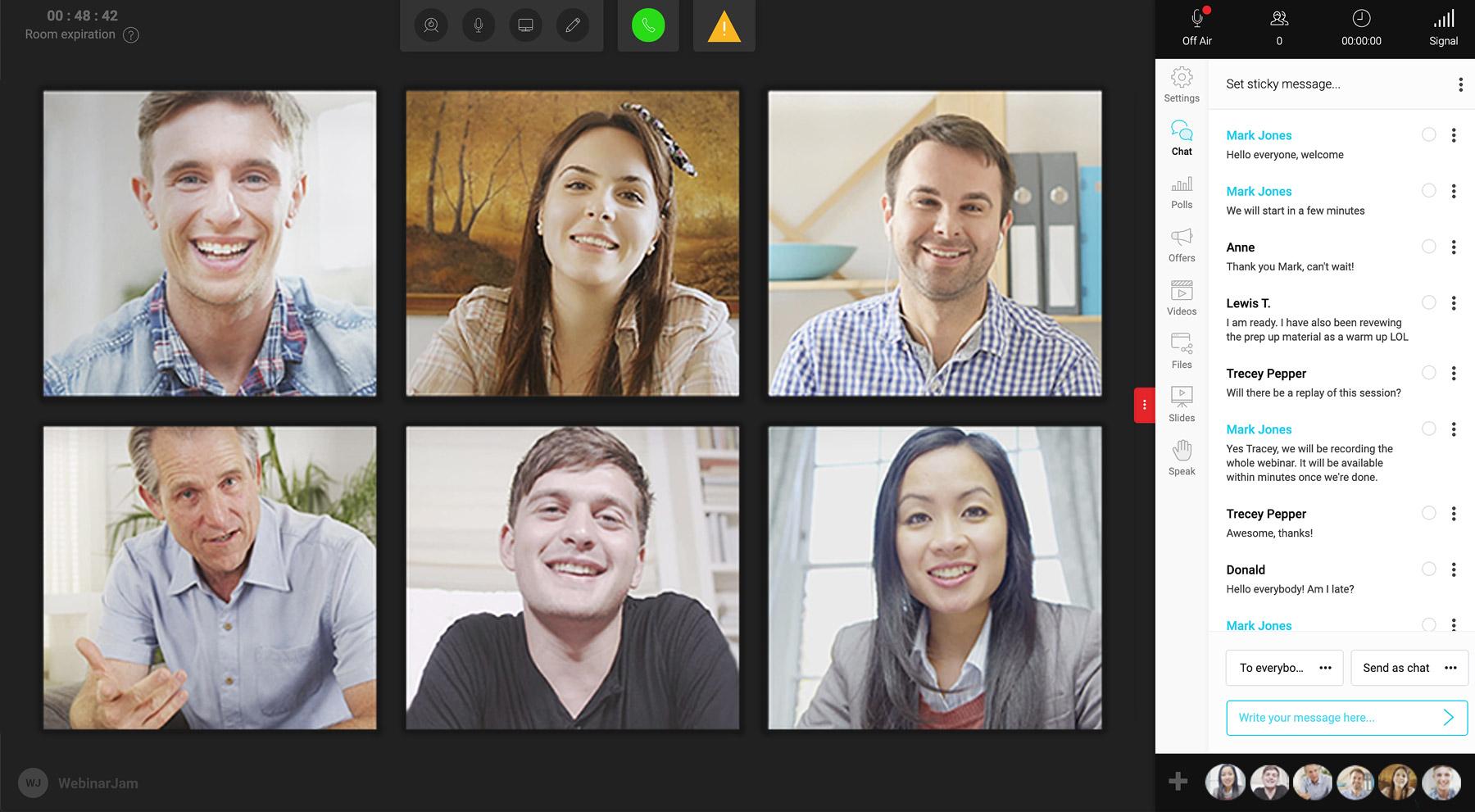
Unlike standard video-conferencing software, WebinarJam combines broadcasting with webinar-specific marketing tools. Hosts can build registration pages, schedule reminder messages, interact with attendees, present timed offers, distribute downloadable materials, and analyze audience behavior. Participants can join through a web browser without installing dedicated software.
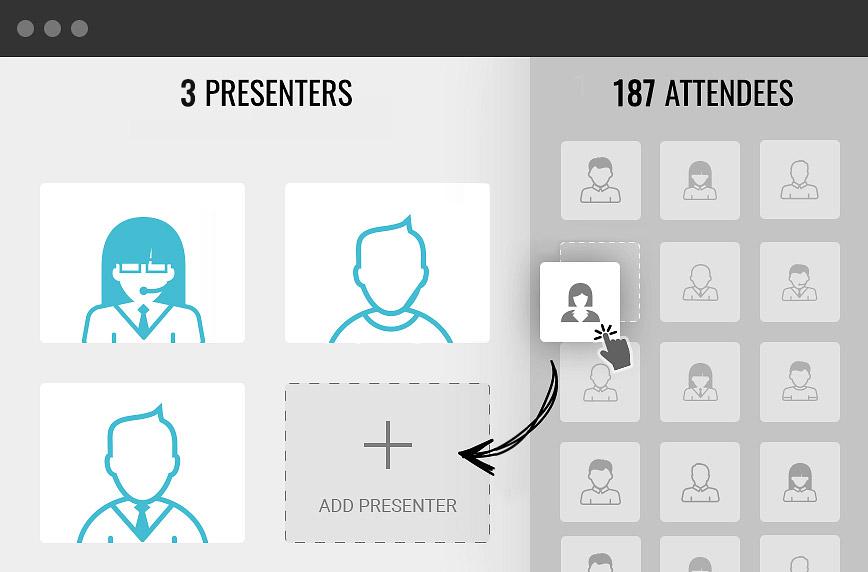
WebinarJam supports anything from small educational sessions to events with thousands of viewers, depending on the selected plan. Live presentations can include multiple speakers, screen sharing, videos, slides, polls, questions, and moderated chat. Recordings are automatically saved for replays. Businesses that want fully automated evergreen presentations can connect their recorded events with EverWebinar, WebinarJam’s companion automation platform.
What are the key features of WebinarJam?
- Live HD broadcasting: Hosts can deliver video presentations with screen sharing, slide presentations, prerecorded video clips, and multiple presenters. The platform is designed to support both small sessions and large online events.
- Browser-based attendance: Participants enter the webinar room through a link and generally do not need to download an application. This reduces friction during registration and improves accessibility across computers and mobile devices.
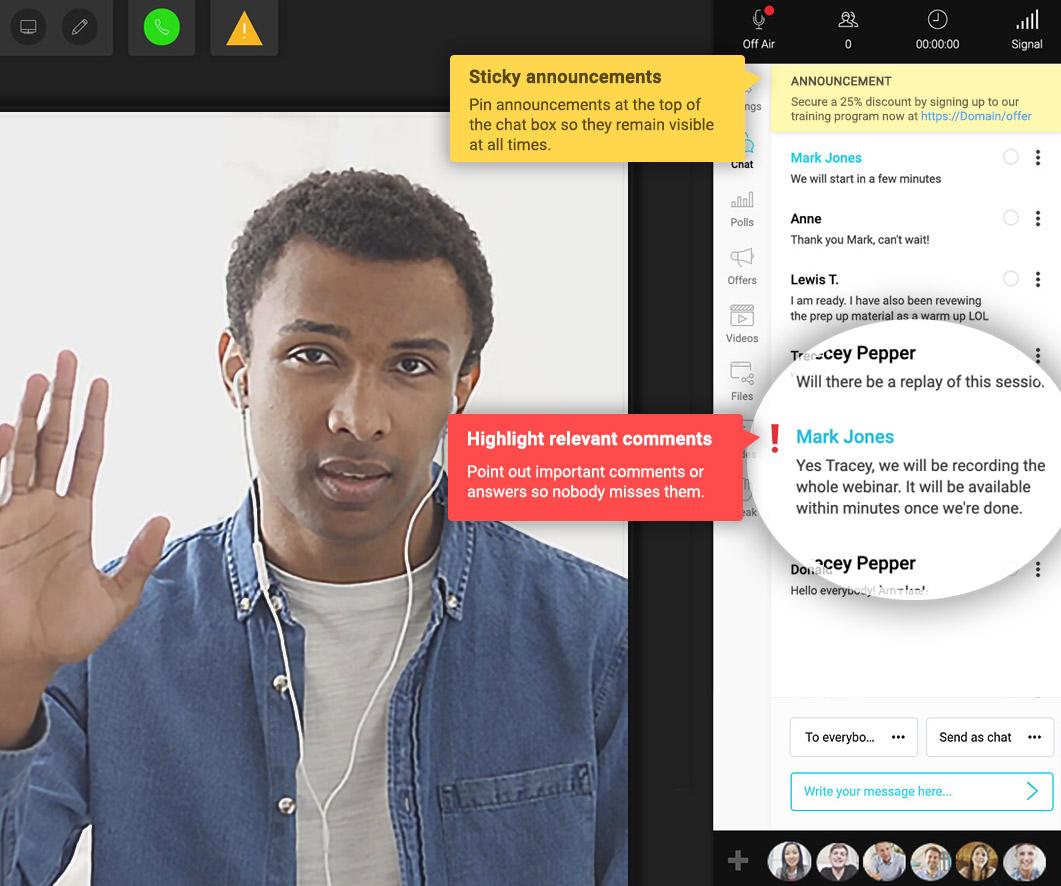
- Interactive live chat: Attendees can communicate through public chat, submit questions, or send private comments to moderators. Administrators can moderate conversations and highlight important messages.
- Polls and surveys: Hosts can launch questions during a broadcast, collect responses, and display results in real time. Polls help identify audience needs, maintain attention, and reveal objections before an offer is presented.
- Timed product offers: WebinarJam allows presenters to display calls to action at selected moments. An offer can include a button, urgency elements, and a direct route to an external checkout page.
- Registration page builder: Businesses can create branded webinar registration and confirmation pages without developing a separate website. Multiple page variations can be tested to improve registration performance.
- Email and SMS reminders: Automated notifications can be scheduled before and after an event. These messages help increase attendance, distribute replay information, and continue communication with registrants.
- Handouts and downloadable files: Presenters can provide worksheets, guides, presentations, or other resources directly inside the webinar room.
- Automatic recordings and replays: Broadcasts are recorded and can be made available to attendees after the event. Successful presentations may also be transferred into an evergreen webinar workflow.
- Marketing integrations: WebinarJam connects with email marketing, CRM, landing-page, automation, and checkout services. Supported options include platforms such as ActiveCampaign, Mailchimp, GetResponse, ConvertKit, Keap, Kartra, and Zapier.
What can WebinarJam be used for?
- Selling courses and coaching programs: Educators can teach a practical lesson, answer questions, address objections, and introduce a paid program during the same event.
- Generating qualified leads: Companies can collect registrations, evaluate engagement, and transfer audience data into their email marketing or CRM workflows.
- Running product demonstrations: Software and e-commerce businesses can demonstrate products, share their screens, answer technical questions, and direct interested viewers toward a purchase or consultation.
- Hosting virtual conferences: Organizations can invite several presenters, manage a large audience, distribute supporting files, and record sessions for later viewing.
- Delivering customer education: Teams can conduct onboarding sessions, training workshops, feature presentations, and live question-and-answer events.
- Testing new offers: Polls, chat activity, attendance data, and offer clicks provide useful signals before a business invests in a larger marketing campaign.
What benefits does WebinarJam provide?
WebinarJam consolidates webinar delivery, audience engagement, registration, reminders, and sales tools into one system. This reduces the need to combine separate broadcasting, landing-page, messaging, and conversion applications.
Its strongest advantage is its marketing-oriented approach. Businesses can measure the entire journey from registration to attendance, engagement, offer interaction, and follow-up. Recorded sessions also remain valuable after the live broadcast, allowing teams to reuse successful presentations rather than repeatedly creating them from scratch.
Is WebinarJam easy to use?
WebinarJam offers a guided setup process, customizable event pages, practice sessions, and a centralized live control room. Attendees receive a relatively simple browser-based experience, while presenters have access to more advanced controls.
Initial configuration may require time because registration pages, notifications, integrations, polls, offers, and replay settings must be prepared separately. Once a reusable event structure has been created, recurring webinars become substantially easier to organize and operate.
2023-04-04 02:52:09: 5 reasons webinars are a game-changer for your biz: 🌟boost engagement, 💰increase revenue, 🚀expand brand awareness, ⏰save time/resources, 🎓educate audience. Try WebinarJam for $1: https://t.co/Swb9PawZM4 https://t.co/fApbnaNRGOTwitter
2023-04-03 22:20:02: Did you know WebinarJam integrates with #Zapier allowing you to connect it to over 750 additional apps?
Here are 5 incredible things you can do! ✔️
Try WebinarJam For $1: https://t.co/ul4Vz51voR https://t.co/c1N3sfB9e4Twitter
2023-04-02 02:21:03: Discover how WebinarJam can help you reach a larger audience, get more leads, engage more people, or sell more of your products or services.
Start for $1 today ▶️ https://t.co/ul4Vz51voR
#webinarsoftware https://t.co/MlDwf6JB12Twitter
2023-04-01 03:36:03: 💥 Live interaction with your #attendees is crucial to keep your webinar events engaging and alive. 💥
You’ll have everything you need to keep your attendees fully hooked all the way through!
Try WebinarJam For $1: https://t.co/Swb9PawZM4 https://t.co/8TP23rC6xpTwitter
2023-03-31 19:05:09: Did you know WebinarJam integrates with most of the top brands in the industry? ⚙️✅
We have developed smart #API connections so you can configure different rules depending on your registrants' behavior.
Learn more 👉https://t.co/N5am5fvZlz https://t.co/PwPHh0944QTwitter
2023-03-31 03:50:06: 💡 Did you know that #WebinarJam has a unique Panic Button feature? In case of technical difficulties, you can instantly switch to a new live room with just one click, keeping your audience engaged! Discover more about this game-changing feature: https://t.co/Swb9PawZM4 https://t.co/3H79zwECAoTwitter
2023-03-31 02:50:05: #WebinarJam lets you send pre-webinar surveys, conduct live polls, and even split-test different messaging. Plus, our 360-degree analytics helps always keep a finger on the pulse of your audience. ✔️
Start for just $1: https://t.co/Swb9PawZM4 https://t.co/ohVE1uNPO6Twitter
2023-03-31 01:06:02: Did you know you can embed a registration page in your own website?
You have two options to embed the #webinarregistration form straight into your own website.
✔️ The sticky footer bar
✔️ The embeddable button
Have questions❓ Drop them below! https://t.co/58WJHbqCAFTwitter
2023-03-30 04:30:04: What is the difference between WebinarJam and EverWebinar❓
⏩ WebinarJam is designed to be for live webinars.
⏩ EverWebinar is a cloud-based software platform designed to help businesses create, schedule, and broadcast pre-recorded webinars. https://t.co/5y7xZ8E8VYTwitter
2023-03-29 22:35:10: 💻With this powerful tool, you can easily blur or change your background during a live webinar, making you look professional & polished. Plus, it's a great way to add some visual interest to your presentation.
🔥Sign up for a trial: https://t.co/Swb9PawZM4 https://t.co/TI57IlRsDCTwitter
2019-05-01 22:24:47: WebinarJam Reviews Youtube
2019-03-20 22:21:39: WebinarJam 3.0 Video Sales Letter Youtube
2019-03-20 22:05:29: Everwebinar Video Sales Letter Youtube
2018-03-13 19:32:37: WebinarJam Concierge - Finalmente, alguém que fará isso por você! Youtube
2017-10-04 21:19:06: Branded Links Youtube
2017-08-09 23:07:33: The New WebinarJam: Un vistazo dentro de la sala de seminarios en vivo. Youtube
2017-08-09 23:04:01: The New WebinarJam Live Room Settings Youtube
2017-08-09 23:02:43: The New WebinarJam Chat Youtube
2017-08-09 23:01:15: The New WebinarJam Polls Youtube
2017-08-09 23:00:33: The New WebinarJam Offers Youtube
WebinarJam Alternatives




WebinarJam Reviews & Demos
WebinarJam Integrations