WebinarGeek
Languages:
Deutsch
English
Netherlands
Localization:
World

What is WebinarGeek and what does it do?
WebinarGeek is a webinar hosting platform built for teams that want webinars to generate leads, educate customers, and support sales processes. It combines webinar creation, registration flows, audience engagement, automated reminders and follow-ups, and performance analytics in one place. WebinarGeek supports live webinars for real-time interaction, automated webinars for scheduled evergreen sessions, and on-demand webinars for always-available viewing. That mix makes it useful for product demos, trainings, workshops, and repeatable webinar funnels where the goal is measurable outcomes rather than one-off events.
How does WebinarGeek work for live, automated, and on-demand webinars?
WebinarGeek lets organizers choose a format based on purpose. Live webinars are suited for launches, Q&A, and high-touch demos. Automated webinars help scale a proven presentation by running it on a schedule without requiring a presenter every time. On-demand webinars turn a session into an always-on asset that can capture leads and educate audiences continuously. Across formats, the platform emphasizes control over timing, messaging, and the actions that happen before and after the webinar.
What are the key features in WebinarGeek?
-
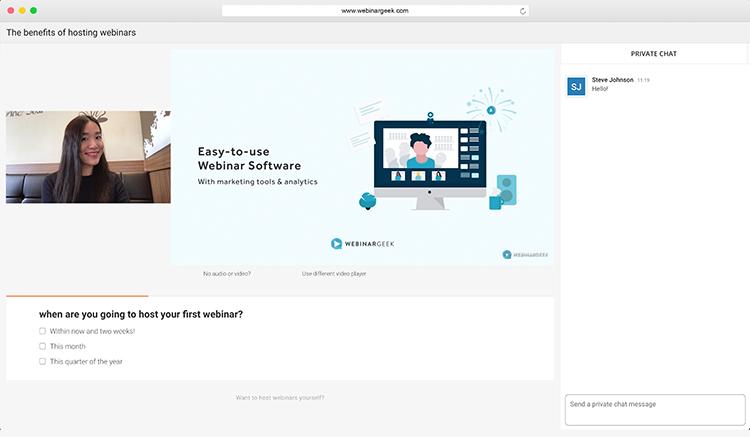
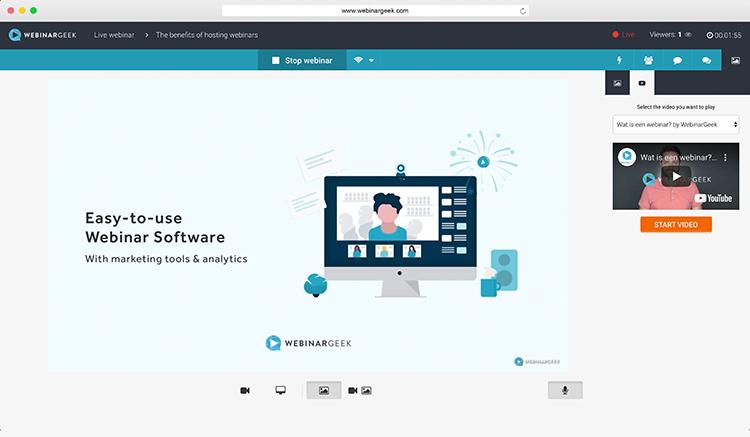
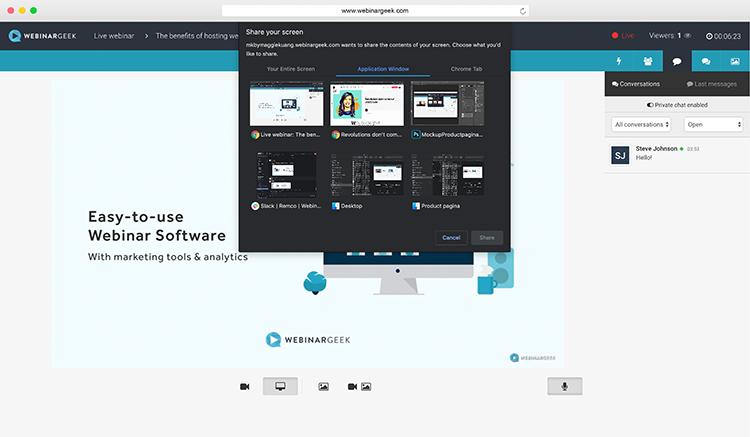
Live webinar hosting with tools that support structured presentations and real-time interaction
-
Automated webinars for scheduled, repeatable delivery of prerecorded sessions
-
On-demand webinars for evergreen viewing and continuous lead capture
-
Registration pages and lead capture fields for segmentation and follow-up workflows
-
Automated email reminders before the webinar and follow-ups after it
-
Engagement tools such as Q&A, polls, quizzes, and calls-to-action to drive participation
-
Branding options to keep registration pages and the webinar room aligned with a company identity
-
Analytics and reporting on registrations, attendance, drop-off, and engagement signals
-
Paid webinar capabilities for ticketed workshops and premium sessions
-
Integrations and automation connections to sync webinar data with CRM and marketing stacks
What are the best use case highlights for WebinarGeek?
-
Lead generation webinars that feed qualified contacts into a pipeline with clear next steps
-
Product demos that collect intent signals and help sales teams prioritize outreach
-
Customer onboarding sessions that reduce support load and speed up adoption
-
Training for partners, affiliates, or communities with consistent delivery and tracking
-
Internal training that standardizes knowledge across distributed teams
-
Paid workshops and masterclasses where the webinar itself is the product
What benefits does WebinarGeek deliver for a business?
WebinarGeek helps turn webinars from occasional events into a repeatable growth system. Automation reduces manual work around reminders, follow-ups, and scheduling. Engagement features increase participation and make it easier to identify interested attendees. Analytics makes performance visible so teams can improve registration conversion, retention during the session, and post-webinar actions over time. The practical outcome is leverage: more webinars, better consistency, and clearer measurement without expanding the team just to keep up.
What is the user experience like for hosts and attendees?
For hosts, the experience centers on predictable setup: create a webinar, configure registration and emails, run or schedule the session, then review performance and iterate. It fits both teams that run webinars occasionally and teams that treat webinars as a core channel. For attendees, the experience is designed to be straightforward and engaging: simple registration, clear access, and interactive moments that keep the session active rather than passive.
2022-08-12 12:43:59: PRODUKT UPDATE 🚨
Heute starten wir mit der vollständigen Webinar-Software in Deutsch. Schau es dir hier an: https://t.co/u7MaXyd8OE
#DeutschesWebinarTool #GDPRsicher https://t.co/znrSN7qYXOTwitter
2022-08-11 11:56:17: PRODUCT UPDATE 🚨
Today we kick things off with the full webinar software translated into German. Check it out: https://t.co/u7MaXyd8OE
#eventprofs #eventech #webinarsoftware #germanwebinartool #webinars #hrtech https://t.co/1JldlgIOZBTwitter
2022-07-01 13:45:31: Dutch webinar software WebinarGeek announces the opening of its North America office. Read the full story: https://t.co/TL2p5RDugn
#NLinNewYork #WebinarSoftware #Growth https://t.co/wOJGAwykGyTwitter
2022-05-06 16:25:26: Webinars are popular. If they work so well, why not use them for internal communication? Check out the article: https://t.co/KKqXBH4wQj
#InternalCommunications #Webinars #CorporateCommunications https://t.co/Dj4ePelbuGTwitter
2022-02-28 13:00:29: What happens with the feature requests that have been sent in? Discover the key features coming up in our roadmap: https://t.co/hWvwhd0Wft
#EmergingTech #WebinarTips #Stripe https://t.co/UGBbBtxRYFTwitter
2022-02-14 03:02:03: Game on! Wish you could experience what it is like to be on stage during the halftime show?
4K views. Incredible. The "Super Game" of hybrid corporate events - with #WebinarGeek leading the way! Take the stage: https://t.co/NgGsIRhyZn
#SuperBowl2022 #Webinars #KnowledgeSharing https://t.co/2HlCnXxODwTwitter
2022-02-14 00:59:03: Have a nice game tonight! 🇺🇸🏈
What is your favorite part of Sunday?
🏈 The Game
📺 Commercials
🎙️ Halftime show
🍔 Food
🐶 Puppy American Football Game
#SuperBowl2022 #Webinars #KnowledgeSharing #halftimeshow https://t.co/YRu79YbIGpTwitter
2022-01-28 13:00:54: Do you know what your rights are? What tools you should use to stay safe online? Follow the link to find out more: https://t.co/VTw3JgaKB1
#DataPrivacyDay #DataPrivacyWeek #GDPR #WebinarPlatform https://t.co/r4hW0RMW93Twitter
2022-01-06 12:42:41: Are your business goals to reduce production expenses, draw in qualified leads, and build a reputation as a thought leader? Learn how to create a professional-looking webinar without breaking the bank: https://t.co/cft3Q0UBIq
#linkedincreators #Video #communication #WebinarTips https://t.co/BxJpE6BYzcTwitter
2022-01-03 13:00:02: These trends don't lie. There are plenty of reasons to continue hosting webinars in 2022. Why and how? You'll find out in this blog. https://t.co/KuasHKCrK0
#VideoMarketing #WebinarTrends2022 #FutureofWork #HappyNewYear #businessdevelopment #Futureofwebinars https://t.co/Lxwpx49ZkdTwitter
WebinarGeek Alternatives




WebinarGeek Reviews & Demos
WebinarGeek Integrations