Streak
Languages:
English
Localization:
World

What is Streak CRM for Gmail?
Streak is a CRM built directly inside Gmail, designed to structure and automate the workflows that already live in your inbox. Instead of switching between a CRM tab and email, Streak overlays pipelines, deal records, notes, tasks, and collaboration features on top of the familiar Gmail interface. The platform is used by individuals, small teams, and companies that rely heavily on email for sales, support, recruiting, client management, and internal operations.
Its core value is simplicity: every meaningful business conversation starts in email, so the CRM should live there too. Streak transforms Gmail into a customizable workspace where you can track leads, manage customers, organize projects, and coordinate team activity without leaving your inbox. For teams that want structure without the overhead of a traditional CRM, Streak provides an efficient, lightweight alternative.
What are the key features of Streak?
-
Gmail-native pipelines
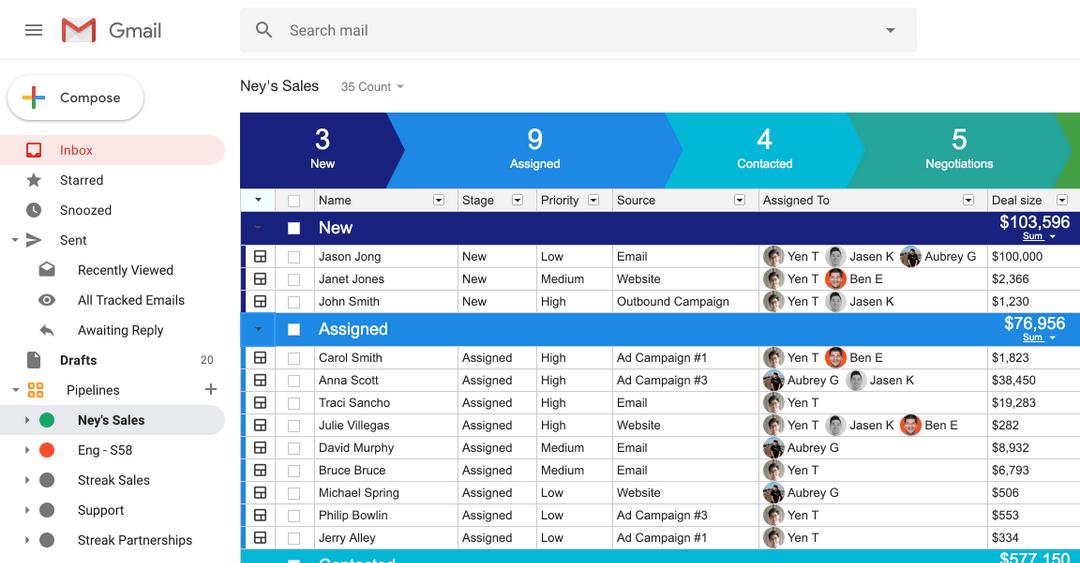
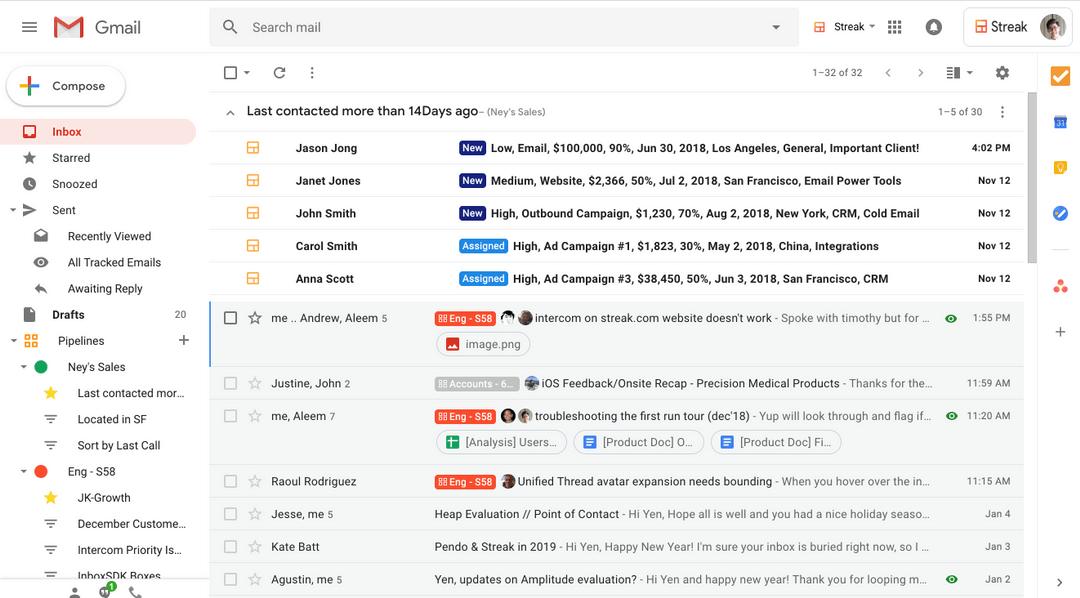
Streak converts Gmail into visually organized pipelines with stages tailored to your process. You can build separate pipelines for sales, support tickets, hiring, or project management, each with custom fields and automated stages. -
Boxes and structured data
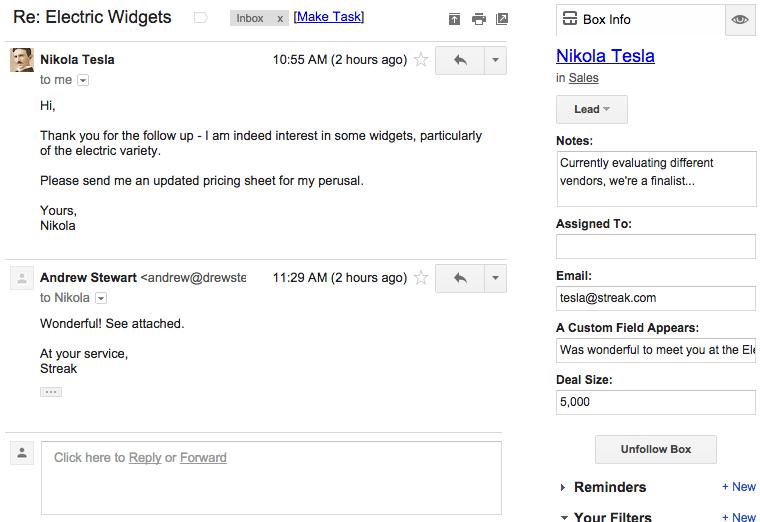
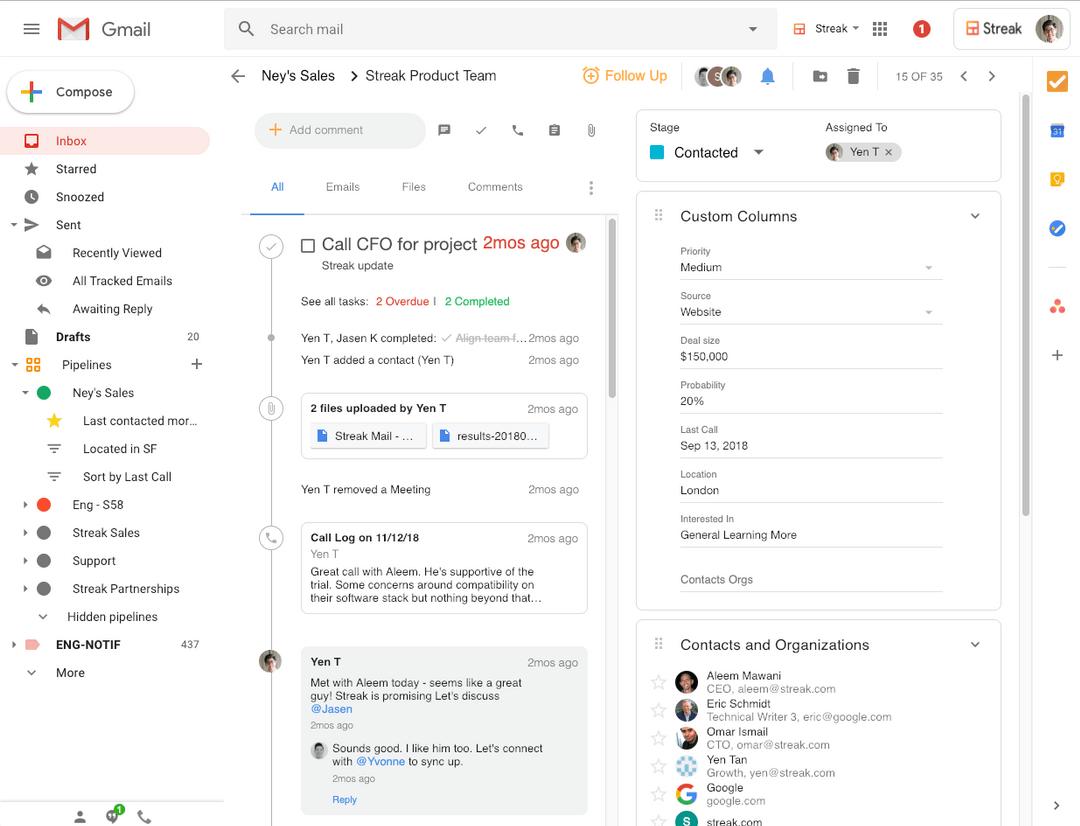
Each deal, client, or task becomes a “box” containing emails, notes, reminders, documents, call logs, and custom fields. Boxes link directly to the relevant conversations, keeping everything in one place. -
Magic fields and automated updates
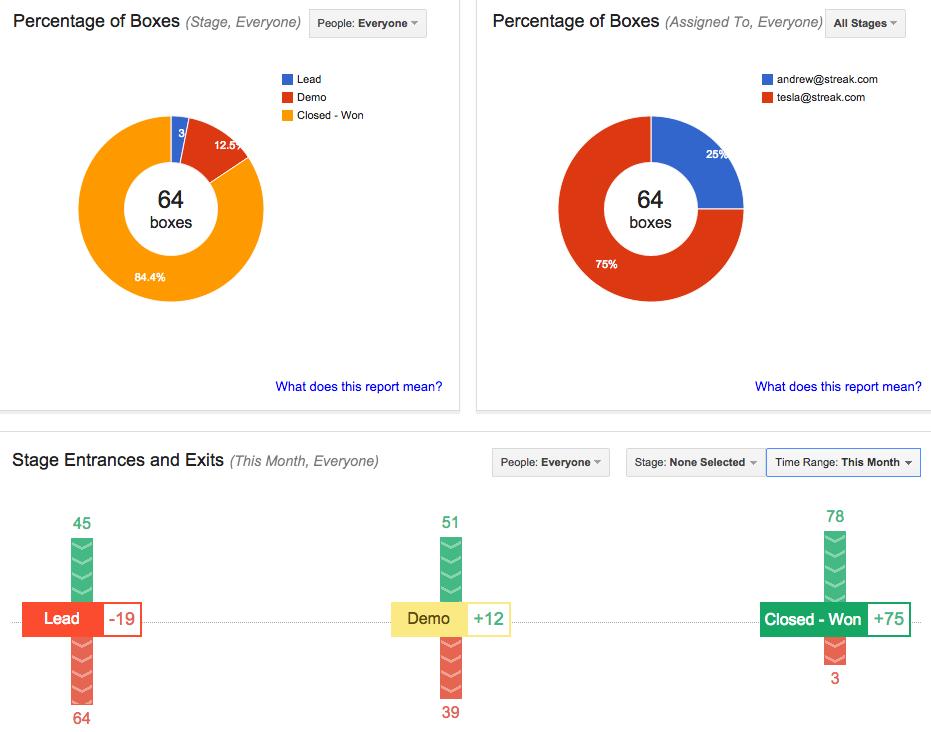
Automatic fields track data such as last email date, response times, time in stage, activity history, and other metrics that keep your pipeline updated without manual input. -
Email tracking and mail merge
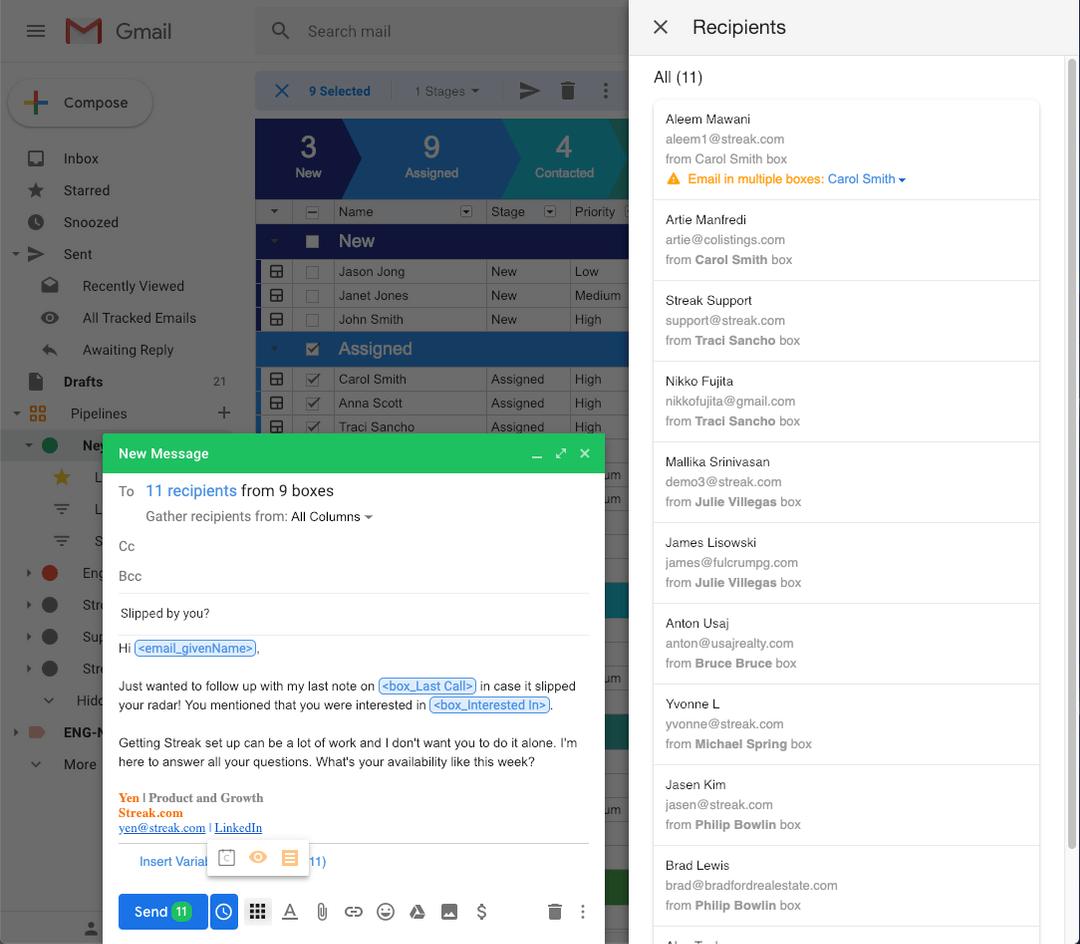
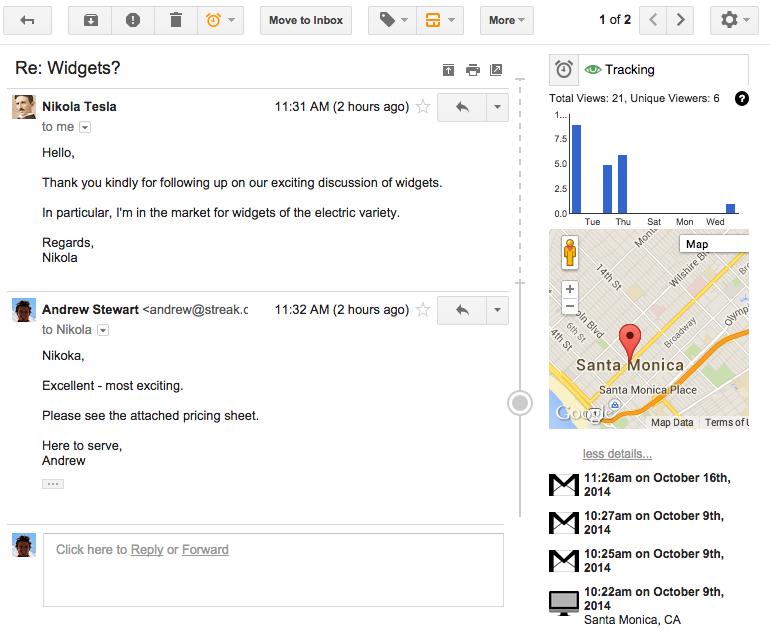
Streak adds email open tracking, link tracking, saved templates, and personalized bulk email with automated follow-ups. This makes outreach and follow-up campaigns faster and more effective. -
Collaboration and shared workspaces
Teams can share pipelines, boxes, tasks, and full conversation histories. Internal comments and assignments keep ownership clear and reduce back-and-forth inside the team. -
Automation and integrations
Workflow rules automate repetitive actions like moving stages, assigning tasks, or setting reminders. Integrations with spreadsheets and external tools allow data syncing and reporting. -
Mobile apps and Google Workspace integration
Streak extends across mobile devices and aligns with Google Calendar, Drive, and Contacts, ensuring consistent access to CRM information everywhere you work.
How is Streak used in real workflows?
-
Sales management
Sales teams use Streak to track prospects from first interaction to deal close, while managing communication, scheduling meetings, logging activities, and analyzing which leads need attention. -
Customer support
Support departments organize incoming messages into tickets, track resolution progress, document issues, and maintain full visibility into each customer conversation. -
Hiring and recruitment
HR teams manage candidates through interview stages, share feedback, attach CVs, and centralize communication with applicants throughout the hiring process. -
Client and project delivery
Agencies and service companies track milestones, briefs, tasks, and client conversations inside structured pipelines, ensuring nothing gets lost across multiple projects. -
Freelancers and founders
Individuals use Streak as a flexible all-purpose CRM for managing clients, partners, collaborations, content pipelines, fundraising, or any email-driven workflow.
What benefits does Streak provide?
Streak eliminates context switching by letting users work where communication already happens. Its installation is simple, and the learning curve is minimal because most actions are built into Gmail’s familiar design. Teams quickly gain structure, transparency, and consistency without adopting a large, complex CRM.
Automation reduces manual work, making pipelines more accurate and predictable. Email tracking and mail merge increase outreach efficiency. The combination of organization and communication features creates a unified environment that improves response times, team coordination, and follow-up success.
For email-centric teams, Streak offers the rare advantage of being both powerful and extremely lightweight.
What is the user experience like?
Daily use feels like a natural extension of Gmail. Pipelines open as clean, spreadsheet-style views. Boxes appear in sidebars next to email threads. Adding fields, assigning tasks, updating stages, or sending bulk messages takes only a few clicks.
The interface is minimalistic and integrated, avoiding the overwhelming complexity of traditional CRMs. Users spend less time switching tools and more time handling actual conversations and decisions. For individuals and teams who live in their inbox, the experience is frictionless, fast, and highly intuitive.
2026-09-15 17:12:37: Manage your Gmail CRM from Claude or ChatGPT. Youtube
2026-08-20 00:24:00: Streak + Allo: Bringing Calls and Texts Into Your CRM Youtube
2026-08-19 23:38:52: Streak for Sales Youtube
2026-08-19 22:57:10: Filtering Your Pipeline with new updates to Streak's Saved View Editor ⏬? Youtube
2026-08-19 22:34:26: Creating Reports Using Streak's MCP for Claude/GPT Youtube
2026-07-27 15:17:57: How to utilize Streak's MCP Server? Youtube
2026-07-07 22:41:06: Streak for teams: colaborar en CRM compartidos en Gmail Youtube
2026-06-09 18:02:01: Build a custom CRM pipeline with AI in Streak. Youtube
2026-05-12 18:19:23: Working in your pipeline ✏️? (clase de español) Youtube
2026-05-07 01:38:12: Use AI in Streak's mobile CRM to find deal info in seconds. Youtube
2023-02-27 22:28:08: [status] Resolved: This incident has been resolved. https://t.co/oqQblu5FZhTwitter
2023-02-27 19:18:28: [status] Identified: We've identified an issue with boxes loading and our engineers are working on fixing the underlying issue. Thanks for your patience. We will update here once the issue is resolved. https://t.co/sCKw7J21zGTwitter
Streak Alternatives




Streak Reviews & Demos
Streak Integrations