M-Files
Languages:
English
Localization:
World

What is M-Files and how does it help businesses manage documents?
M-Files is an intelligent document management platform designed for businesses that need better control over documents, workflows, permissions, and internal knowledge. Instead of forcing users to organize files only by folders, M-Files uses metadata to classify documents by customer, project, contract, process, department, status, or other business context. This makes information easier to find, manage, approve, and protect.
The platform is especially useful for companies that work with many documents across Microsoft 365, SharePoint, network folders, CRM systems, ERP platforms, or other repositories. M-Files can connect scattered information sources and provide a more structured way to access business-critical files. It helps reduce duplicate documents, unclear file versions, manual approvals, and uncontrolled access.
M-Files is built for organizations where documents are not just stored files, but part of daily operations: contracts, invoices, policies, quality records, client files, project materials, HR documents, legal documents, and compliance records.
What are the key features of M-Files?
-
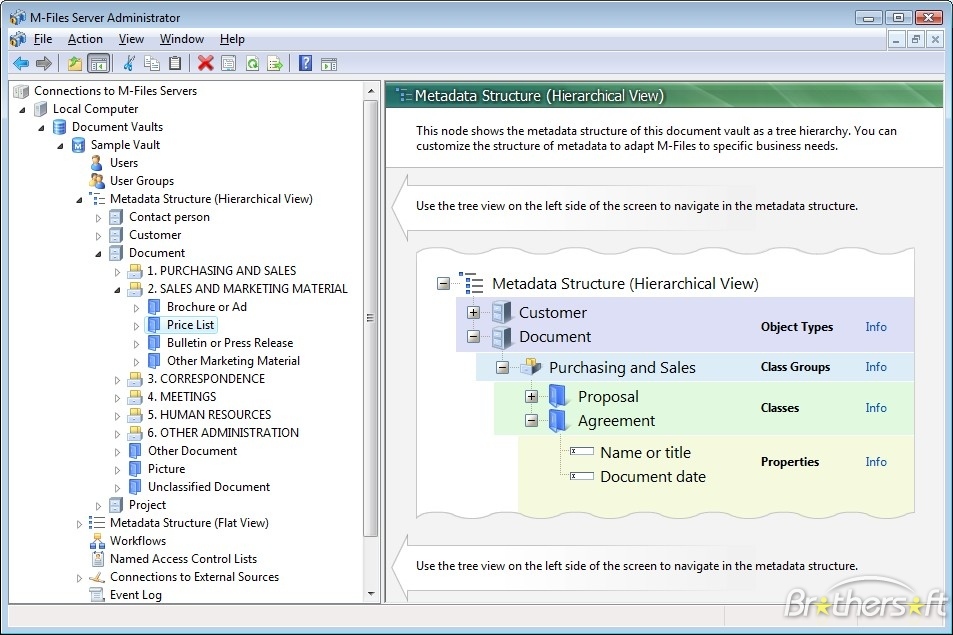
Metadata-based document organization
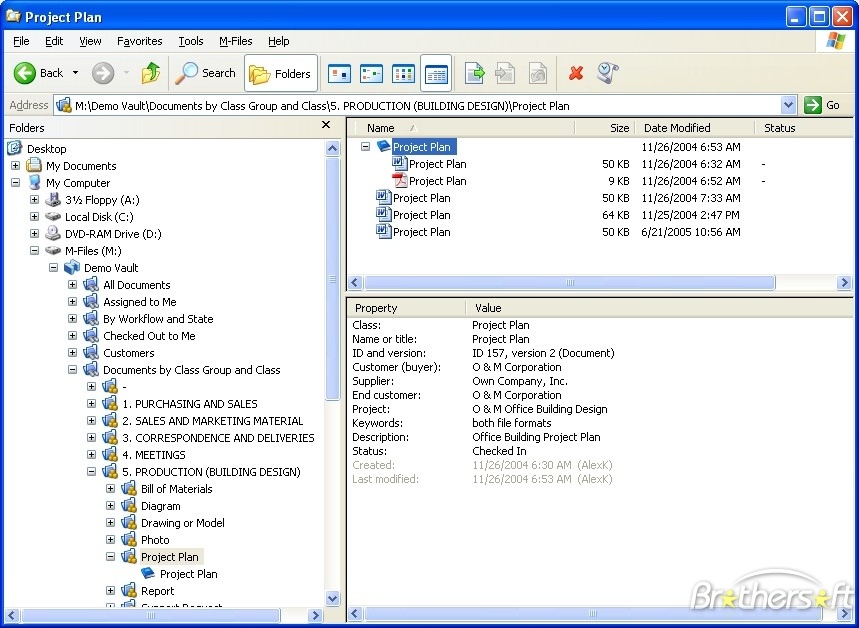
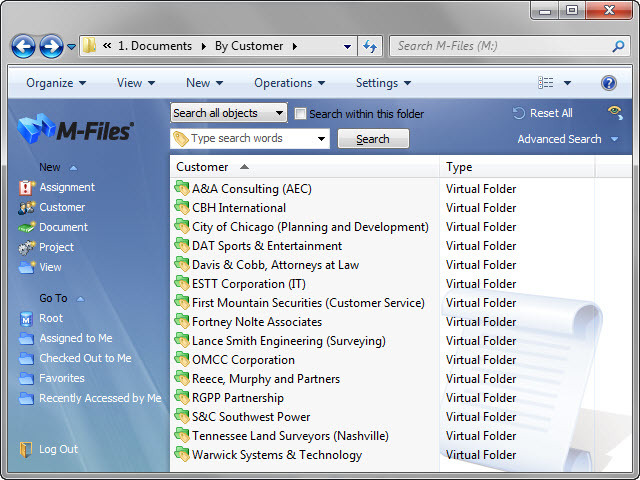
M-Files organizes documents by what they are, not only where they are stored. Users can classify files by document type, customer, project, owner, status, deadline, or other business properties. This allows teams to find documents through context instead of searching through long folder trees. -
Advanced search and document discovery
The platform helps users locate the correct document faster by using metadata, keywords, relationships, and business context. This reduces the time spent looking for files and lowers the risk of using outdated or incorrect versions. -
Version control
M-Files keeps document versions under control, helping teams understand which file is current and what changes were made. This is useful for contracts, policies, project documentation, technical files, and other documents that go through repeated edits. -
Workflow automation
Businesses can create approval workflows, review processes, task assignments, and document routing rules. For example, a contract can move from draft to legal review, then to management approval, and finally to archive without chaotic email chains. -
Permissions and access control
M-Files allows organizations to control who can view, edit, approve, or share specific documents. Access can be based on user roles, document type, department, project, or other rules. -
AI-assisted document work
M-Files includes AI capabilities that can help summarize documents, answer questions, suggest metadata, and support faster knowledge discovery. This is valuable for teams working with long reports, contracts, manuals, or policy documents. -
Integration with existing systems
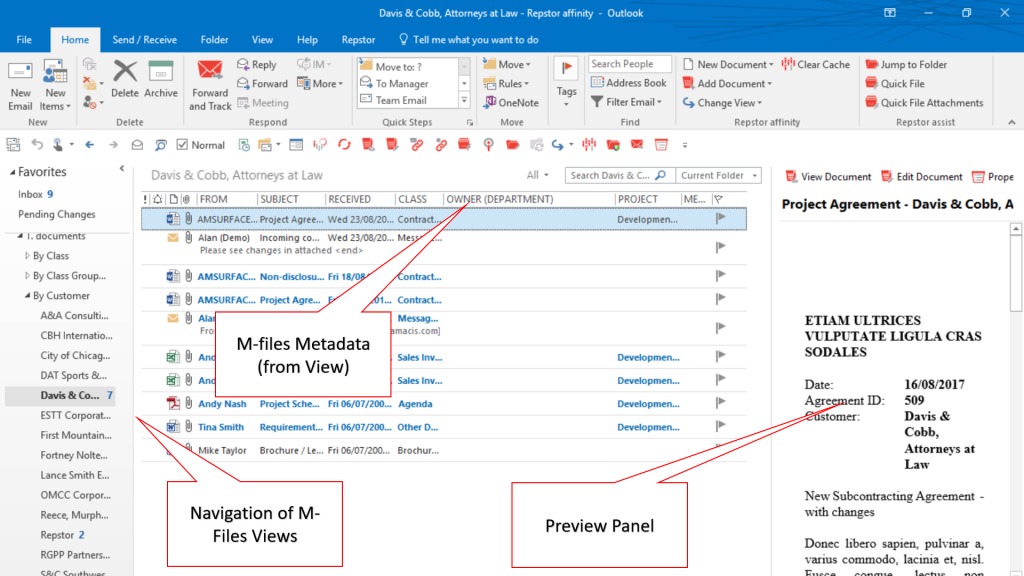
M-Files can work with tools such as Microsoft 365, SharePoint, CRM systems, ERP systems, and other business applications. This helps companies improve document management without immediately replacing every existing storage system.
How can businesses use M-Files in real work?
-
Contract management
Companies can store contracts, track versions, manage approval steps, control access, and quickly find agreements by customer, date, status, or responsible manager. -
Project documentation
Project teams can organize proposals, specifications, reports, client communication, technical files, and deliverables in one structured system. -
Quality and compliance records
M-Files can support quality management, audit preparation, policy control, document retention, and traceability for regulated or process-heavy businesses. -
HR document management
HR teams can manage employee documents, onboarding files, internal policies, reviews, and confidential records with controlled access. -
Invoice and finance documentation
Finance teams can use M-Files to organize invoices, approvals, supplier documents, payment records, and accounting-related files. -
Legal and professional services
Law firms, consultants, accountants, and other professional service providers can manage client files, case documents, engagement letters, reports, and secure archives.
What are the main benefits of M-Files?
M-Files helps businesses reduce document chaos and improve operational control. Teams spend less time searching for files, checking versions, asking colleagues where documents are stored, or manually pushing files through approval processes.
The platform also improves governance. Permissions, workflows, audit trails, version history, and retention rules help businesses reduce risks connected with lost files, unauthorized access, outdated documents, and uncontrolled sharing.
Another important benefit is better AI readiness. Many companies want to use AI with internal knowledge, but their documents are duplicated, unstructured, or poorly classified. M-Files gives documents clearer structure and context, making AI-supported search and summarization more useful.
For growing companies, M-Files can also improve scalability. Instead of relying on personal folders, email attachments, and informal naming habits, businesses can create repeatable document processes that support larger teams and more complex operations.
What is the user experience like in M-Files?
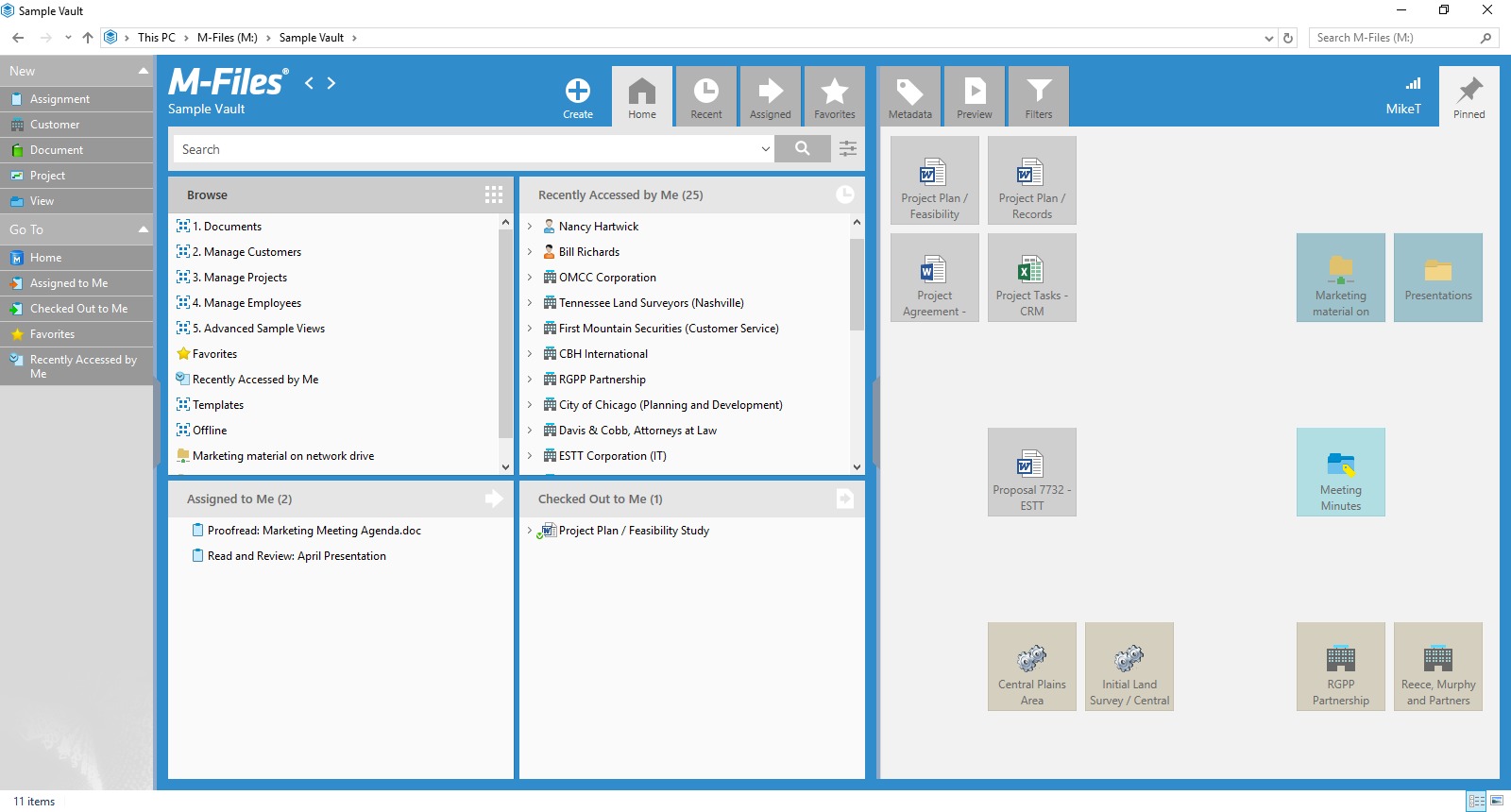
The user experience in M-Files is focused on finding and using documents through business context. Users do not need to remember the exact folder path if the document is properly classified. They can search by customer, project, document type, status, date, or other metadata.
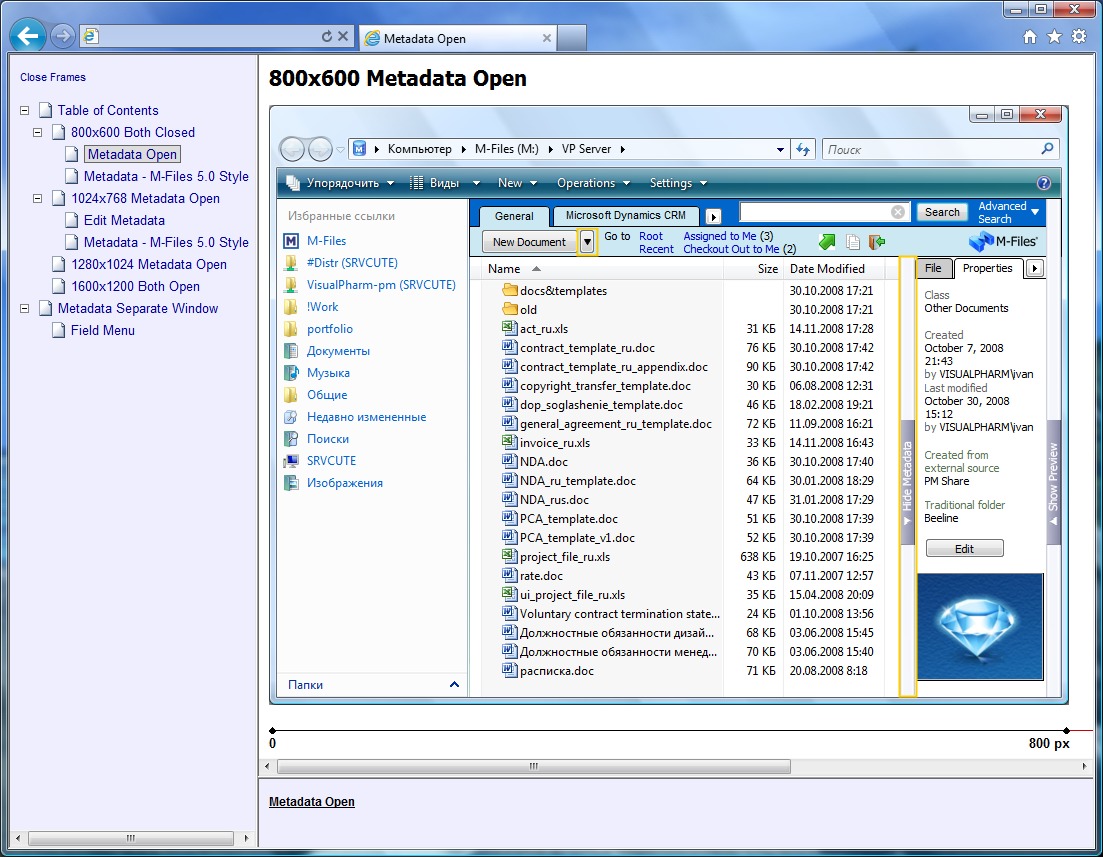
For daily work, this means fewer duplicated files, fewer unclear document names, and less time spent asking where something is located. Users can open documents, review metadata, follow workflow tasks, check document status, and collaborate with colleagues inside a more controlled environment.
M-Files is most suitable for companies that have outgrown basic cloud storage and need a smarter document management system. It is not only a digital file cabinet. It works more like a structured knowledge layer for business documents, helping teams manage information, automate document processes, and keep important files secure, searchable, and ready for practical use.
2026-07-27 11:52:03: How to build a strong document governance and compliance strategy with M-Files? TTX Success Story Youtube
2026-07-21 14:36:16: AI Readiness Assessment: Where does your organization stand? Youtube
2026-07-13 10:38:29: How Holmes Murphy Modernized Content Management with M-Files. Youtube
2026-07-08 08:00:37: M-Files for Consulting - A Context-Driven Consulting Workspace Youtube
2026-06-30 15:00:31: How to Save Information in M-Files Youtube
2026-06-18 11:23:42: How to use the Advanced Search in M-Files Youtube
2026-06-18 09:00:11: Success Story: How Backyard Discovery Accelerates Product Development with Document Management Youtube
2026-06-16 16:19:12: How to Use Views in M-Files Youtube
2026-06-12 15:41:52: AI, Information Management & Microsoft Collaboration: Exclusive interview with Joakim Nordström Youtube
2026-04-29 16:40:56: Microsoft 365 Copilot Demo: Contenu de confiance et gouverné avec M-Files Youtube
2023-03-31 15:00:00: How did M-Files and partner Element 3 help a major Australian dairy products company increase document management and workflow efficiency and drive improved incident management and productivity? Find out in our latest case study: https://t.co/6RPVTwA8uX https://t.co/mBXkKsyrrdTwitter
2023-03-21 10:00:02: M-Files achieved 33% YoY growth in subscription revenue & 40% growth in new customer sales as it continued to dominate the SMB market and drive value into the enterprise market in 2022. https://t.co/IVdcrjkmD2
#growth #leader #documentmanagement #lovecustomers #innovation https://t.co/ElJw5PzFxYTwitter
2023-02-08 07:15:00: 📣BREAKING NEWS: M-Files Strengthens its Platform to Deliver Best-in-Class Automation Capabilities with the Acquisition of No-Code Document Automation Company Ment.
https://t.co/C1737RCspA
#SmarterWayToWork #DocumentManagement #documentautomation #nocode #legaltech #legaldesignTwitter
2023-01-20 12:58:37: Find out how M-Files helped Abacus Advisors realize a 30% increase in overall efficiency. Read the case study: https://t.co/dJ8r4pgsjD
#SmarterWayToWork #DocumentManagementSolution #DigitalDocumentTransformation #LoveCustomers https://t.co/57tHFA89r6Twitter
2023-01-03 13:30:00: ✨As we say goodbye to 2022 and greet 2023 with optimism, hope, and anticipation, the M-Files team wishes everyone a very happy, healthy, and prosperous new year.
#HappyNewYear #bestwishes #success #2023 https://t.co/YO0gT0zJYgTwitter
2022-12-20 16:44:43: Learn how M-Files helped a major Australian health-insurance provider enhance workflow automation and bolster client-data security in our latest case study.
#lovecustomers #SmarterWayToWork
https://t.co/qR3aC5P1nd https://t.co/rSIOTp1x33Twitter
2022-11-08 18:50:48: How global shoe company Rieker stepped up their document-management game with M-Files. Check out the case study: https://t.co/VbbjQ9zaB5
#DocumentManagement #DocumentContentManagementSoftware https://t.co/SnAr1eFYyBTwitter
2022-08-16 15:15:57: Caruna has achieved effective collaboration and better customer service using M-Files.
Read the case study to learn more: https://t.co/9mRtl1GfYE
#lovecustomers #mfilessuccessstory #mfilescustomeradvocacy #mfilescasestudy https://t.co/1UfEJMlUiZTwitter
2022-08-12 15:14:56: The hybrid working model is here to stay. For professional services firms, this new reality should accelerate #DigitalTransformation--unless legacy tech gets in the way.
Learn how to avoid transformation delays and optimize hybrid work with this eBook:
https://t.co/0Q1NrofOFP https://t.co/LxDyy0VqggTwitter
2022-08-09 15:26:13: TK Elevator has saved worktime, gained transparency and control, and saved the equivalent of 900 trees and $1.5 million.
Read the case study: https://t.co/TE81OVIaE8
#lovecustomers #mfilessuccessstory #mfilescustomeradvocacy #mfilescasestudy https://t.co/oPrD66jwYzTwitter
M-Files Alternatives




M-Files Reviews & Demos
M-Files Integrations