HotDocs
Languages:
English
Localization:
World

What is HotDocs used for?
HotDocs is a document automation platform designed to help organizations create accurate, repeatable, and compliant documents faster. It is mainly used by legal teams, law firms, financial institutions, insurance companies, government departments, HR teams, and other document-heavy organizations that need to generate contracts, forms, letters, applications, reports, and case-related document packages.
Instead of manually editing old files, copying clauses, or retyping the same client and matter details again and again, HotDocs turns standard documents into intelligent templates. Users answer guided questions, and the system automatically assembles the required document based on approved wording, business rules, conditions, and data inputs.
HotDocs is especially useful when documents are complex, repetitive, regulated, or high-volume. It helps reduce drafting time, improve consistency, and lower the risk of human error. For teams that depend on controlled language, accurate formatting, and repeatable processes, HotDocs works as a structured document production system rather than a simple editing tool.
What are the key features of HotDocs?
-
Document automation templates
HotDocs allows organizations to transform frequently used documents into smart templates. These templates can include variables, optional sections, clause logic, calculations, and conditional wording. -
Guided questionnaires
Users create documents by answering structured questions instead of editing every paragraph manually. The answers determine which clauses, fields, and document sections appear in the final output. -
Conditional logic and business rules
HotDocs can include or exclude text based on specific conditions. This is useful for jurisdiction-specific clauses, contract variations, client types, service levels, risk rules, or internal approval requirements. -
Clause and content control
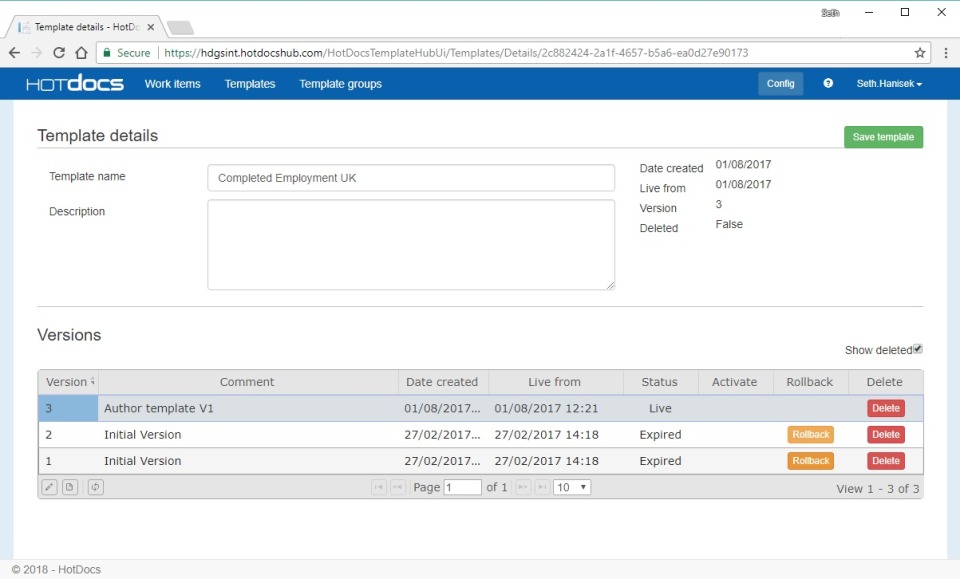
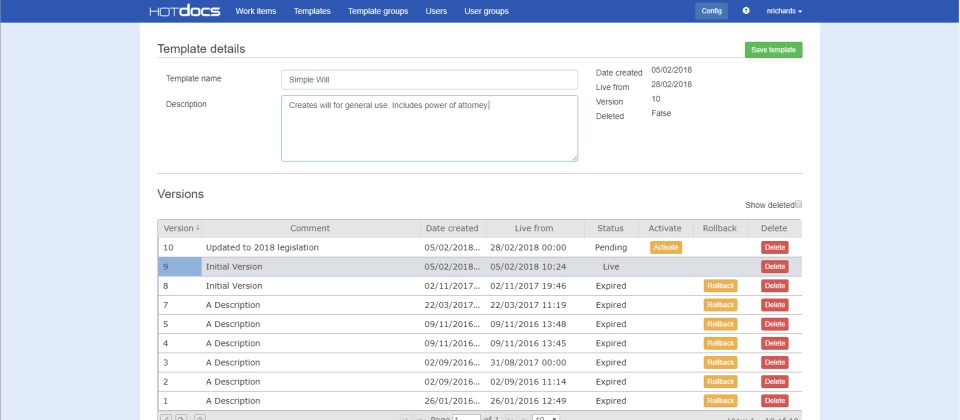
Organizations can manage approved language in a controlled way. This helps teams avoid outdated clauses, inconsistent wording, and uncontrolled document versions. -
No-code template management
Business and legal users can maintain many template rules without constant developer involvement. This makes updates faster and keeps document ownership closer to the people who understand the content. -
Integration options
HotDocs can be connected with business systems such as matter management platforms, CRM systems, document management tools, databases, and e-signature workflows. This allows document generation to become part of a wider business process. -
Document package generation
The platform can support the creation of individual documents or larger document sets. This is useful when one intake process needs to produce several related files at once.
How can businesses use HotDocs in real workflows?
-
Legal document drafting
Legal teams can use HotDocs to automate NDAs, service agreements, employment contracts, engagement letters, settlement documents, legal notices, and standard client correspondence. -
Law firm client intake
Law firms can create structured questionnaires that collect client and case information, then generate matter-specific documents with consistent wording and formatting. -
Financial and insurance forms
Financial services and insurance organizations can automate forms, applications, policy documents, compliance letters, disclosure documents, and regulated customer communications. -
Government and public sector documents
Public sector teams can use HotDocs to generate applications, notices, reports, forms, and citizen-facing documents where accuracy and repeatability are important. -
HR and internal operations
HR teams can automate offer letters, employment documents, policy acknowledgements, internal forms, onboarding documents, and employee-related correspondence. -
Compliance-driven document creation
Organizations with strict approval, audit, or regulatory requirements can use HotDocs to standardize document language and reduce uncontrolled manual editing.
What benefits does HotDocs provide?
HotDocs helps reduce the time needed to create complex documents. By using templates and guided interviews, teams can avoid repetitive drafting and focus more on review, strategy, and client service. This is valuable for organizations where document preparation consumes many hours each week.
The platform also improves consistency. When documents are created from controlled templates, the same rules, clauses, formatting, and terminology can be applied across teams and departments. This reduces variation between documents and helps maintain a more professional standard.
Another major benefit is risk reduction. Manual copy-paste drafting often leads to old client names, broken formatting, missing clauses, outdated terms, or incorrect references. HotDocs reduces these risks by using structured data and predefined logic.
HotDocs can also support better scalability. A team can handle more documents without increasing manual workload at the same rate. For growing legal, financial, insurance, or administrative teams, this turns document creation from a bottleneck into a repeatable operational process.
What is the user experience like in HotDocs?
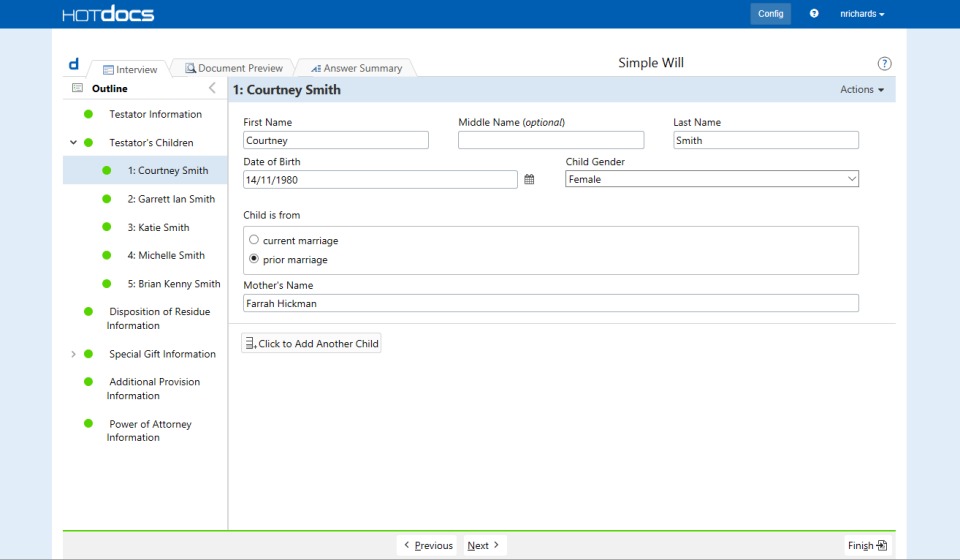
The user experience in HotDocs is built around guided document creation. A user selects the required template, answers a set of questions, and receives a completed document or document package. The process feels closer to completing a smart form than manually drafting from a blank page.
For everyday users, this means less time spent searching for the latest template, editing repeated text, or worrying about formatting. For template managers, the platform provides tools to control fields, clauses, logic, and approved document structures.
HotDocs is most effective in environments where documents follow patterns but still require customization. It gives users flexibility where needed, while keeping the core document process controlled. For organizations that treat documents as part of business infrastructure, HotDocs provides a practical way to turn repetitive drafting into a managed automation workflow.
2019-10-08 13:30:00: AbacusNext CEO Scott Johnson welcomes attendees to HotDocs User Group 2019 in London
#documentuautomation #documentassembly #hotdocsusergroup19 https://t.co/wZWZd64tlwTwitter
2019-10-04 20:56:36: Ready for a HotDocs deep dive? Next week, we’ll give you crash courses on repeated variables, integrations, and more so you can leverage your HotDocs solution better than ever before. #readysetlearn #masterHotDocs https://t.co/b8dQS5tQ6L https://t.co/t3Ye6Z6Lw9Twitter
2019-10-02 20:03:41: Only a few spots left for HUG 2019! Join us 8th October 2019 as the HotDocs community comes together to learn from product experts. #readysetlearn #masterHotDocs https://t.co/Ro3kobPMSn https://t.co/cZ8u2KbabjTwitter
2019-09-26 21:41:19: Find out how to make your workflow more efficient, use integrations, and work the new table component in HotDocs Author at HUG 2019. #readysetlearn #masterHotDocs https://t.co/y9IyBNLza6 https://t.co/LNZzttQ3UUTwitter
2019-09-23 23:50:51: Learn about table components, integrations, and more during the first breakout session of HotDocs User Group. #readysetlearn #masterHotDocs https://t.co/sCKOUbD9ki https://t.co/43SL5fsZSXTwitter
2019-09-20 23:33:49: Only 20 more days until HUG 2019! Buy your tickets now. #readysetlearn #masterHotDocs
https://t.co/yRSrjI8j7i https://t.co/EXyZQk66ZxTwitter
2019-09-12 19:28:35: Don’t miss the HotDocs training event of the year: HUG 2019!
Register here: https://t.co/gjHmosZZFP
#readysetlearn #learnHotDocs #documentautomation https://t.co/viudZg9NXRTwitter
2019-09-05 18:00:00: Join our live webinar where we will identify the major trends for compliance professionals in 2019 and demonstrate how HotDocs Advance can simplify the compliance process for your organisation.
Register your place today https://t.co/TChANTUcd7
#documentautomation https://t.co/00uyAVG5jDTwitter
HotDocs Alternatives