Harvest
Languages:
English
Localization:
World

What is Harvest time tracking for teams?
Harvest time tracking for teams is a cloud-based time and expense tracking service designed for agencies, consultancies, and service-based businesses that need clear visibility into how work hours are spent. It helps teams capture time against clients, projects, and tasks, then transforms that data into actionable reports and invoices.
With Harvest, managers see budget progress in real time, understand which projects are profitable, and identify which clients or services consume the most effort. Team members get a simple interface for starting timers, entering timesheets, and logging expenses without disrupting their daily workflow.
Harvest time tracking for teams also connects with popular project management, communication, and accounting tools, so tracking and billing fit into existing processes instead of adding another disconnected system. The result is a streamlined loop: time is tracked once, then reused for forecasting, invoicing, and strategic decisions about pricing and capacity.
What are the key features of Harvest?
-
Time tracking across devices
Team members can track time via web, desktop, and mobile apps, using start/stop timers or manual input. This flexibility keeps adoption high and ensures billable hours are captured accurately. -
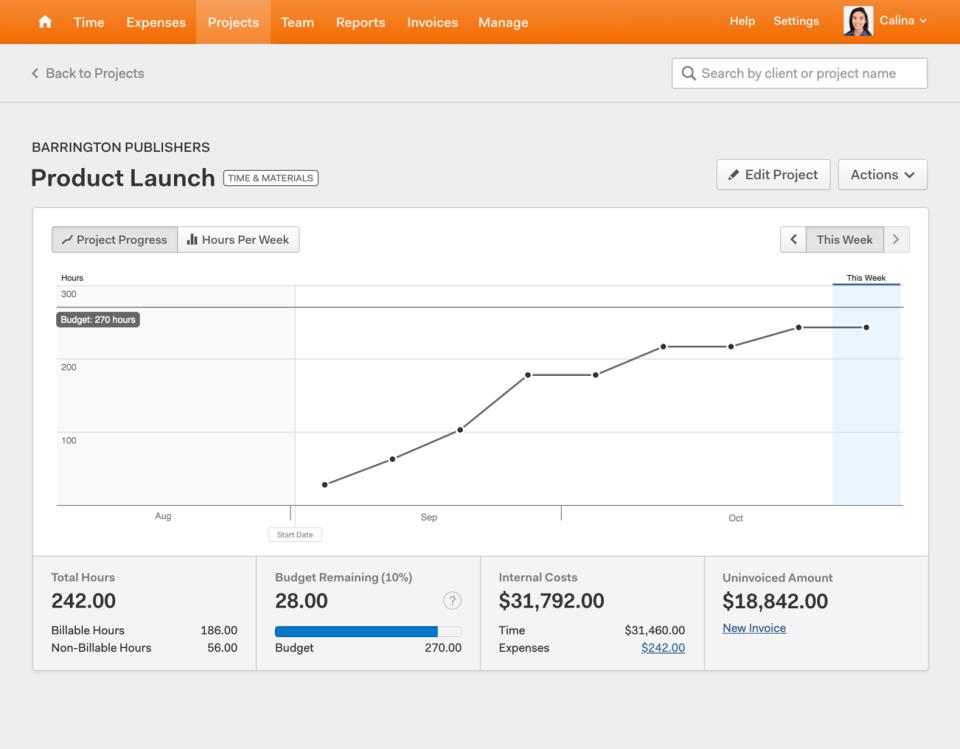
Project and budget tracking
Each project can have defined budgets in hours or monetary value. Harvest updates budget usage as time is logged, highlighting risks of overruns before they become unprofitable. -
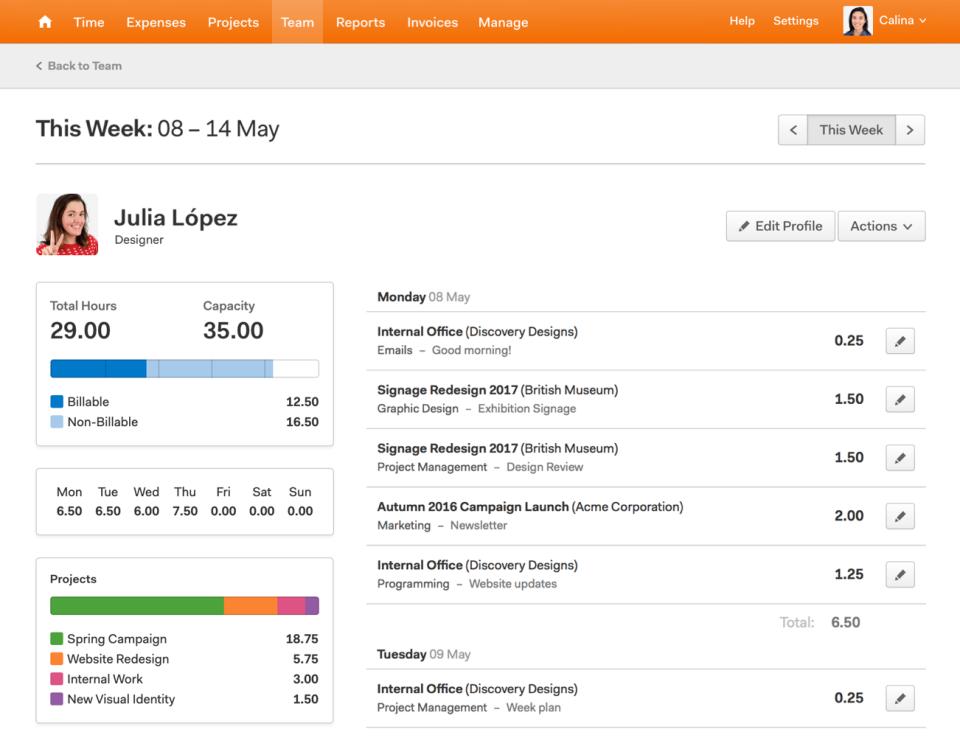
Detailed reporting and analytics
Visual reports show time by client, project, task, and team member. Managers can drill down to see where effort goes, which projects drive revenue, and which activities consume unbillable time. -
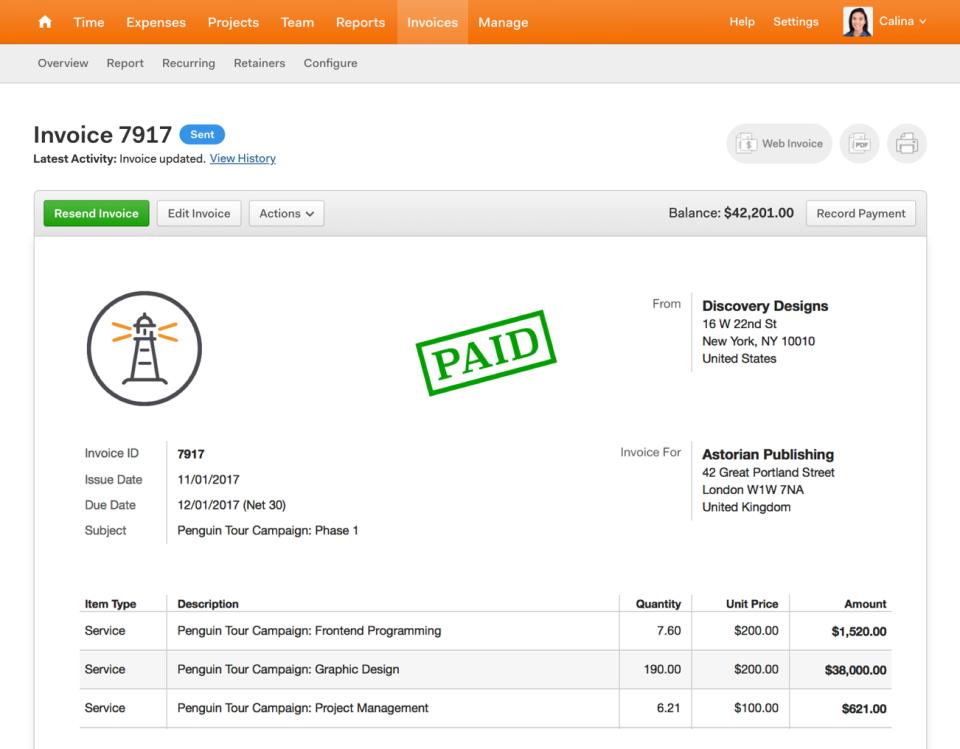
Invoicing and expense tracking
Approved time and expenses convert into invoices in just a few clicks. Harvest supports different billing methods, such as hourly rates, fixed fees, and retainers, simplifying recurring billing cycles. -
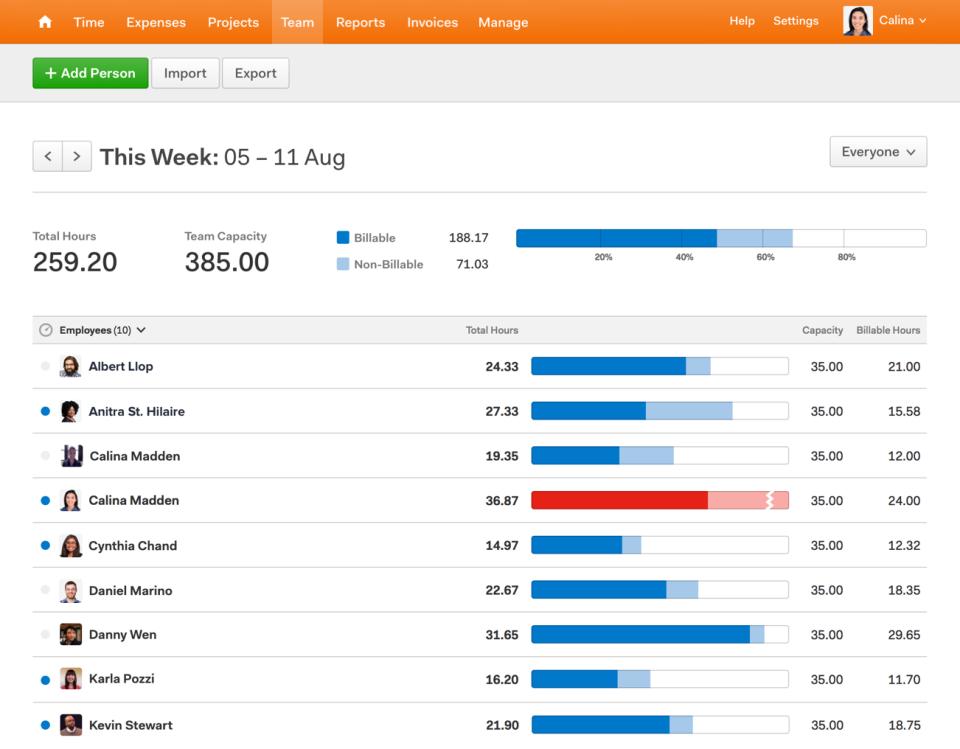
Team capacity and utilization insights
Time data feeds into utilization views, helping leaders see who is overloaded, who has free capacity, and how overall workload aligns with planned revenue. -
Integrations with existing tools
Harvest integrates with project tools, calendars, communication apps, and accounting platforms, allowing users to track time from within their existing workflows and sync financial data.
What are typical use case highlights for Harvest?
-
Agencies and studios working on client projects
Creative, marketing, and development agencies use Harvest to log project hours, monitor budgets against scope, and invoice clients quickly, reducing disputes over billable time. -
Consulting and professional services firms
Consultants track billable and non-billable hours by client engagement, validate retainers, and generate detailed reports for internal analysis and client transparency. -
Internal IT and product teams
Internal teams use Harvest to understand how much effort goes into support, maintenance, and new development, improving planning and justifying headcount or investment. -
Remote and distributed teams
Distributed teams gain a central source of truth for time, which simplifies coordination across time zones, helps track capacity, and ensures invoicing stays consistent. -
Project-based freelancers and small firms
Solo professionals and small companies use Harvest as a lightweight system to capture work, manage simple budgets, and turn time into professional invoices without spreadsheets.
What benefits does Harvest bring to a business?
The main benefit of Harvest is clarity. By making time tracking simple and consistent, it gives leadership a trustworthy dataset for decisions about pricing, staffing, and project selection. Budgets become visible and predictable instead of being checked only at the end of a project.
Cash flow improves when hours and expenses move smoothly into invoices, and when clients receive clear, itemized breakdowns of the work performed. Administrative work drops because there is less manual copying of timesheets into invoices or reports.
For the team, Harvest reduces friction: the interface is easy to use, reminders encourage habitual tracking, and people spend less energy reconstructing their day. For the business, these small improvements accumulate into better profitability and more accurate planning.
How is the user experience in Harvest day to day?
Harvest focuses on a straightforward, low-friction experience. Users see their active timers, today’s entries, and assigned projects in a clean layout. Starting a timer or adding a manual entry is fast, which matters when the goal is to record time many times per day.
Managers can review team timesheets, approve entries, and scan project budgets from a central dashboard. Reports are presented in clear summaries with options to drill down or export data when needed. For finance and operations, connecting invoices and accounting systems is handled through guided setups, minimizing configuration headaches.
Overall, Harvest time tracking for teams is built to stay out of the way while capturing the data a services business needs to stay profitable, organized, and confident in its numbers.
2026-05-05 16:53:22: A fresh Harvest is here! Introducing a new interface, more flexibility, and powerful new features. Youtube
2026-05-05 16:53:18: A fresh look for Harvest Youtube
2026-04-29 15:15:03: Harvest made easy: a quick tour of the new navigation Youtube
2026-02-20 12:15:00: Timesheet Approvals Youtube
2025-06-27 09:30:04: Clients Are Outpacing Agencies: Carl Smith on How to Stay Ahead Youtube
2025-06-13 16:27:04: Filtering the schedule Youtube
2025-06-13 16:15:58: Adding & editing task assignments Youtube
2025-06-03 08:55:47: Smarter Resource Scheduling - Plan by Task in Harvest Forecast Youtube
2025-05-29 16:17:16: Webinar: Getting started with Harvest Youtube
2025-04-24 16:42:09: Tracking expenses from the web and on the go. Youtube
2023-04-08 21:01:18: From tactical forecasting to establishing expectations with clients, here’s how Harvest helps digital media agency Social Revolt succeed: https://t.co/2dY9jkAFLr https://t.co/WuAdPJhUnETwitter
2023-04-07 22:30:08: We're excited to announce our time tracking and project cost management awards from G2's Spring 2023 Grid Report.
Capterra also named Harvest a Top Performer in their 2023 Time Tracking Software Shortlist. We couldn't be more proud! Details here: https://t.co/gZVeXIHe1E https://t.co/WpZ0OtoIrpTwitter
2023-04-05 23:58:10: Once a conflict erupts among your team, the resolution clock is ticking — and as a leader, all eyes are on you to handle the situation.
Check out our article to learn how to reduce employee conflict before it takes a toll on workplace culture: https://t.co/n0cxKqOn6z https://t.co/cX4vOgTzIfTwitter
2023-04-01 21:45:11: We want to know: What is the biggest reason you track time? How does it help your team succeed? Let us know in the comments below, and we’ll share the best responses. https://t.co/hEUs2URqoTTwitter
2023-03-31 21:43:11: Thanks, Ethan! It’s great to hear how Harvest keeps teams supported and projects properly staffed. Sign up for a free trial to see for yourself how Harvest helps your team succeed: https://t.co/3Nz063siaD https://t.co/7oXYjPkur5Twitter
2023-03-29 23:23:52: Some resignations are unavoidable, but if you recognize the red flags that an employee’s thinking about leaving, you’ll have a better chance of persuading them to stay — and preventing other team members from leaving: https://t.co/6wuMkXFwL9 https://t.co/UC8vcGgm4VTwitter
2023-03-24 20:25:39: Not sure which pricing model is suitable for you? We’ve got you covered!
Take a look at our article to learn about the pros and cons of each option: https://t.co/jgL4U5yDV1 https://t.co/mw1LuSbJY1Twitter
2023-03-23 22:37:09: Instead of falling victim to the natural panic and stress that sets in when a deadline is missed, take control and get your project back on track with these helpful tips: https://t.co/PpK7vUhyyr https://t.co/5g6ItXpu9ATwitter
2023-03-20 23:01:51: Thanks, Harrison! We love hearing how businesses like Social Revolt thrive with Harvest. Sign up for a free trial to see for yourself how Harvest helps your team succeed: https://t.co/3Nz063siaD https://t.co/PoM3DEY28FTwitter
2023-03-17 19:38:29: The art of delegation is a vital — yet often overlooked — team management skill. Swipe for a few tips on how to hand off work to your team successfully, and then take a look at our article to learn more: https://t.co/TZaU5wIl7K https://t.co/TYz0N2N0xyTwitter
Harvest Alternatives




Harvest Reviews & Demos
Harvest Integrations