What is ChargeDesk billing support platform?
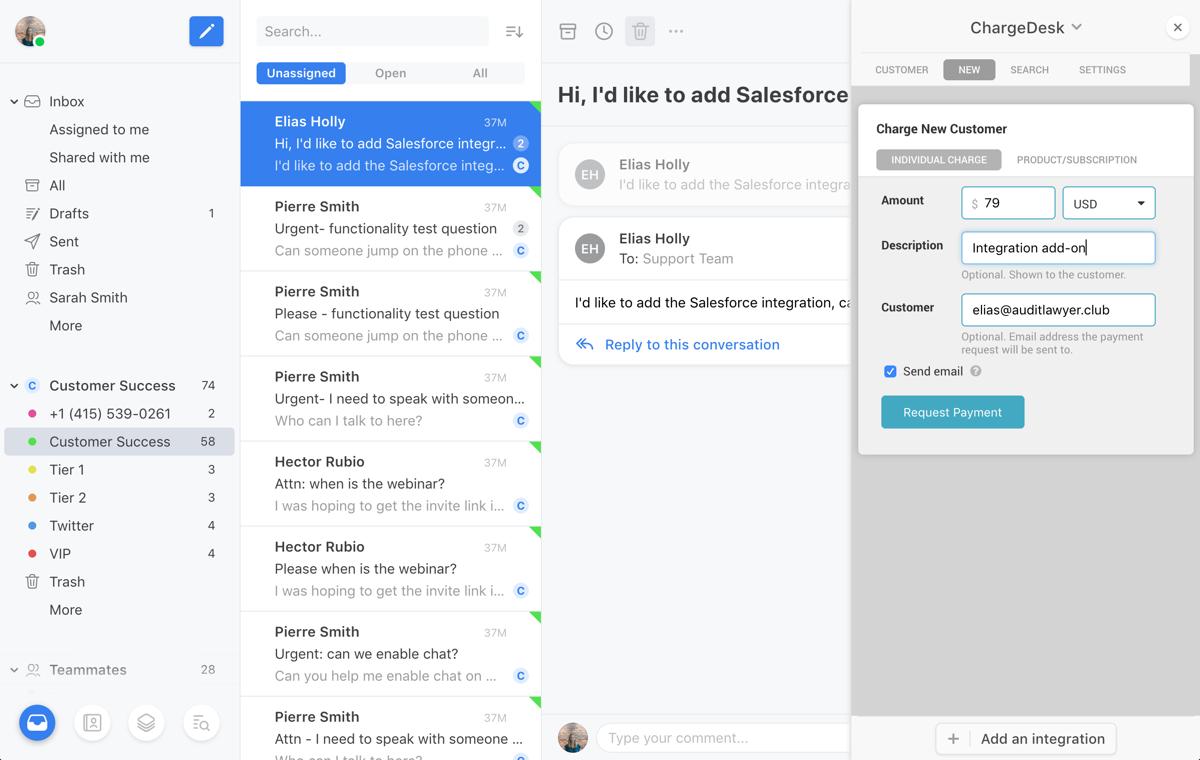
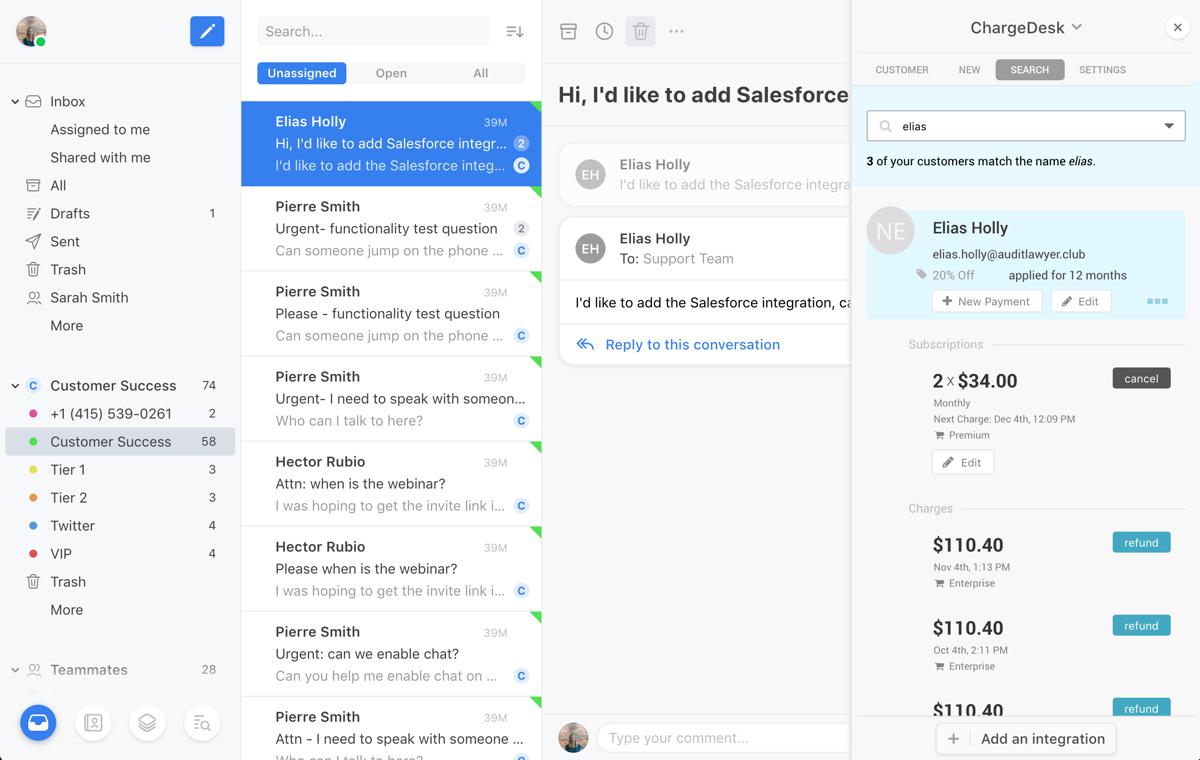
ChargeDesk billing support platform is a layer between payment gateways and support tools that gives teams a single place to see, manage, and fix customer billing issues. Instead of switching between Stripe, PayPal, Braintree, WooCommerce, Recurly or other systems, agents see complete payment history directly inside the helpdesk inbox and can take action in one click.
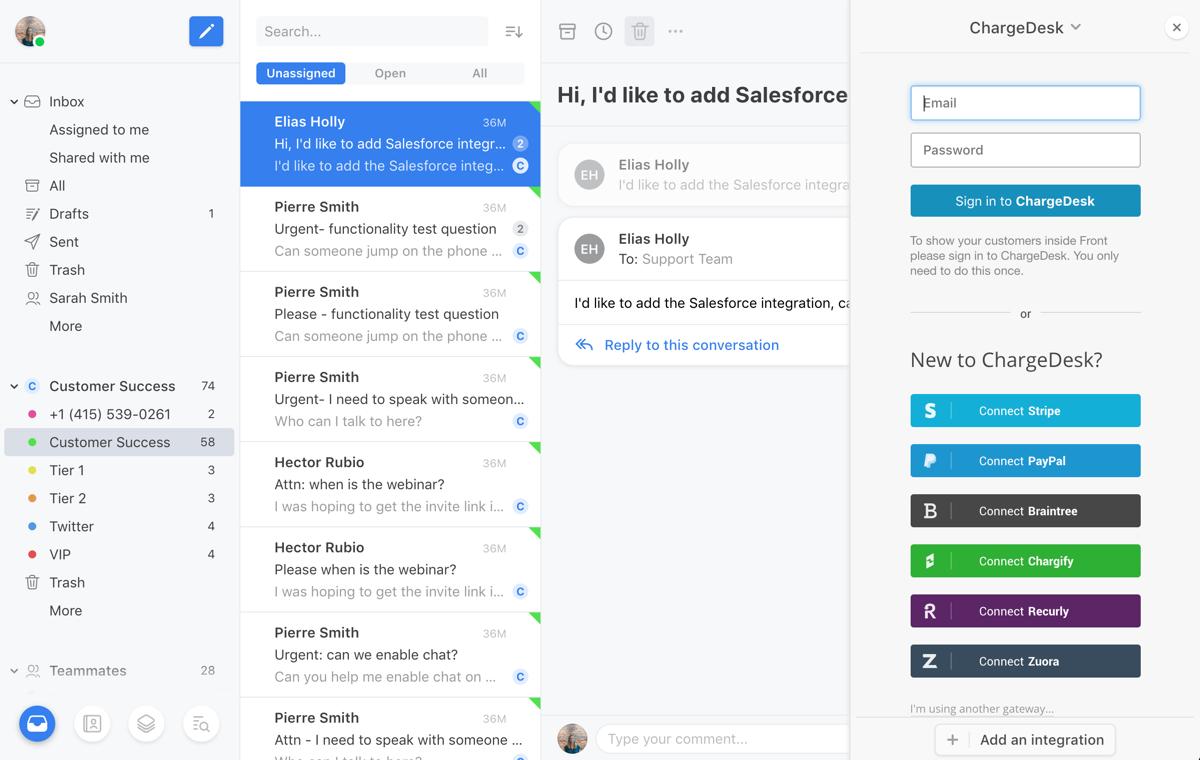
The platform connects to major payment processors and subscription tools, as well as popular helpdesks. This makes ChargeDesk useful for SaaS, ecommerce, and subscription businesses that already have a tech stack in place but want better billing support without replacing existing systems.
What are the key features of ChargeDesk?
-
Unified billing view inside support tools – Agents see customer charges, refunds, subscriptions, and invoices right next to tickets and conversations in tools such as Zendesk, Freshdesk, Help Scout, Intercom, Front and others.
-
One-click billing actions – From the same panel, teams can refund payments (full or partial), cancel or create subscriptions, authorize and capture charges, send invoices, apply coupons, and add tax details without leaving the helpdesk.
-
Customer billing pages – Hosted pages let customers view payment history, download invoices, update card data and tax IDs, raise billing questions or make new payments, reducing back-and-forth email threads.
-
Automatic invoices and receipts – Branded PDF invoices and receipts are generated and emailed after successful payments, including tax information for VAT or GST where required. Replies to those emails arrive in the helpdesk with billing context attached.
-
Extensive gateway support – ChargeDesk connects directly to many payment gateways and subscription platforms and can be extended with a custom integration path for additional providers.
-
Reporting and audit trail – Detailed logs track which agent performed each refund, cancellation, or adjustment, along with reasons. Revenue views, invoice status lists, and tax summaries help finance teams control billing operations.
Which use cases show ChargeDesk at its best?
-
Subscription SaaS billing support – When users ask “Why was I charged?” or “Cancel my subscription,” support teams can answer, cancel, or refund in seconds from inside the ticket, while keeping a clean audit trail for finance and compliance.
-
Ecommerce order and payment issues – For online stores, agents can see orders, charges, and refunds in context, fix billing errors, resend invoices, or trigger new payments without logging into multiple dashboards.
-
Chargeback and dispute reduction – Self-service billing pages, clear invoices, and fast responses to billing questions reduce confusion and lower the likelihood of chargebacks or payment disputes.
-
Multi-gateway operations – Businesses using several gateways for different regions or products can unify billing support logic in one place, instead of training agents on separate interfaces with different workflows.
-
Helpdesk-centered finance workflows – Finance or operations teams that coordinate billing changes via tickets can run those processes directly from the helpdesk, with all adjustments logged per agent.
How does ChargeDesk benefit businesses?
ChargeDesk significantly shortens resolution time for billing tickets, because agents no longer have to copy IDs between systems, request extra data from customers, or escalate simple billing actions to finance. Fewer handoffs and fewer tools mean faster replies, less friction, and fewer mistakes.
The platform also creates transparency and accountability. Every refund, cancellation, or manual charge is logged with the responsible agent and, where needed, a reason. This supports internal policies, audits, and revenue analysis.
Customers gain clearer billing communication: consistent invoices, accessible billing history, and simple ways to update payment details or tax information. As a result, businesses see lower churn, fewer disputes, and a more professional billing experience overall.
Because ChargeDesk relies on existing gateways and helpdesks, adoption usually does not require major code changes. Teams can start with a single integration, for example Stripe plus one helpdesk, and then expand across more gateways and channels as the business grows.
What is the user experience like in ChargeDesk?
For support agents, ChargeDesk appears as a side panel or app inside tools they already use. When a ticket is opened, ChargeDesk automatically matches the customer based on email or other identifiers, then shows recent charges, invoices, and subscriptions in a compact view. There is no need for extra logins or constant tab switching.
For customers, the experience focuses on clarity and control. Billing pages and receipts show exactly what was charged, when it happened, and for which product. Common actions such as updating card details, adding VAT numbers, or downloading invoices for accounting can be done without contacting support. When a customer does write to support, all relevant billing context is already attached to the conversation.
Overall, ChargeDesk billing support platform turns scattered payment data into an integrated, predictable workflow, giving both teams and customers a smoother way to handle every step of the billing lifecycle.
2022-12-22 18:45:00: Thank you to all our customers for their consistent support throughout the year. We wish you and your families a very Merry Christmas and can't wait to work with you again in the New Year! https://t.co/IErfsVrlgWTwitter
2022-12-21 18:45:05: We do charge forms! Our updates include a number of very frequently requested features, including the ability to add multiple once-off line items and to set line items as non-taxable. https://t.co/GmXLQKuWBdTwitter
2022-12-20 18:45:01: Are lists exciting? We think so! We're pleased to have added a whole new "List" tab to our helpdesk and mobile apps. This tab is available to all agents with list permissions and shows lists of important data such as Recent Charges, New Customers and Upcoming Subscriptions. https://t.co/aFFVqkrJhwTwitter
2022-12-19 18:45:01: Have you ever wondered just how you can improve your billing support for your team and customers? Then check out ChargeDesk, we connect with over 10 different payment gateways and help desks with easy integration.
Best of all, the first 14 days are free with our trial! https://t.co/pSmBsH6m0BTwitter
2022-12-18 18:45:00: We've spent countless hours refining the ChargeDesk Customer Support App to make it incredibly easy for you to manage your customers where you're already interacting with them. You can see customer payment histories, refund charges, manage subscriptions all inside your helpdesk.Twitter
2022-12-15 18:45:02: ChargeDesk now integrates with Zapier! After a long private beta, we've reworked the entire integration to be easier to use and to cover a wider range of use-cases. It's now available for anyone to install and use from the Zapier website.
Try it out today! https://t.co/rbi1mZHOdkTwitter
2022-12-14 18:45:00: Your first 14 days of using ChargeDesk are free! See what ChargeDesk can do today https://t.co/oy2szPAUYK https://t.co/xfLHIe0F9ITwitter
2022-10-17 19:45:01: ChargeDesk supports connecting PayPal IPN to ChargeDesk. Adding the IPN connection will ensure that data is synchronized more quickly. Companies can now add an IPN connection by going to Setup > Gateways > Configure next to PayPal > Connect IPN.Twitter
2022-10-16 19:45:03: Try out our charge form! The recent update includes a number of very frequently requested features, including the ability to add multiple once-off line items and to set line items as non-taxable. https://t.co/5ztUTw5XglTwitter
2022-10-13 19:45:04: Are lists exciting? We think so! We're pleased to have added a whole new "List" tab to our helpdesk and mobile apps. This tab is available to all agents with list permissions and shows lists of important data such as Recent Charges, New Customers and Upcoming Subscriptions. https://t.co/IORR506ASNTwitter
ChargeDesk Alternatives




ChargeDesk Reviews & Demos
ChargeDesk Integrations