Box
Languages:
Deutsch
English
Français
Localization:
USA

What is Box and what does it do?
Box is a cloud-based content management platform designed for secure file storage, collaboration, and enterprise-grade information governance. It helps organizations centralize documents, control access, and manage the full lifecycle of content—from creation and review to approval, sharing, and long-term retention. Unlike basic cloud drives, Box focuses on structured collaboration, compliance, and automation at scale, making it suitable for regulated industries and distributed teams.
The platform supports remote work by enabling teams to access files from any device while maintaining strict security and permission controls. Box acts as a single source of truth for documents, reducing version chaos and manual file sharing. Over time, it has evolved into a content layer that sits across business processes, integrating with productivity tools and automating workflows tied to documents and approvals. For organizations that treat content as an operational asset rather than simple storage, Box provides the infrastructure to manage it reliably and securely.
What are the key features of Box?
-
Secure cloud storage
Centralized file storage with encryption at rest and in transit, granular permission controls, and version history to prevent data loss or unauthorized changes. -
Advanced access and sharing controls
Flexible user roles, link expiration, watermarking, and external collaboration settings that allow secure sharing without losing ownership of content. -
Content collaboration tools
In-file comments, annotations, task assignments, and version comparisons that support structured document reviews and teamwork without email chains. -
Workflow automation
No-code automation for approvals, document routing, notifications, and lifecycle actions, reducing repetitive manual work around files. -
Enterprise governance and compliance
Retention policies, legal holds, audit logs, and compliance support for regulated industries that require strict data handling rules. -
AI-powered content intelligence
Tools that extract metadata, classify documents, and surface insights from unstructured content to support faster decisions and automation. -
Integrations and APIs
Native integrations with common productivity and business tools, plus APIs for custom workflows and system-level integrations.
What are common use cases for Box?
-
Enterprise document management
Central repository for contracts, policies, reports, and internal documentation with controlled access and lifecycle rules. -
Secure external collaboration
Sharing sensitive files with partners, clients, or vendors while maintaining visibility, permissions, and audit trails. -
Legal and compliance workflows
Managing legal documents, discovery materials, and regulatory records with retention policies and legal holds. -
HR and employee onboarding
Automating document collection, approvals, and access control for new hires and internal HR processes. -
Content-heavy operations
Teams working with large volumes of documents, media files, or project assets that require structured review and approval cycles. -
Distributed and remote teams
Enabling consistent collaboration across locations without relying on local file servers or email attachments.
What benefits does Box provide to organizations?
Box reduces operational friction by replacing fragmented file storage and ad-hoc sharing with a controlled, auditable system. Teams spend less time searching for documents, resolving version conflicts, or manually chasing approvals. Security and compliance features reduce risk, especially for organizations handling sensitive or regulated data.
Automation improves consistency and speed in document-driven processes, while integrations allow Box to fit into existing workflows rather than replace them. Centralized governance gives IT and operations teams visibility and control without blocking productivity. Over time, organizations gain better insight into how content flows through their business, turning documents into manageable, measurable assets instead of passive files.
What is the user experience like in Box?
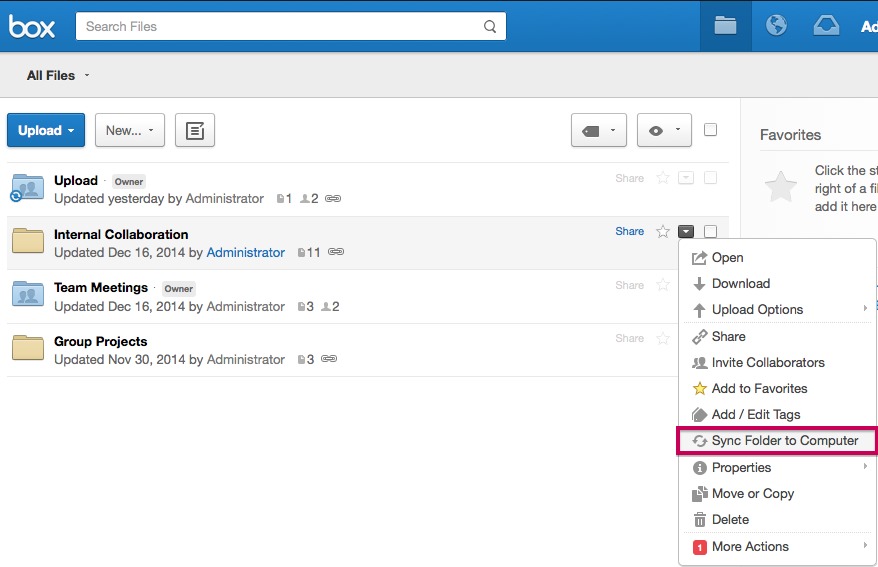
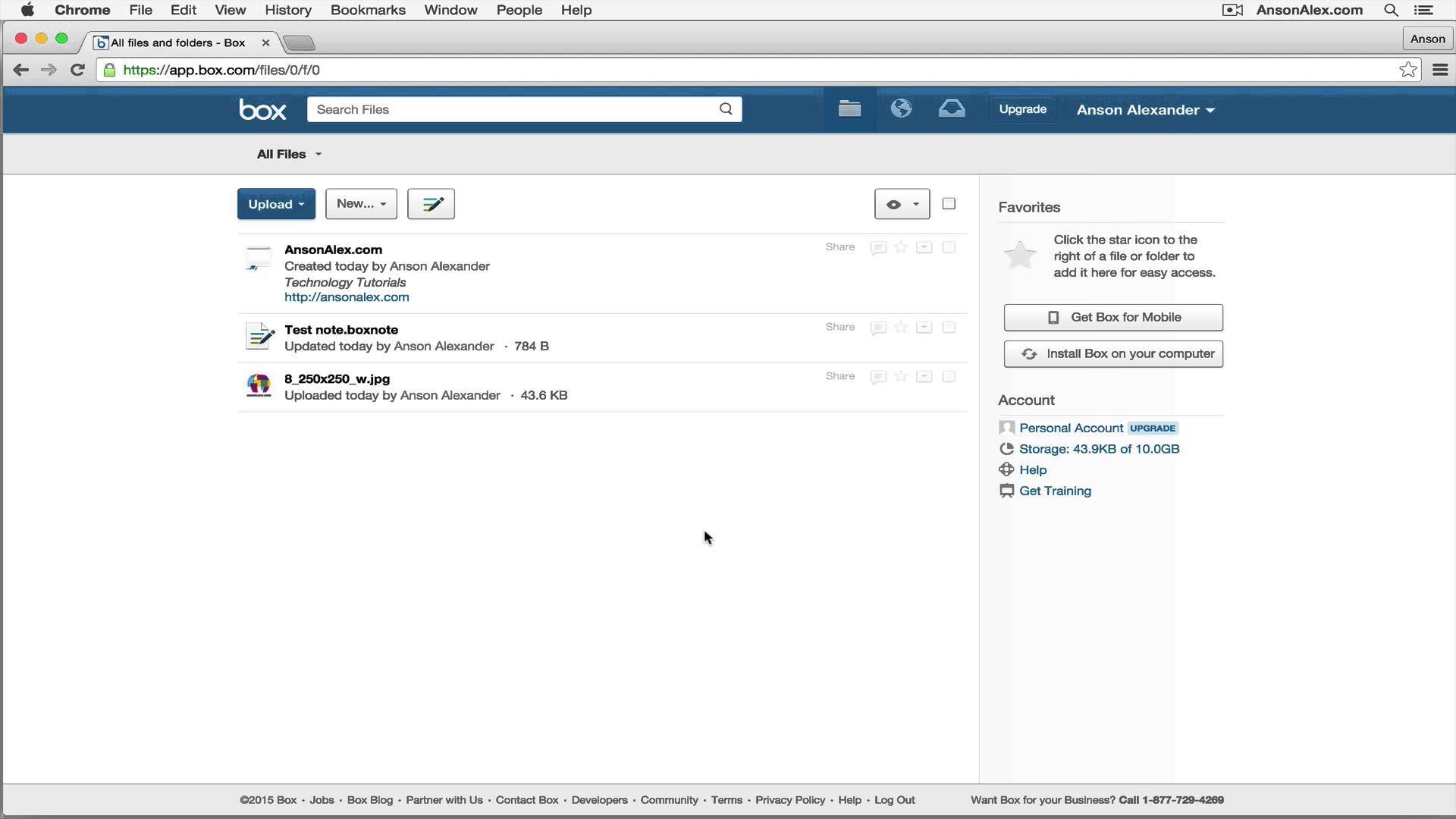
The Box interface is designed to feel familiar to users of standard cloud storage while offering deeper controls under the surface. File navigation, sharing, and collaboration are straightforward, making onboarding relatively smooth for non-technical users. Advanced features such as workflows, governance settings, and automation are accessible without forcing everyday users to interact with complexity.
For administrators and operations teams, Box provides centralized dashboards and configuration tools to manage permissions, compliance rules, and integrations. The experience prioritizes stability, predictability, and control over flashy design, which aligns with its enterprise focus. Overall, Box balances usability with powerful back-end capabilities, making it suitable for organizations that need both ease of use and strict content management.
2026-10-15 17:02:00: How AI agent swarms are changing enterprise security Youtube
2026-10-14 21:13:23: Microsoft MXC + Box Mount: Running an AI Agent in a Local Sandbox Youtube
2026-10-08 21:18:24: Build a Governed AI Agent with Vercel Sandbox + Box Mount Youtube
2026-10-08 21:11:42: Give DigitalOcean Sandbox Agents File Path Access to Cloud Files | Box Mount Youtube
2026-10-01 21:58:18: How semantic search and AI agents are transforming enterprise search Youtube
2026-09-28 23:42:37: Automate Broker-Dealer Commission Audit with Box AI + Codex Youtube
2026-09-22 21:54:35: Automatize a Revisão de Evidências de Reclamações de Seguros com Box Youtube
2026-09-22 21:31:42: Building a Multi-Agent System with the Claude Agent SDK and Box Youtube
2026-09-17 17:39:01: Vercel fx + Box CLI: From Approved Policy to Tested Code Youtube
2026-09-17 00:14:16: Box + Snowflake: Transform Documents Into Queryable History Youtube
2023-04-06 21:25:42: In the dental field, content can range from patient invoices to legal contracts to 3D X-rays.
Here's how Pacific Dental Services is using the Content Cloud to secure its content and redesign its clinical model while also saving time on office workflows: https://t.co/2GtBmtQlMA https://t.co/rreub4Gs0VTwitter
2023-03-30 23:53:08: Over the years, Walker and Dunlop accumulated over 53.4TB of content 🤯
With Box, they've been able to:
1⃣ Create a single source of truth for critical content
2⃣ Enhance productivity during the loan process
➡️ https://t.co/mRCNHUVwLa https://t.co/DTB1K7qCaWTwitter
2023-03-28 22:20:12: 9 out of 10 businesses were targeted by cybercriminals last year. Box CISO Julien Soriano shares advice on how businesses can develop layered security strategies to limit risks in an environment of growing security threats https://t.co/kkdSXTc4qm https://t.co/IxRPPNGKoSTwitter
2023-03-23 22:33:47: 3⃣ Restrict signature requests containing sensitive content with a dedicated Box Shield policy for Box Sign
To learn more, join our webinar on 3/30. Register here: https://t.co/d9neoFONVz https://t.co/cPNm4wIq1VTwitter
2023-03-23 22:33:46: We’re excited to share 3⃣ new updates that will help you reduce costs with secure e-signature workflows.
1⃣ Dynamic naming allows you to flexibly name files and folders on-the-fly with dynamic variables in Box Relay — for better content organization and workflow management https://t.co/LpLRJ62VkfTwitter
2023-03-23 00:35:38: 68.8% of you nailed it! With Box, you can securely connect your content across 1,500+ apps.
See what's possible 👉 https://t.co/V54GcITIXZ https://t.co/dtwp3CozXPTwitter
2023-03-22 20:13:13: In 2021, Muckamore Abbey Hospital Inquiry chose Box to:
🧑🤝🧑 Power secure collaboration
ℹ️ Simplify the process of information gathering
🔑 Manage highly sensitive information & comply with data privacy requirements around evidence chains
Learn more: https://t.co/s83YY9GcNx https://t.co/zir4CD9rVxTwitter
2023-03-21 22:17:51: ✨ Save the date ✨
Join us at the Content Cloud Summit on May 9th! Box CEO Aaron Levie and CPO Diego Dugatkin will take center stage to share exciting new updates that will help you simplify work, fight complexity, and reduce costs.
Learn more here: https://t.co/41N4Is9FKN https://t.co/CSddAufp0LTwitter
2023-03-21 18:20:03: 💡 Knowledge check 💡
How many apps does Box integrate with?Twitter
Box Alternatives




Box Reviews & Demos
Box Integrations