AceProject
Languages:
English
Français
Localization:
World
What is AceProject and what does it help teams manage?
AceProject is a project management platform built for teams that need a structured way to organize work, track time, manage files, monitor expenses, and keep projects moving without drowning in scattered tools. It is positioned as an all-in-one environment for project coordination, combining task management, timesheets, document sharing, and reporting in one system. That makes it especially useful for companies that want operational clarity rather than a flashy collaboration layer with weak execution behind it. AceProject has been in the market for many years, and its product direction feels focused on practical business control: deadlines, approvals, workload visibility, and accountability. The platform is also available through the browser and supports mobile usage, which matters for teams that need access beyond a single office desktop. For organizations that want a reliable workspace for project delivery, AceProject is designed to reduce fragmentation and make day-to-day execution easier to manage.
What are the key features of AceProject?
-
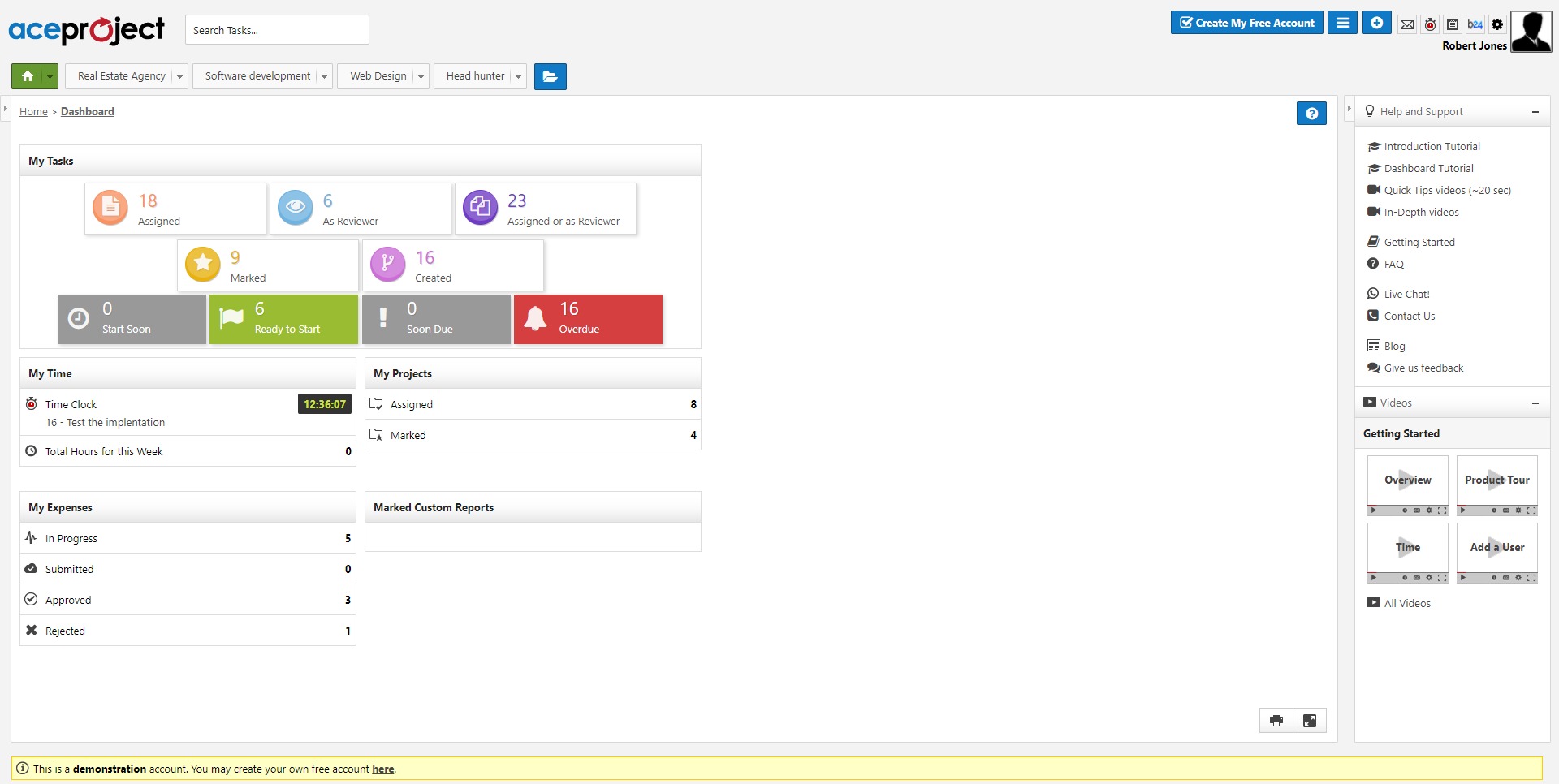
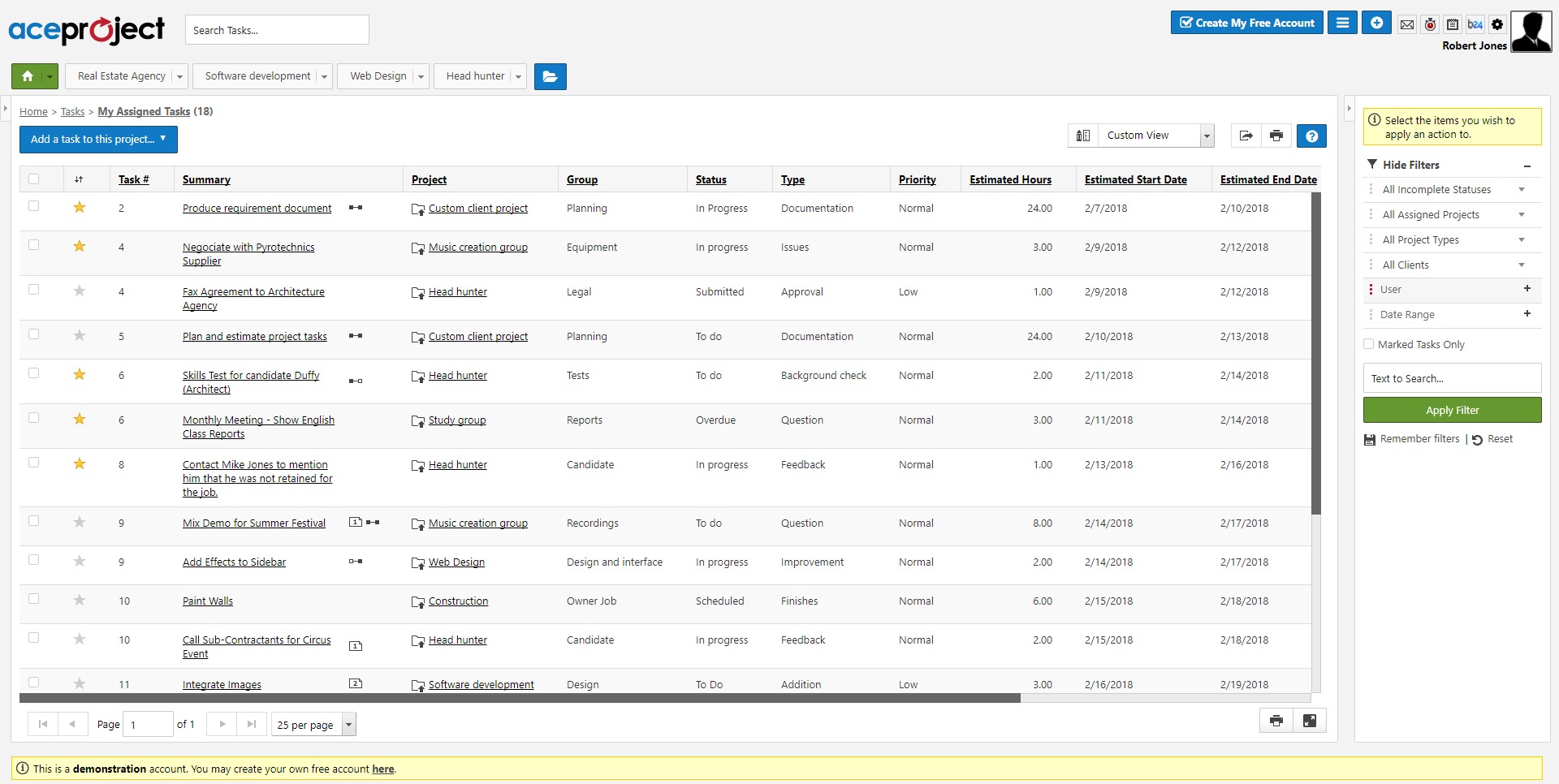
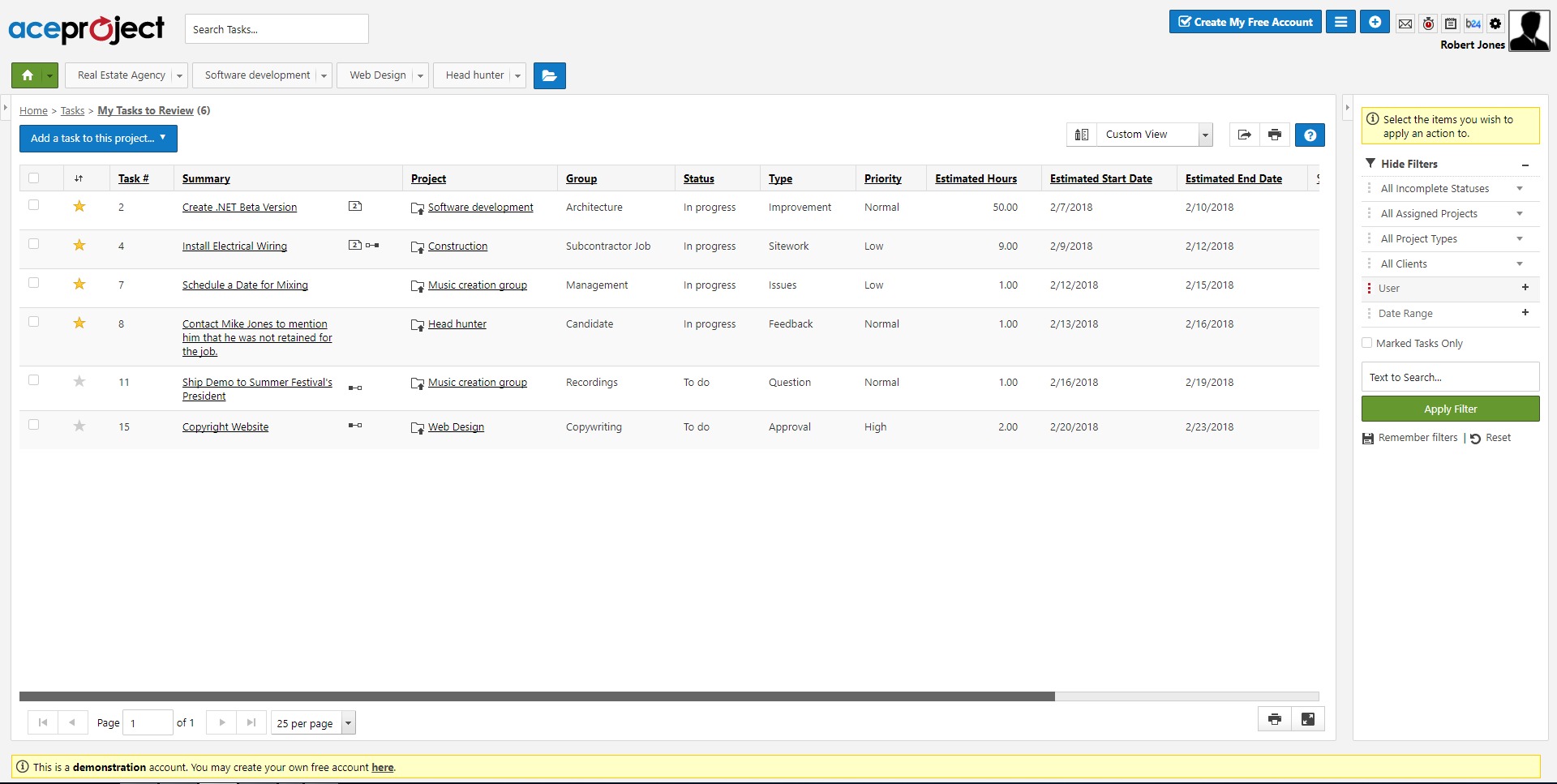
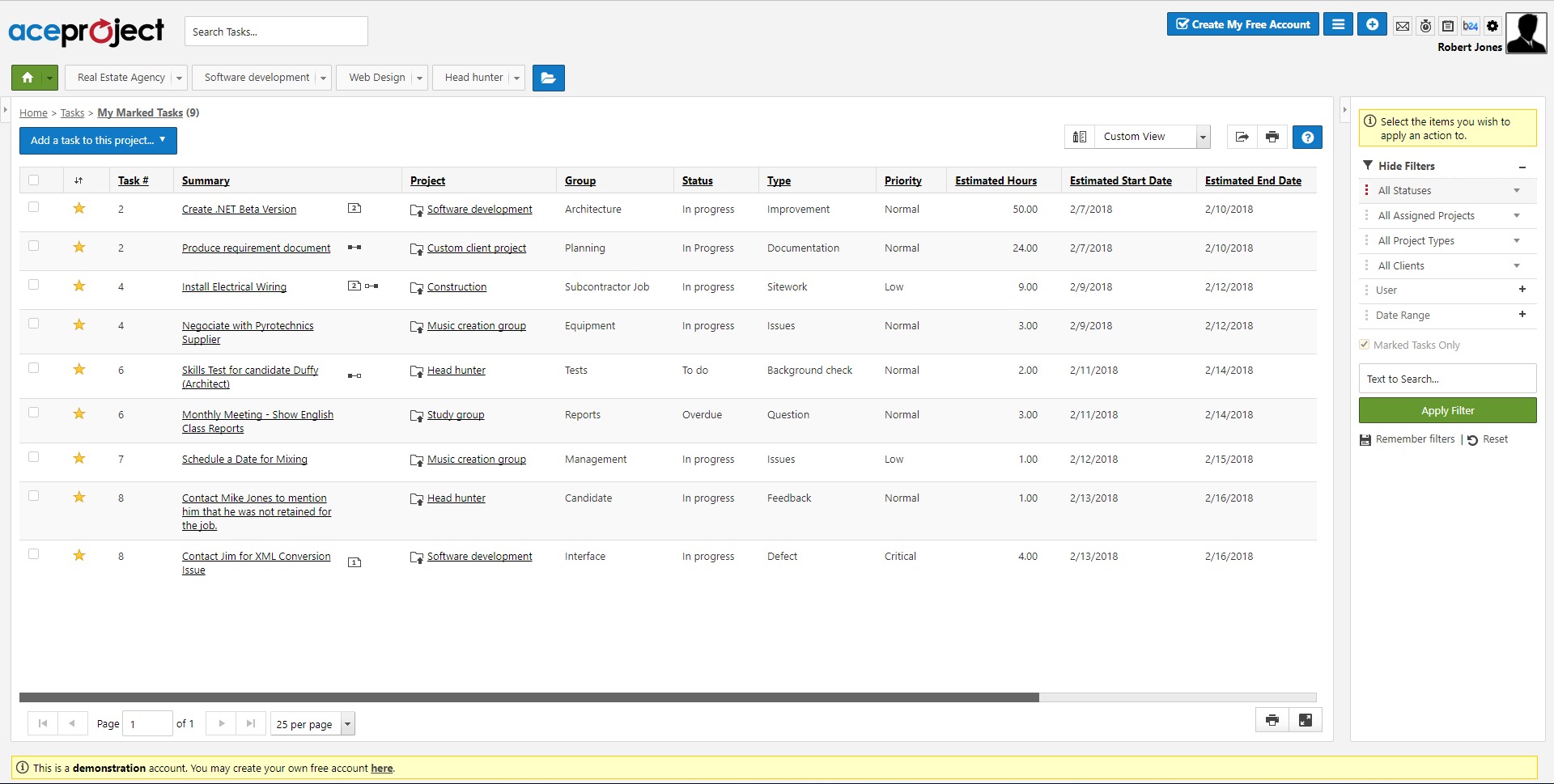
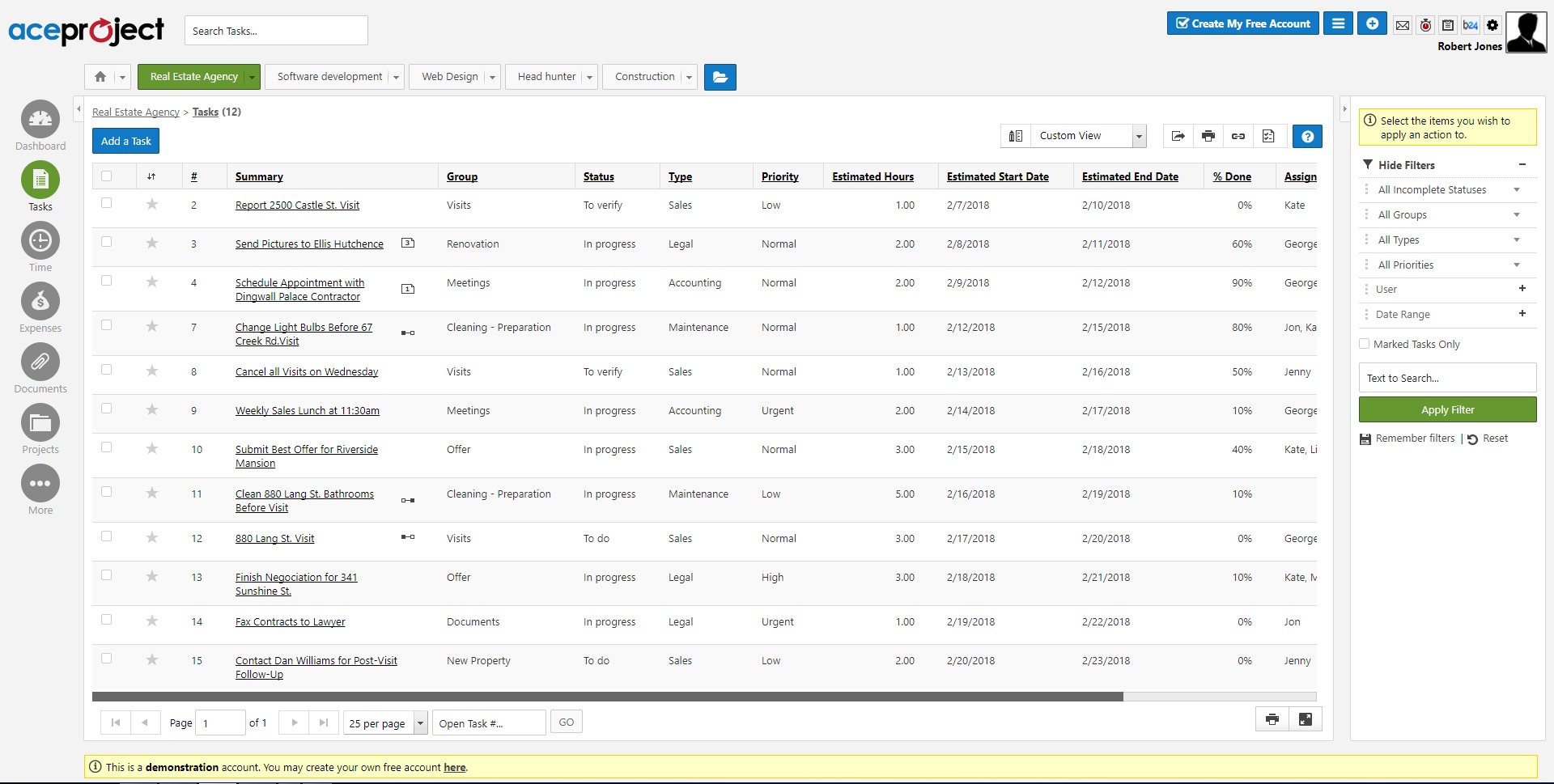
Task and project management
AceProject allows teams to create projects, assign tasks, define responsibilities, and follow progress through structured workflows. This helps managers keep work visible and makes it easier to spot delays before they become bigger delivery problems. -
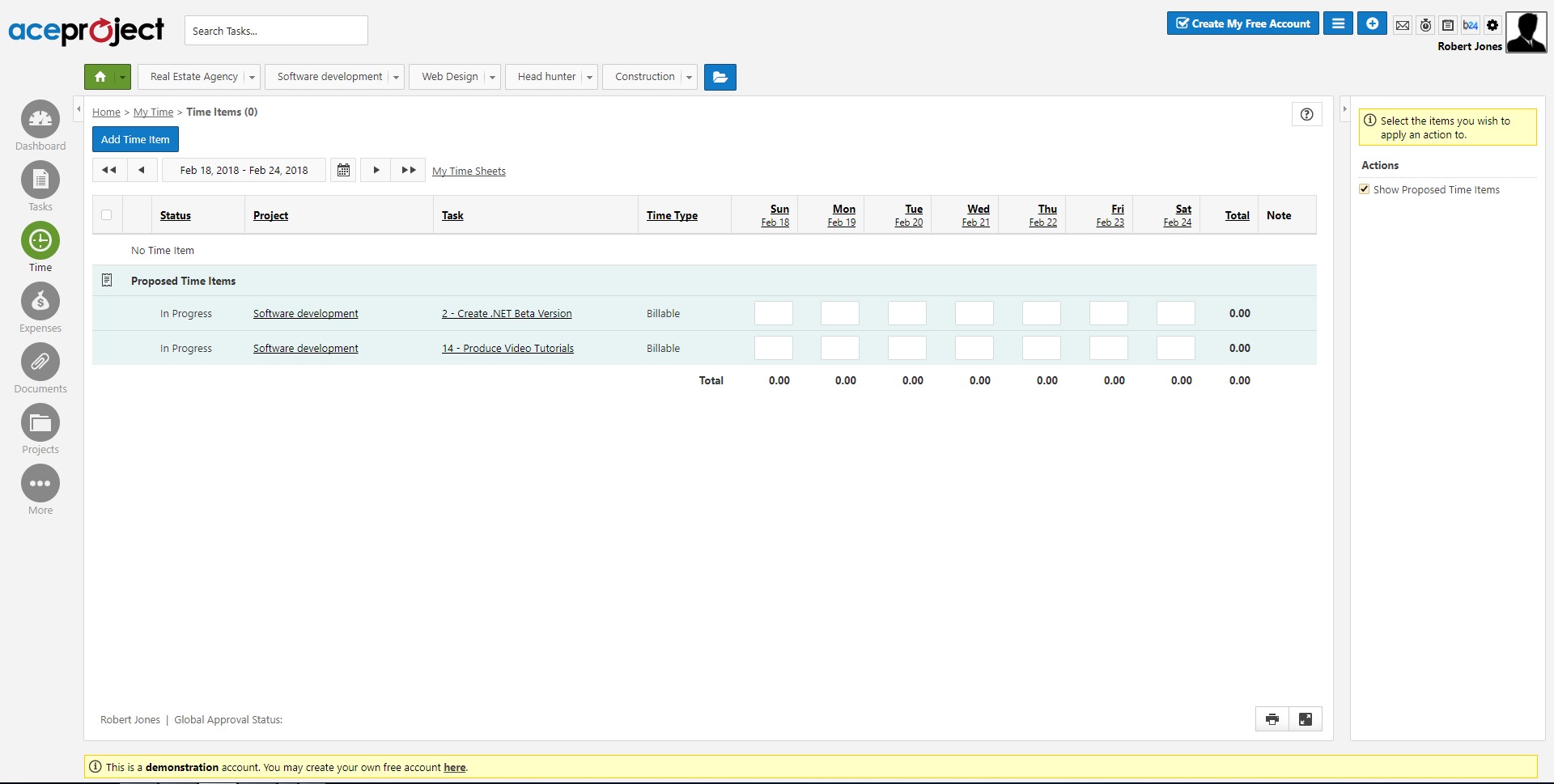
Time tracking and timesheets
The platform includes built-in time tracking, allowing users to clock time against tasks and submit timesheets. This is useful for service teams, agencies, and internal departments that need a clearer view of effort, productivity, or billable work. -
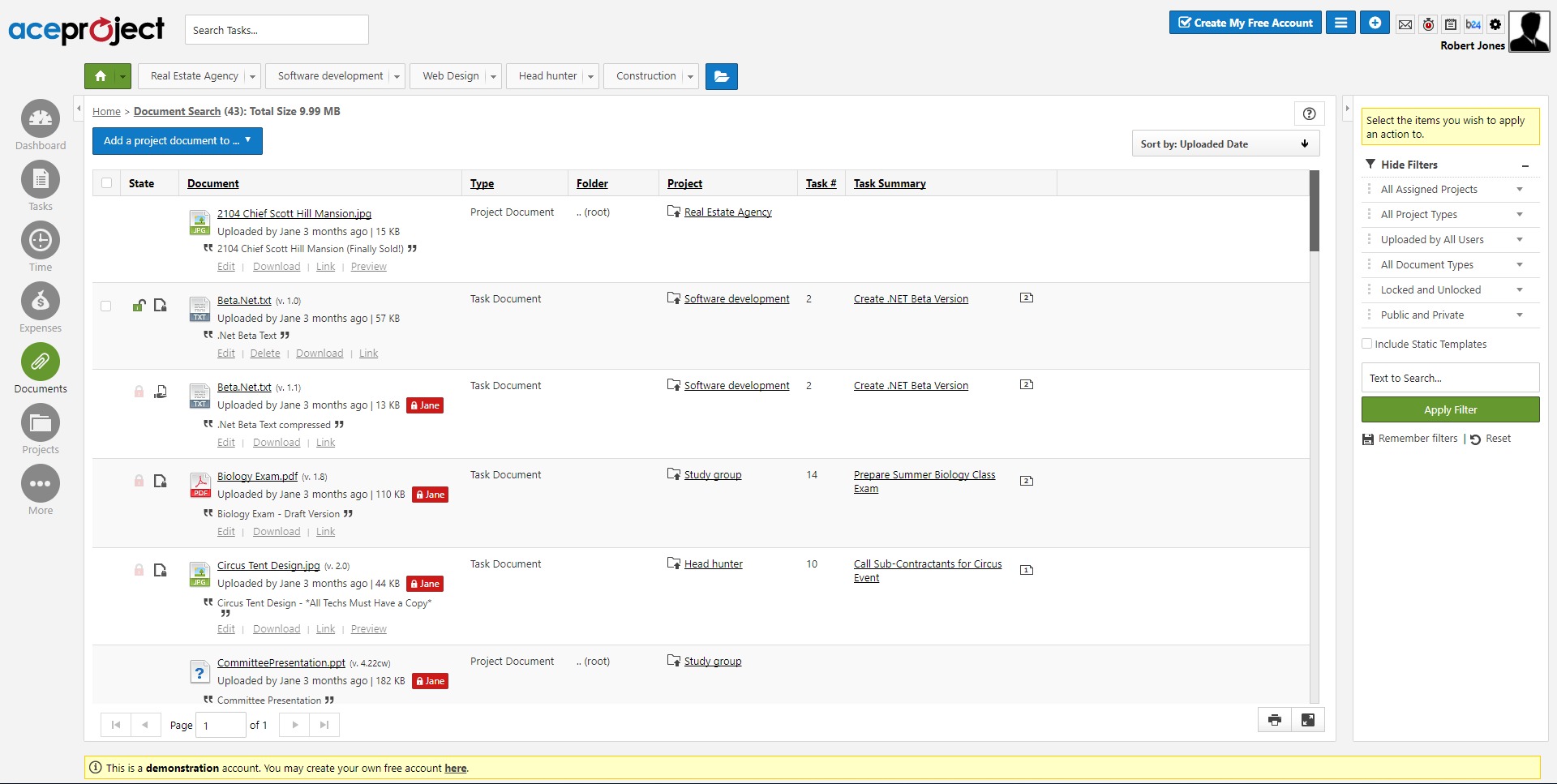
Document management
Teams can store and share project files in the same environment where work is being managed. This reduces the usual chaos of attachments, version confusion, and files lost across email threads and chat apps. -
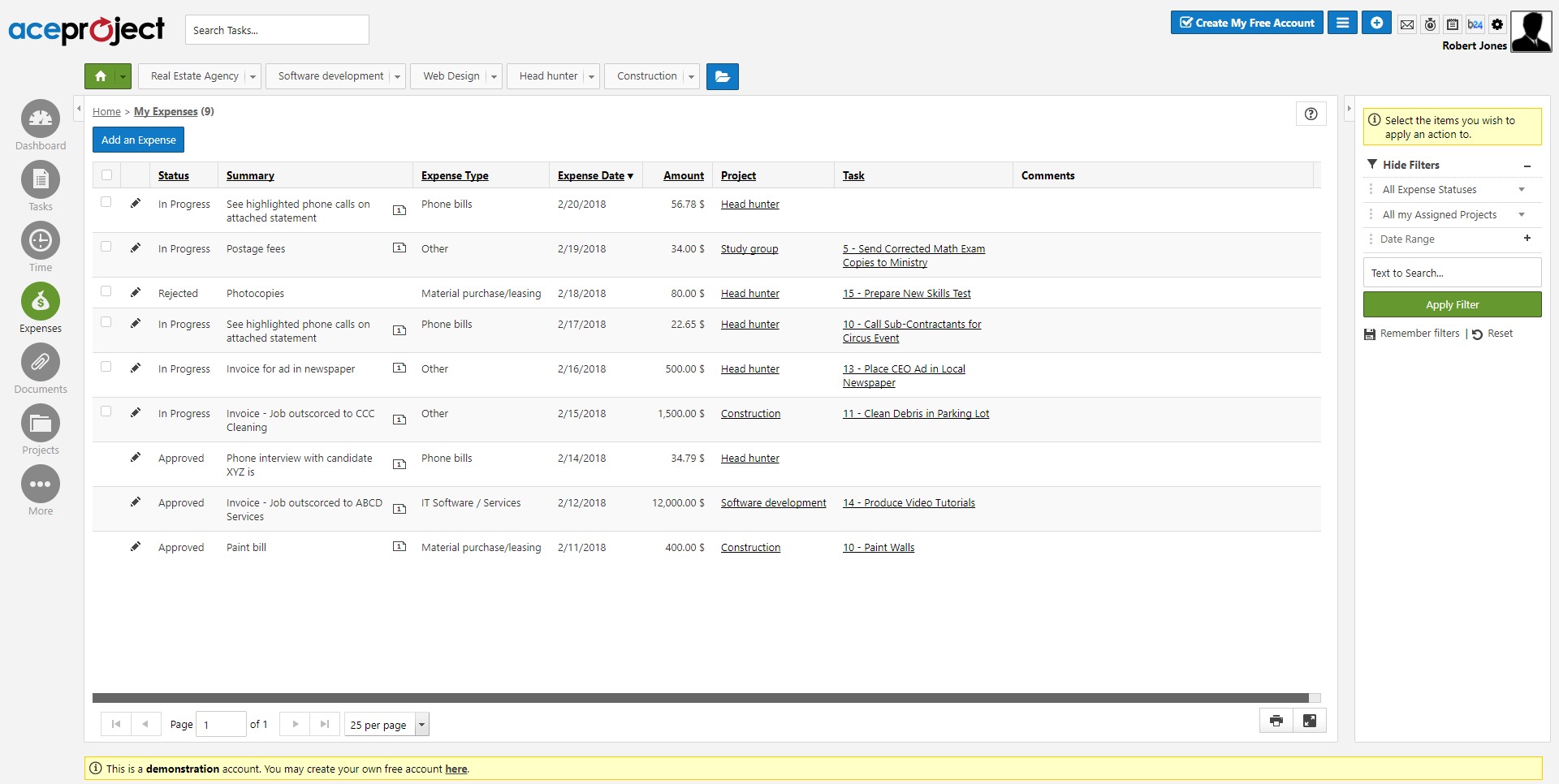
Expense tracking
AceProject supports expense entry and approval workflows, which gives teams a way to connect project execution with project cost control. That matters when budgets are tight and project overruns need to be caught early. -
Reporting and dashboards
Reporting tools help managers review progress, time usage, and project performance. Instead of guessing where the team stands, they get a more measurable picture of activity and outcomes. -
Gantt and tracking views
The service supports timeline-style planning and broader project tracking, which helps with deadline management and coordination across multiple moving parts. -
User-friendly setup for teams
AceProject presents itself as accessible even for users without deep project management training, which lowers adoption friction and makes rollout easier for smaller businesses.
What are the most useful use cases for AceProject?
-
Agencies managing multiple client projects
AceProject works well for teams handling many parallel assignments, where tasks, hours, files, and delivery status need to stay tied together. -
Internal operations and service teams
Companies with recurring workflows can use it to standardize execution, track ongoing work, and improve team accountability. -
Organizations that need time and cost visibility
When time tracking and expense control matter, AceProject offers a more disciplined setup than basic task-only tools. -
Teams replacing spreadsheets and disconnected tools
Businesses that are tired of running projects through spreadsheets, email, and loose file folders can use AceProject as a central workspace. -
Managers who need reporting, not just chat
It is a better fit for teams that care about measurable progress, structured approvals, and operational oversight rather than casual collaboration alone.
Why do businesses choose AceProject?
AceProject is attractive because it focuses on useful business mechanics. It brings together project tracking, time management, file handling, and expense monitoring in one place, which cuts down on tool sprawl. That can simplify onboarding, reduce process gaps, and give managers better control over delivery. Another practical advantage is that its pricing is not centered on charging by user count, which can matter for growing teams trying to avoid software costs ballooning with every added seat. The platform also appears aimed at teams that value stability and process discipline over hype. In other words, AceProject is less about looking modern in a sales demo and more about helping real teams keep work organized.
What is the user experience like in AceProject?
The user experience in AceProject appears to lean toward clarity, structure, and utility. The platform is built for people who want to understand what needs to be done, who is responsible, how much time is being spent, and where supporting documents or costs belong. That makes it especially suitable for managers, coordinators, and service teams that need operational visibility. It is not positioned as a trendy collaboration playground. It is positioned as a work management system that helps teams stay organized and accountable. For many businesses, that is actually the stronger value proposition. AceProject feels best suited to organizations that want a serious, practical project management platform with enough breadth to cover execution, tracking, and reporting in one environment.
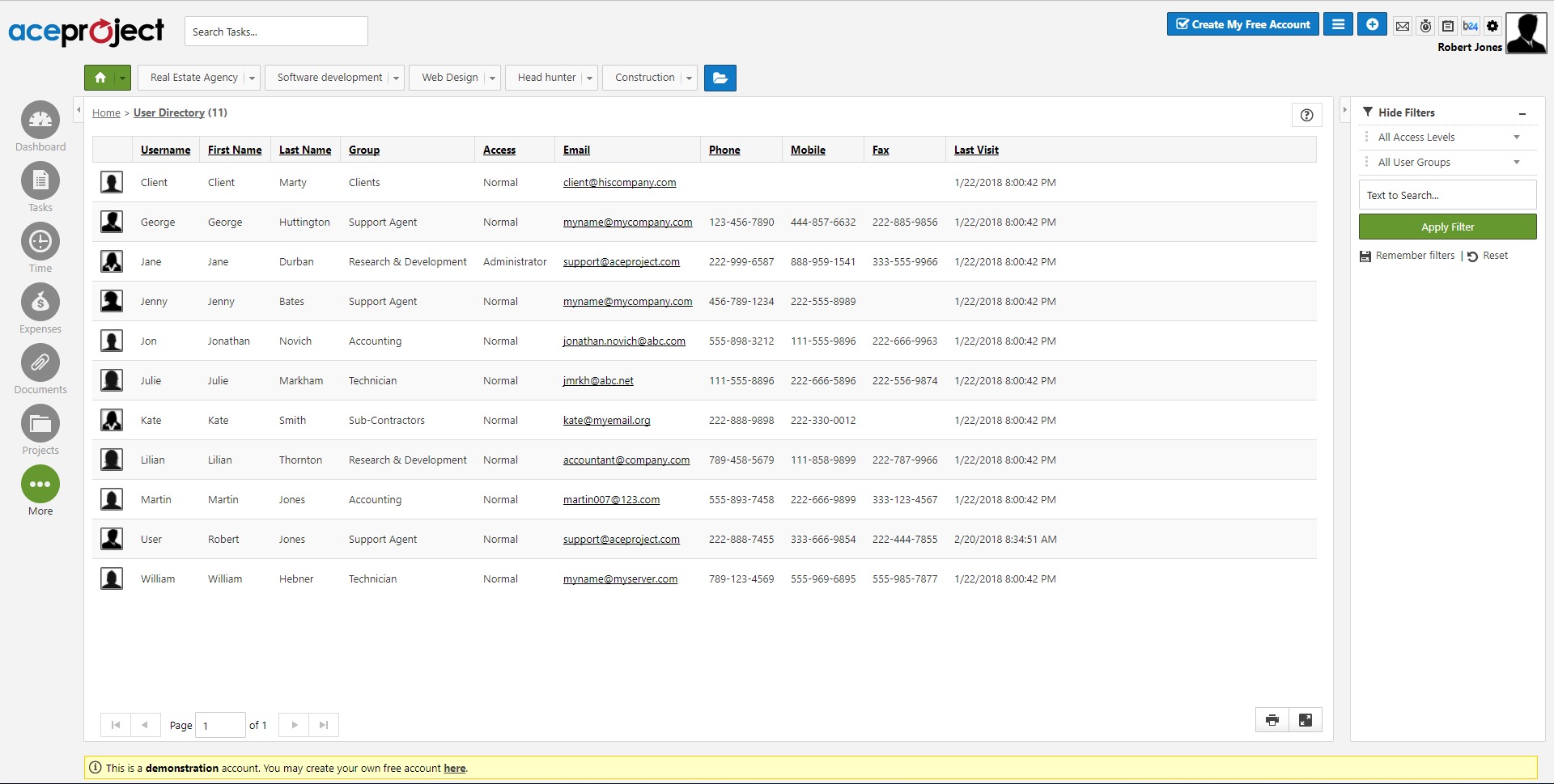
2022-12-16 16:46:44: Before the end of the year, we are glad to launch our latest release of 2022, which includes a new user list panel for AceProject. https://t.co/6bPcV7NHVb https://t.co/DuEkJFIcyrTwitter
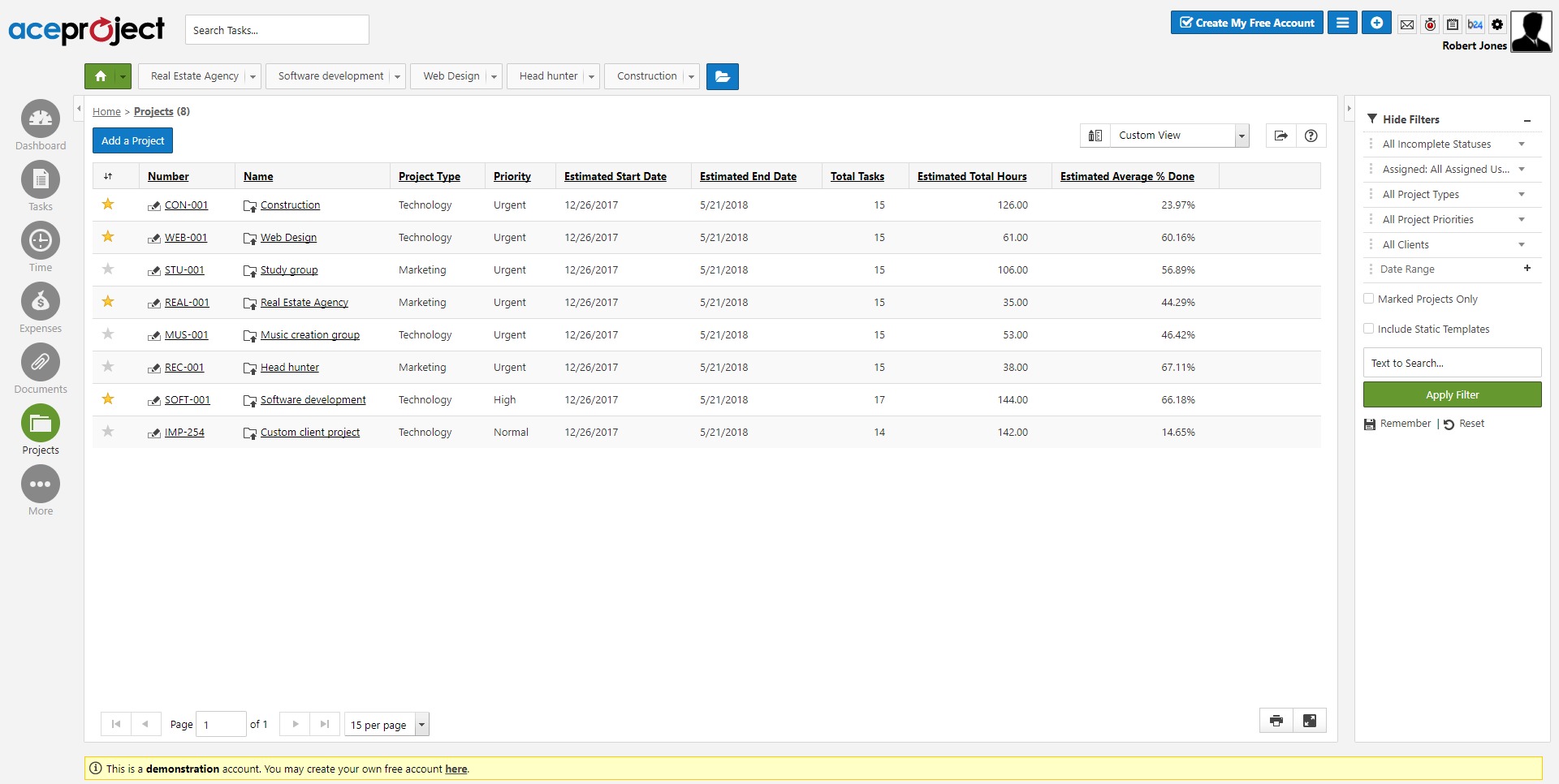
2022-10-06 17:40:28: The new interface is still evolving with a panel displaying the list of your projects in a comprehensive grid, allowing you to filter, sort, and group your projects with multiple criteria. https://t.co/GenBLWBTB8 https://t.co/piQcxjn8bKTwitter
2022-04-19 17:59:09: Introducing Project Configuration in the New Interface https://t.co/c1kRxpMXlR Administrators and project managers can now configure the assignments, groups, types, priorities, and statuses of their projects, all within the new interface. https://t.co/ZSRFbKHTPRTwitter
2022-04-13 21:32:07: https://t.co/cNBJwuMhtrTwitter
2022-04-13 21:23:10: Time Module now fully available in the new interface https://t.co/Zng2FCCyxa https://t.co/Vb7PLFP9dCTwitter
2021-10-27 18:46:47: Time Clock Added into New AceProject Interface https://t.co/jmSuPRS5kCTwitter
2020-07-01 16:57:27: Bridge24 adds additional functionality to AceProject, especially in reference to reporting and data exporting. Bridge24 can create charts and also formatted reports, providing AceProject users with new ways to present their data! https://t.co/ASV6CcPq27 https://t.co/BTKTMjpOUZTwitter
2017-04-14 18:01:42: Approve Expense (Quick Tip Video) Youtube
2017-04-14 17:57:44: Submit an expense (Quick Tip Video) Youtube
2017-04-14 17:53:17: Add expense (Quick Tip Video) Youtube
2017-04-14 17:45:35: Time approval (Quick Tip Video) Youtube
2017-04-14 17:39:33: Start and stop your Timeclock (Quick Tip Video) Youtube
2017-04-14 17:31:39: Submit your Timesheet (Quick Tip Video) Youtube
2017-04-14 17:24:35: Edit your Time entries (Quick Tip Videos) Youtube
2017-04-14 17:17:06: Add Time through manual entry (Quick Tip Video) Youtube
2017-04-14 17:07:50: View the Workload Report (Quick Tip Video) Youtube
2017-04-14 16:58:13: Create an Expense Report (Quick Tip Video) Youtube
2016-02-02 17:55:56: AceProject Latest Enhancements: February 2016 https://t.co/YnW9CmJk9k https://t.co/a28WgbZBQSTwitter
2015-12-17 19:42:27: Reduced holiday hours are currently in effect. Customer Service will be provided on a limited basis from December 18th to January 4th.Twitter
2015-12-17 19:42:17: Le service à la clientèle sera assurée sur une base limitée durant la période du 18 décembre au 4 janvier.Twitter
AceProject Alternatives