1Password
Languages:
Deutsch
English
Español
Français
Italiana
日本語
한국어
Portuguese
Русский
简体中文
Localization:
World

What is 1Password and why use it?
1Password is a secure password manager service designed to store, organize, and protect sensitive information in one encrypted place. It helps individuals and teams manage passwords, passkeys, payment cards, identities, and secure notes without relying on memory or risky reuse. Instead of repeating the same password across sites, the service generates strong, unique credentials and fills them when needed. It also supports sharing through separate vaults, so families and organizations can collaborate without sending secrets in chat messages or spreadsheets. The 1Password secure password manager service focuses on reducing everyday friction while strengthening security habits, making it easier to stay protected across devices and browsers.
What are the key features of 1Password?
-
Vaults for structured storage: Separate vaults keep personal, family, and team credentials organized, with flexible item types for logins, notes, cards, documents, and custom fields.
-
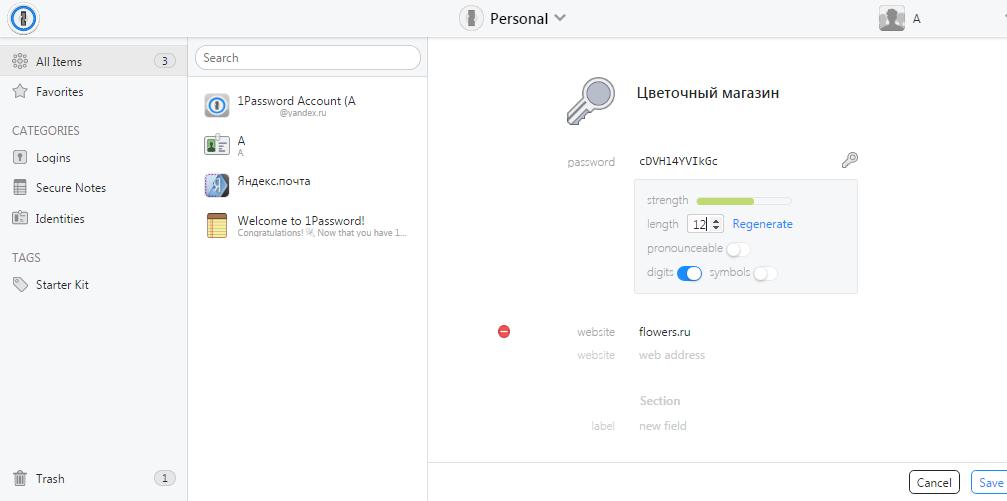
Password generator and autofill: Creates strong passwords and fills them quickly in apps and browsers to reduce manual typing and password reuse.
-
Passkey support: Stores and uses passkeys where supported, helping move away from passwords on compatible services and platforms.
-
One-time passwords and MFA storage: Keeps authentication codes alongside logins so sign-in flows stay fast and consistent across devices.
-
Security health monitoring: Flags weak, reused, or potentially compromised credentials and highlights account hardening opportunities.
-
Secure sharing and permissions: Enables controlled sharing of vaults with groups, limiting access to only what each person needs.
-
Recovery and continuity controls: Offers account recovery workflows suited to families and businesses to avoid lockouts while keeping access protected.
-
Secrets and automation options for teams: Supports storing API keys and credentials for operational use cases where controlled access and rotation matter.
What use cases fit 1Password best?
-
Personal password cleanup and reuse prevention: Replaces repeated passwords with unique ones and keeps everything accessible on any device.
-
Family credential sharing without risk: Shares streaming, utilities, and household logins through shared vaults instead of texting passwords.
-
Small business access control: Centralizes company credentials, separates client vaults, and simplifies onboarding/offboarding processes.
-
Remote teams and contractors: Grants time-bound or scoped access to specific vaults so external collaborators get only what they need.
-
Developers and operations workflows: Stores tokens, SSH keys, and service credentials with controlled sharing to reduce secret sprawl.
-
Travel and device-risk situations: Reduces exposure by keeping sensitive items protected behind strong account security and device controls.
What benefits does 1Password provide compared with saving passwords in a browser?
1Password provides stronger separation between devices, accounts, and shared access, making it easier to apply consistent security habits. Unique password generation reduces the blast radius of any single breach. Vault-based organization prevents accidental over-sharing and supports cleaner boundaries between personal and work credentials. Security health monitoring surfaces risky items that typically remain hidden in browser-only storage. For teams, permissioned sharing replaces informal methods like spreadsheets and chat messages, reducing the chance of leaks during onboarding, offboarding, or role changes. The result is less credential chaos, fewer reset cycles, and a more defensible security posture without adding daily friction.
What is the user experience like in daily use?
The daily experience is built around speed and clarity: save a login once, then let autofill handle the rest. Items are searchable and categorized, so finding a specific account or document is quick even in a large vault. Creating a new account becomes a simple flow—generate a password, save it, and sign in without copying and pasting. Shared vaults make collaboration straightforward, especially when multiple people need access to the same tools. The interface emphasizes practical actions: add, share, fill, review, and update. For most users, the biggest noticeable change is fewer interruptions—logins become a background task, while security improves quietly in the foreground.
2026-10-06 12:45:10: AI enters the world with Inhi Cho Suh from Niantic Spatial | Zero-Shot Learning Youtube
2026-09-28 16:37:43: 1Password customer story: FranklinCovey Youtube
2026-09-28 16:33:39: 1Password customer story: Storable Youtube
2026-09-28 08:57:43: 1Password for NVIDIA OpenShell: Give Agents Access Without Giving Them the Keys Youtube
2026-09-22 12:45:20: Build from source with Matt Moore from Chainguard | Zero-Shot Learning Youtube
2026-09-03 15:00:47: Credential Security for Compliance Audits Youtube
2026-08-25 12:45:21: The translation of the given text to English is:
"Code is the easy part with Rohan Varma from OpenAI | Zero-Shot Learning"
(Note: The text is already in English and does not require translation.) Youtube
2026-08-14 15:08:04: 1Password at Black Hat 2026 Youtube
2026-08-13 15:55:39: The work runs itself with Jeff Wang from Cognition, Richard Liu from Anthropic | Zero-Shot Learning. Youtube
2026-07-28 21:26:22: Secrets Off Disk: How 1Password Secures Developer Workflows Youtube
1Password Alternatives