Mailshake
Languages:
English
Localization:
World

What is Mailshake?
Mailshake is a sales outreach automation platform built for businesses that use cold email, follow-ups, phone outreach, and social selling to generate leads, book meetings, and manage outbound sales campaigns. The platform helps sales teams, founders, agencies, recruiters, consultants, and business development professionals organize prospecting activity in one place instead of managing everything through spreadsheets, inboxes, and manual reminders.
The main purpose of Mailshake is to make outbound communication more structured, consistent, and measurable. Users can create personalized email sequences, schedule automatic follow-ups, track replies, monitor campaign performance, and manage interested leads from a centralized workspace. The platform is especially useful for B2B sales teams that need to contact many prospects while still keeping messages relevant and human.
Mailshake - Sales Outreach Automation Platform is designed for practical outbound work: finding the right prospects, contacting them through planned sequences, improving reply rates, and turning conversations into sales opportunities.
What are the key features of Mailshake?
- Cold email campaign automation
Mailshake allows users to create automated email sequences for outbound sales and lead generation. Campaigns can include initial messages, timed follow-ups, and personalized fields such as name, company, role, industry, or custom prospect data. This helps teams avoid repetitive manual work while keeping outreach organized. - Personalized email sequences
Users can personalize messages at scale using merge fields, custom text, and campaign templates. This is important for cold outreach because generic emails often perform poorly. Mailshake helps teams create outreach that feels more relevant to each prospect without rewriting every email manually. - Automatic follow-up management
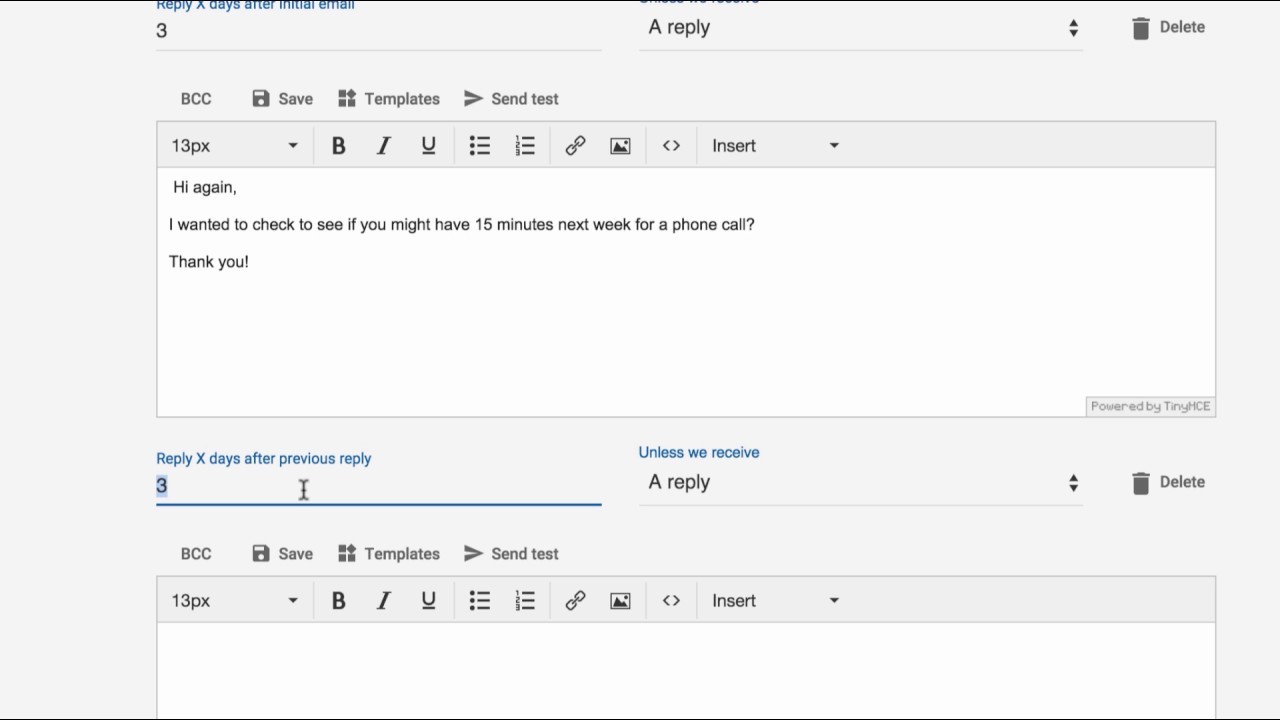
Follow-ups are one of the most important parts of outbound sales. Mailshake can automatically send follow-up emails based on a schedule defined by the user. When a prospect replies, unsubscribes, or bounces, the sequence can stop automatically, reducing the risk of sending inappropriate or unnecessary follow-up messages. - Multi-channel sales engagement
Mailshake supports outreach workflows that go beyond email. Teams can include phone calls and social selling tasks in their outreach process. This is useful for sales teams that want to combine different communication channels instead of depending only on cold email. - Lead Catcher inbox
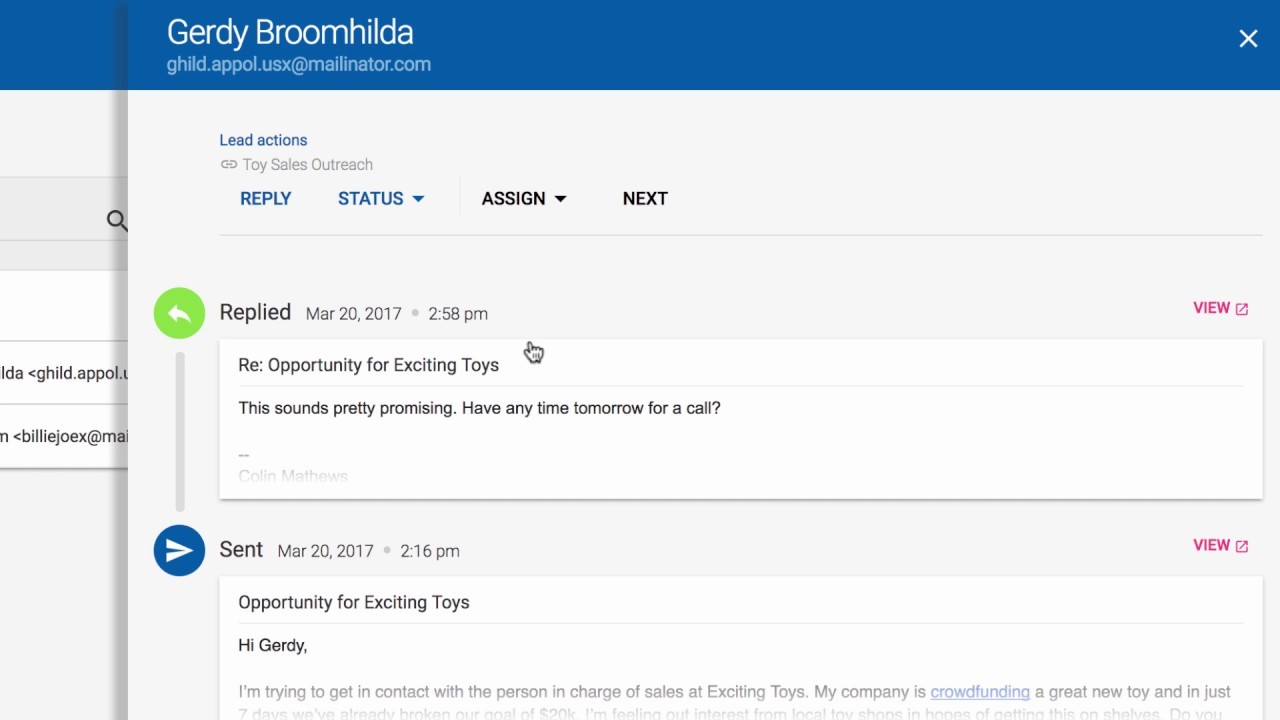
Mailshake includes a lead management area where replies and interested prospects can be reviewed. This helps users separate active opportunities from general campaign activity and makes it easier to respond quickly to leads that show interest. - Campaign analytics and reporting
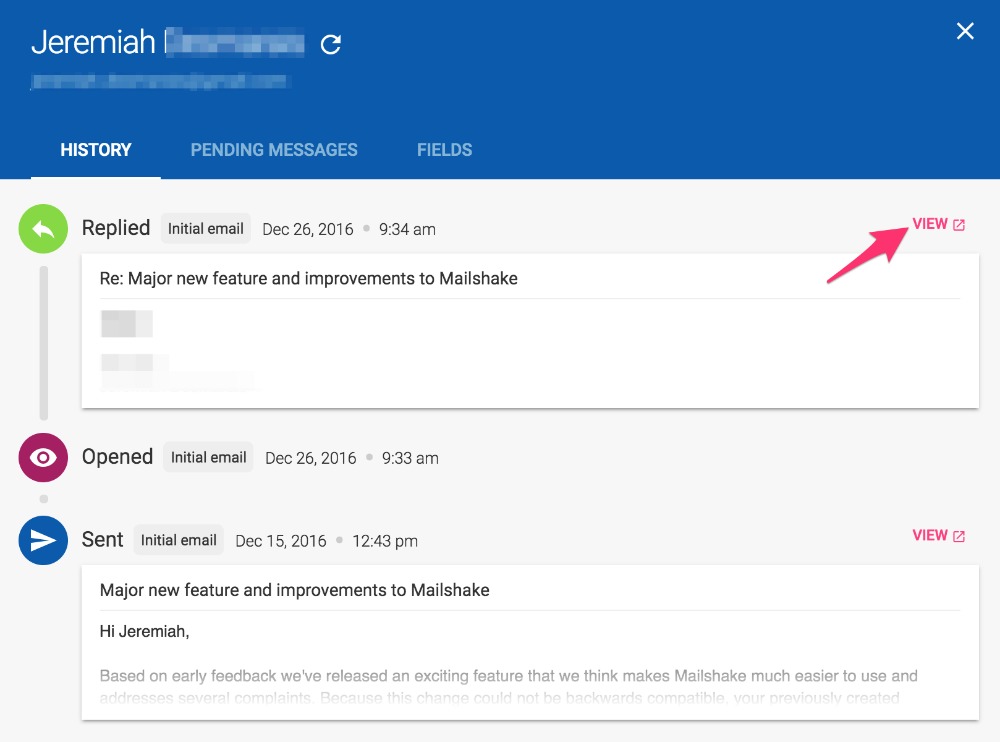
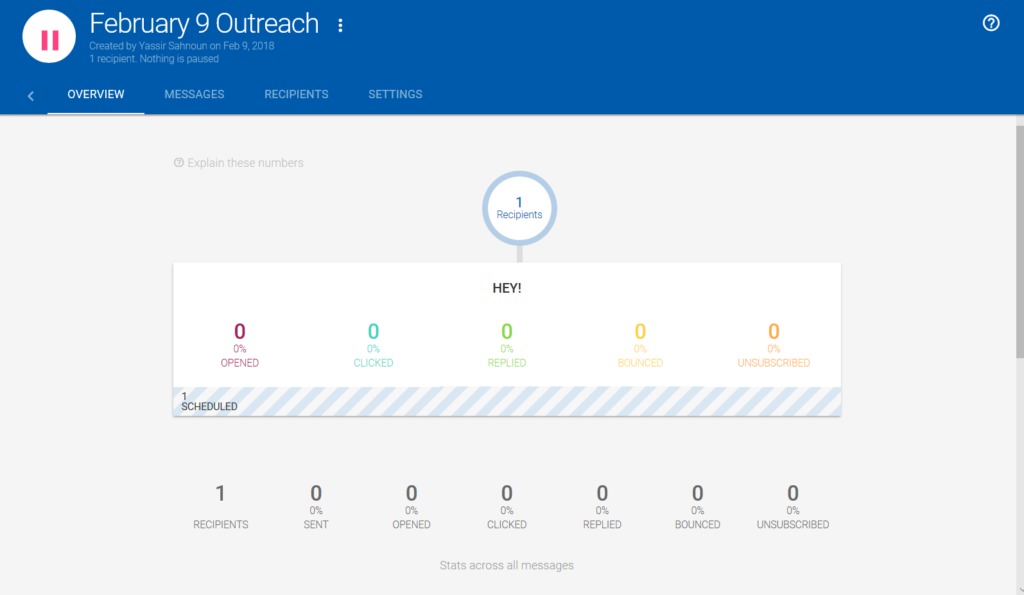
The platform provides performance data such as opens, clicks, replies, bounces, and campaign results. These metrics help users understand which campaigns, subject lines, messages, or follow-up steps are working and which need improvement. - A/B testing for outreach optimization
Users can test different versions of email copy, subject lines, and campaign angles. A/B testing helps teams improve campaign performance based on actual results rather than guessing which message will perform better. - CRM and workflow integrations
Mailshake can connect with external sales and productivity tools, including CRM systems. This helps businesses keep outreach data connected with their broader sales process and reduces the need to manually move information between platforms. - Deliverability-focused tools
Cold outreach depends heavily on email deliverability. Mailshake includes features and guidance that help users improve sending practices, manage lists, reduce bounces, and avoid common mistakes that can damage sender reputation.
How can businesses use Mailshake?
- B2B lead generation
Sales teams can use Mailshake to contact potential customers, introduce services, book calls, and move prospects into the sales pipeline. It is suitable for companies that rely on outbound prospecting as part of their growth strategy. - Agency client outreach
Marketing agencies, development agencies, automation providers, and consulting firms can use Mailshake to reach business owners, decision-makers, and niche audiences with targeted offers. Campaigns can be structured by industry, company size, region, or pain point. - SaaS sales campaigns
SaaS companies can use Mailshake to introduce their product to potential users, invite prospects to demos, follow up after trials, or re-engage inactive leads. The platform is useful when a SaaS business needs repeatable outbound sales processes. - Partnership and link-building outreach
Businesses can use Mailshake for partnership requests, guest posting, content promotion, affiliate partnerships, and digital PR campaigns. The ability to personalize and follow up makes it useful for relationship-based outreach. - Recruiting and talent sourcing
Recruiters can use Mailshake to contact candidates, follow up with potential hires, and manage response tracking. This can be helpful for recruiting campaigns where timing and message personalization matter. - Founder-led sales
Startup founders can use Mailshake to validate offers, contact early customers, test market positioning, and generate first sales conversations without building a large sales department.
What are the main benefits of Mailshake?
Mailshake helps businesses save time by automating repetitive outreach tasks while keeping campaigns structured and measurable. Instead of manually sending emails and tracking replies in separate tools, users can manage outbound campaigns from one system.
The platform also improves consistency. Sales teams can create repeatable sequences, reuse proven templates, and make sure every prospect receives the right follow-up at the right time. This reduces missed opportunities caused by forgotten replies or inconsistent manual work.
Another benefit is better visibility. Mailshake gives users performance data that shows which campaigns are generating interest and which messages need improvement. This makes outbound sales more data-driven and easier to optimize over time.
Mailshake can also help teams scale outreach without completely losing personalization. By using custom fields, segmentation, and structured campaign logic, businesses can contact larger lists while still adapting messages to each audience.
For managers, the platform creates a clearer view of sales activity. Campaign results, replies, and lead engagement can be reviewed in one place, making it easier to evaluate outbound performance and improve team workflows.
What is the user experience like in Mailshake?
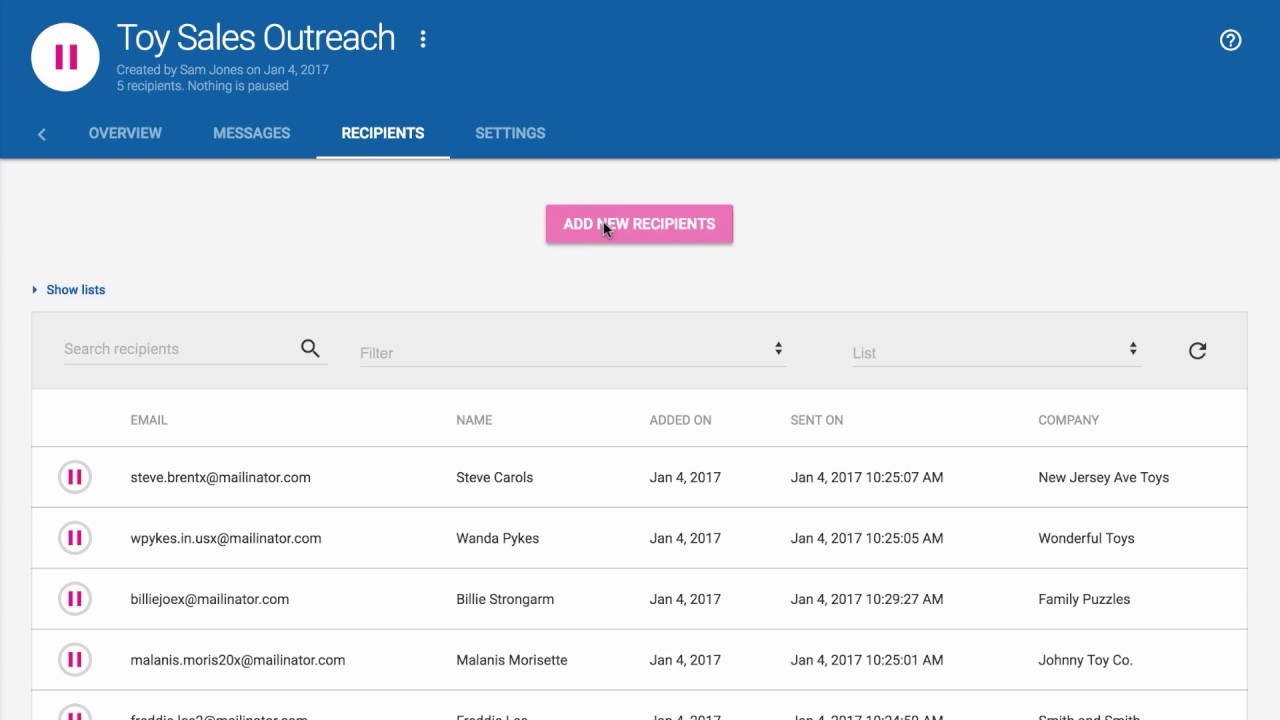
Mailshake is designed around practical sales work rather than complex enterprise administration. The interface focuses on creating campaigns, importing prospects, writing email sequences, reviewing leads, and checking performance. This makes it accessible for small sales teams, agencies, and founders who need useful outbound tools without heavy setup.
The campaign-building process is straightforward: users prepare a prospect list, write outreach messages, set follow-up timing, personalize campaign fields, and launch the sequence. Once the campaign is active, Mailshake tracks engagement and organizes replies so users can focus on conversations instead of manual monitoring.
The experience is especially useful for teams that want a focused sales engagement tool. Mailshake does not try to replace every CRM or marketing system. Instead, it works as an outbound execution layer that helps businesses contact prospects, manage follow-ups, and turn replies into opportunities.
2024-12-13 16:30:13: Email campaign performance? #shorts Youtube
2024-12-11 14:00:16: What triggers email spam filters? #shorts Youtube
2024-12-10 13:01:08: Do this 1 thing to improve email deliverability #shorts Youtube
2024-12-09 13:15:02: The truth about tracking email metrics #shorts Youtube
2024-12-09 09:30:17: How to Get Your Cold Emails Landing in the Inbox - Nikita Bykadarov Youtube
2024-12-05 01:27:00: Cold Email Deliverability - Nikita Bykadarov Youtube
2024-11-29 16:15:00: You can’t skip this part of marketing #shorts Youtube
2024-11-28 16:15:04: Is your tech stack holding you back? #shorts Youtube
2024-11-26 15:00:07: Where people go wrong in sales messaging #shorts Youtube
2024-11-25 10:02:12: How to Craft a Clear Sales Message - Wes Schaeffer Youtube
2022-06-28 18:56:01: How to build a better J-school, part II https://t.co/2CLCIC5VSBTwitter
2022-06-27 16:01:34: Email Smarter, Not Harder With These 10 Gmail Tips and Tools https://t.co/hZmIV2RCsZTwitter
2022-06-26 18:56:01: How to Enable Gmail Dark Mode https://t.co/utepVNcK54Twitter
2022-06-25 18:56:01: Best Practices Kit: 5 Key Considerations When Buying An ICM Solution https://t.co/0KTDNV7NfNTwitter
2022-06-23 18:56:00: Email Marketing: Processes, Strategies, Tools, and Examples https://t.co/9DvSqu5wNpTwitter
2022-06-21 18:56:00: LinkedIn Sales Navigator VS Premium For Lead Generation [Comparison] https://t.co/VsnDZphaB4Twitter
Mailshake Alternatives




Mailshake Integrations