Phone.com
Project management
SMS Marketing
Customer Relationship Managment (CRM)
VoIP Providers and Phone Services
Help Desk
Task manager
Languages:
English
Localization:
World

What is Phone.com and what does it offer?
Phone.com is a cloud-based business communication platform designed to replace traditional phone systems with a flexible VoIP solution. It provides businesses with voice calling, SMS, video meetings, and call management tools delivered entirely over the internet. The service is positioned primarily for small businesses, startups, and distributed teams that need professional communications without the cost or complexity of legacy telecom infrastructure.
At its core, Phone.com allows companies to operate business phone numbers on mobile devices, desktops, or IP desk phones, all managed from a centralized dashboard. Calls, messages, and voicemails can follow users regardless of location, making the service well-suited for remote or hybrid work environments. By bundling calling, messaging, fax, and conferencing into a single platform, Phone.com aims to simplify communication workflows while keeping pricing accessible and scalable as teams grow.
What are the key features of Phone.com?
-
Cloud-based business calling
Enables inbound and outbound calls over the internet with support for local, toll-free, and vanity numbers. Calls can be handled from mobile apps, desktop software, or compatible IP phones. -
Auto-attendant and call routing
Provides automated menus, call queues, and routing rules to ensure callers reach the right person or department without manual intervention. -
Business SMS and MMS messaging
Allows teams to send and receive text messages from business numbers, keeping customer communication professional and centralized. -
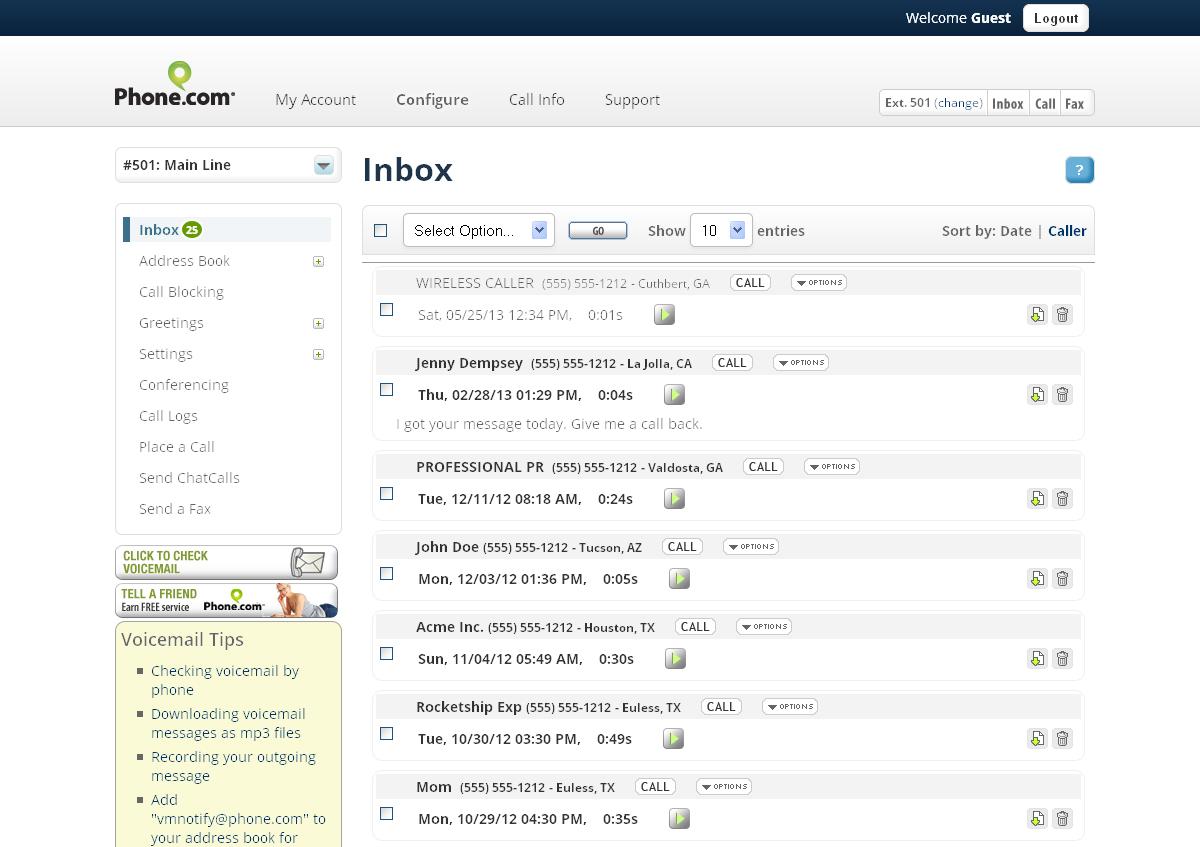
Voicemail with transcription
Converts voicemail messages into readable text and delivers them via email or app notifications for faster response times. -
Call recording and analytics
Supports recording of calls for training or compliance purposes, with basic analytics to review call activity and performance. -
Video conferencing
Includes built-in video meetings, reducing the need for separate conferencing tools for small teams. -
Fax over IP
Enables sending and receiving faxes digitally, which is still relevant for industries with document-heavy workflows. -
Multi-device support
Works across smartphones, browsers, desktop applications, and desk phones, allowing flexible work setups.
How is Phone.com used in real business scenarios?
-
Small business customer support
Teams can set up a shared business number with call routing and voicemail to handle customer inquiries professionally without a call center. -
Remote and hybrid teams
Employees can make and receive business calls from anywhere, using personal devices while keeping personal numbers private. -
Solopreneurs and consultants
Provides a dedicated business phone presence with auto-attendants and voicemail, helping solo professionals appear more established. -
Sales and outbound calling
Call recording and number management support sales conversations, follow-ups, and performance review. -
Service-based businesses
SMS messaging enables quick appointment confirmations, reminders, and customer updates.
What benefits does Phone.com provide for businesses?
Phone.com delivers cost efficiency by eliminating the need for on-premise phone systems and long-term telecom contracts. Its cloud-first approach reduces setup time and allows businesses to scale users and features up or down as needed. The unified platform improves consistency by keeping calls, texts, and voicemails in one system instead of scattered across personal devices.
Flexibility is another major benefit. Teams are not tied to a physical office or a single device, which supports modern remote work models. Professional features like auto-attendants, call routing, and business SMS help even small teams present a polished, organized image to customers. For businesses that still rely on faxing or need call recordings, Phone.com includes these capabilities without requiring separate tools.
How is the user experience with Phone.com?
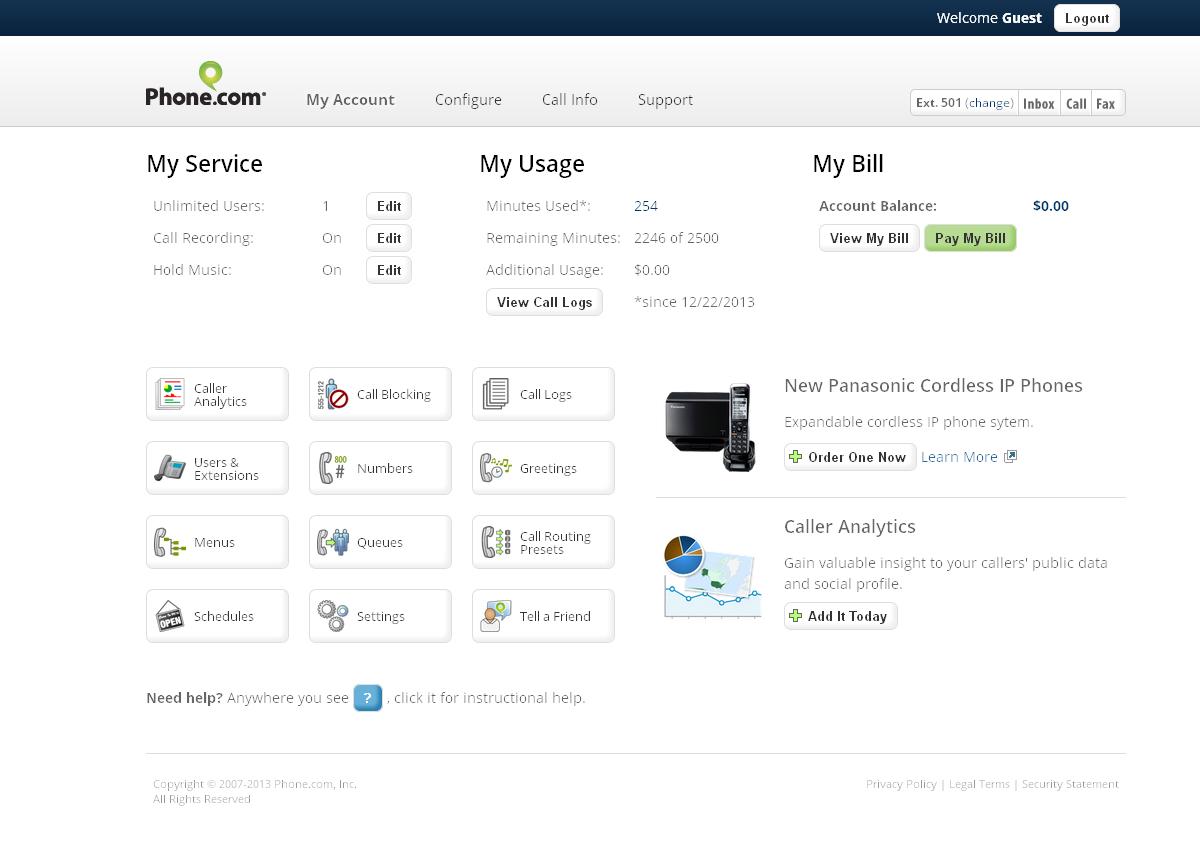
The user experience is centered around a web-based admin dashboard combined with mobile and desktop apps for daily communication. Users can manage numbers, routing rules, voicemail settings, and users from a single interface. Once configured, everyday tasks like answering calls, checking voicemail, or sending texts are straightforward and accessible across devices.
Initial setup may require some learning, especially for users new to VoIP systems, as there are many configuration options. However, this flexibility also allows businesses to tailor call flows closely to their needs. Day-to-day usage tends to be simple: calls and messages appear in one place, notifications are consistent, and switching between devices is seamless.
Overall, Phone.com focuses on providing a practical, affordable business communication experience rather than an enterprise-grade telecom suite. It fits best for organizations that value flexibility, remote readiness, and an all-in-one communication tool without heavy infrastructure or complex deployment.
2026-07-06 14:56:06: How to set up Youtube
2026-06-11 18:33:12: ProSIM - Business Mobility Like Never Before Youtube
2026-04-13 19:48:50: Still Using a Landline? Here's What a Cloud Phone Actually Is Youtube
2026-03-19 18:43:36: How to Enable AI Summaries Youtube
2026-03-19 18:30:37: Manual Installation iPhone Youtube
2026-03-19 18:30:10: Manual Installation Android Youtube
2026-03-19 18:26:43: How to Upgrade a User’s Plan to Pro for AI Summaries Youtube
2026-03-19 18:25:03: How to Set Up LAC Youtube
2026-03-03 18:04:47: Compliant Corporate Advanced Texting for Businesses Youtube
2026-02-12 16:30:54: Real Customer Testimonials on Support, Ease of Use & Business Calling Youtube
2023-04-03 18:05:00: Something like choosing the best auto attendant phone system can set you apart from your competitors , Learn how to make the best choice for your business,Twitter
2023-04-02 14:02:59: Phone service is not limited to just calls and texts. Their are an array of features that you may be missing out onTwitter
2023-04-01 18:08:00: Already have a business phone service but are looking for more features? Here are 10 reasons why you would benefit by switching to a VOIP business phone service https://t.co/n5RK6py6TJ
#smallbusinessresources #entrepreneurTwitter
2023-03-31 19:29:10: Summer is right around the corner and so is a long awaited vacation. Here are 6 Ways a Live Receptionist Can Help While You’re Out of the Office https://t.co/63KjO6zIB2Twitter
2023-03-30 20:44:42: Curious if a multi-line business phone could help you do just that? Installing a reliable multi-line business phone system means customers can reach your company directly, which is key to establishing a good relationship with them.
https://t.co/ck01DUjRKkTwitter
2023-03-29 14:03:00: How To Keep Your Team Connected https://t.co/HC2mdRWwWvTwitter
2023-03-27 17:53:10: You've likely seen 888 numbers and wondered if they were legitimate. Yes, 888 numbers are legitimate numbers that are generated and assigned by the FCC. Let us tell you more! https://t.co/W08tcY5zrMTwitter
2023-03-24 18:16:11: Calls can distract you from your business. A virtual answering service ensures your customers receive exceptional service with minimal distraction. Learn how to make the most out of a virtual receptionist. https://t.co/UzYg95qN3ATwitter
2023-03-23 18:08:23: HIPAA Compliant VoIP: Frequently Asked Questions https://t.co/ZAfRe9X9XBTwitter
2023-03-22 20:07:07: What Does the End of Phone Landlines Mean for Your Business? https://t.co/5NYsZq4d85Twitter
Phone.com Alternatives




Phone.com Reviews & Demos
Product Features
Call Tracking