MeisterTask
Languages:
Deutsch
English
Localization:
World

What is MeisterTask and how does it work?
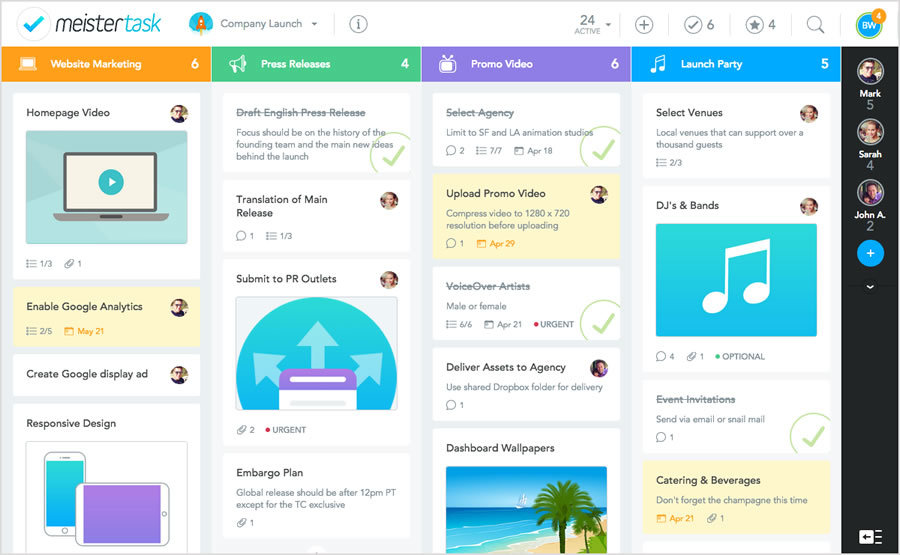
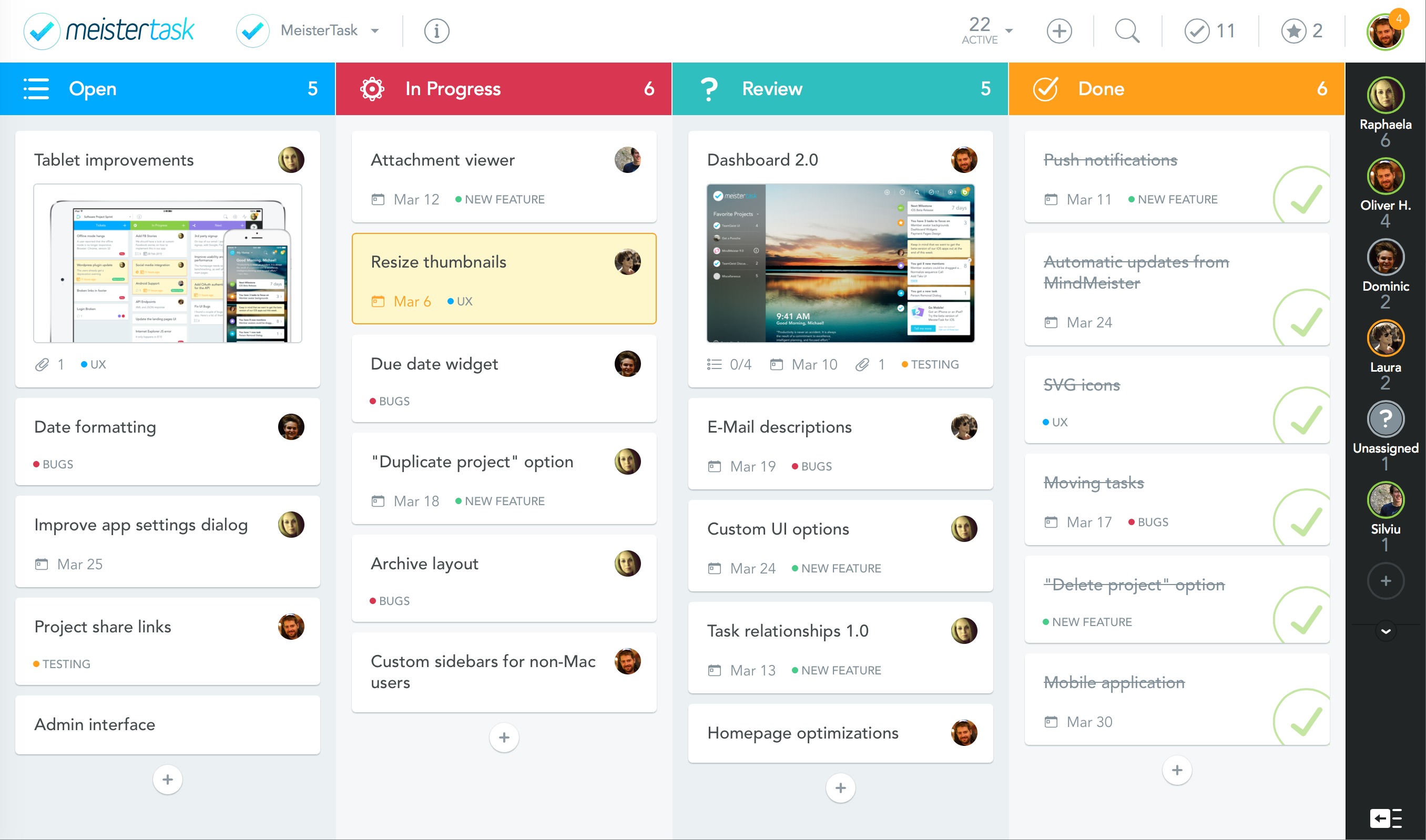
MeisterTask is a visual project and task management platform designed to help teams organize work, collaborate efficiently, and gain full transparency across projects. Built around intuitive Kanban-style boards, MeisterTask transforms complex workflows into clear, manageable stages that teams can track in real time. Tasks move across customizable columns, making progress visible at a glance.
The platform combines task tracking, team communication, automation, and reporting into a unified environment. Instead of scattered emails, spreadsheets, and chat threads, all project-related information lives in one structured workspace. MeisterTask is suitable for small teams, growing businesses, and departments within larger organizations that need clarity, accountability, and streamlined coordination.
Its cloud-based infrastructure allows access from any device, supporting remote, hybrid, and office-based teams equally well. MeisterTask focuses on simplicity without sacrificing powerful workflow customization and productivity features.
What are the key features of MeisterTask?
-
Visual Kanban Boards
Projects are organized into customizable boards where tasks flow through defined stages such as Backlog, In Progress, Review, and Done. Drag-and-drop functionality makes updates intuitive, and visual clarity reduces miscommunication. -
Task Management and Subtasks
Each task can include descriptions, checklists, attachments, due dates, priorities, and subtasks. This allows complex projects to be broken down into actionable steps with clear ownership. -
Collaboration in Context
Team members can comment directly within tasks, mention colleagues, and attach files. Conversations remain linked to specific work items, preventing information from getting lost across communication channels. -
Automation Rules
Repetitive processes can be automated using rule-based triggers. For example, tasks can automatically be assigned when moved to a specific stage or notifications can be triggered before deadlines. -
Time Tracking
Built-in time tracking allows teams to monitor how long tasks take, supporting performance analysis, client billing, and resource planning. -
Reporting and Analytics
Dashboards and reports provide visibility into task completion rates, bottlenecks, overdue items, and team workload distribution. -
Integrations
MeisterTask connects with popular productivity tools, calendars, and collaboration platforms, enabling smooth workflow integration without replacing existing systems. -
Security and Compliance
The platform offers strong data protection standards, secure hosting, and compliance with major data privacy regulations.
What use cases is MeisterTask best suited for?
-
Agile Project Management
Teams using Kanban or sprint-based workflows can manage backlogs, track progress, and visualize delivery cycles efficiently. -
Marketing Campaign Coordination
Content calendars, campaign stages, asset approvals, and publishing schedules can be structured in clearly defined workflows. -
Product Development
Feature requests, bug tracking, release planning, and QA processes can be organized in collaborative boards. -
Remote Team Collaboration
Distributed teams benefit from centralized visibility and structured communication tied directly to tasks. -
Client and Agency Workflows
Agencies can manage multiple client projects simultaneously while maintaining transparency and deadline control. -
Internal Operations Management
HR processes, onboarding tasks, procurement tracking, and internal initiatives can be streamlined into repeatable systems.
What are the benefits of using MeisterTask?
MeisterTask increases transparency across teams by making workflows visible and measurable. Clear task ownership reduces confusion and improves accountability. Automation reduces manual administrative work, allowing teams to focus on execution rather than coordination.
The structured yet flexible board system supports both simple task lists and complex multi-phase projects. Teams gain improved alignment because conversations remain attached to tasks, eliminating fragmented communication.
Time tracking and reporting features help managers make data-driven decisions regarding workload distribution and project timelines. The platform also scales with organizational growth, adapting from small team use to cross-departmental deployment.
Security features provide confidence for businesses handling sensitive information, making MeisterTask viable for professional environments with compliance requirements.
What is the user experience like in MeisterTask?
MeisterTask is known for its clean and intuitive interface. The learning curve is minimal, allowing new users to become productive quickly. Drag-and-drop task movement, visual progress tracking, and clear navigation contribute to an efficient daily workflow.
The design prioritizes clarity over complexity. Features are accessible without overwhelming the interface, making it approachable for non-technical users while still offering depth for advanced teams.
Mobile and desktop accessibility ensures continuous workflow management, whether in meetings, remote settings, or on the move. Notifications keep team members informed without excessive noise.
Overall, MeisterTask provides a balanced combination of simplicity and functionality. It delivers structured project visibility, collaborative efficiency, and operational control in a visually driven platform built for modern teams.
2025-04-30 10:58:36: MeisterTask Product Tour Youtube
2025-04-23 14:20:23: Introduction to MeisterTask Youtube
2024-05-16 15:08:01: Mastering Agile: Implementing Scrum Methodology with MeisterTask Youtube
2024-04-23 12:03:33: Agile Teamwork with Scrum: Easily Implement with MeisterTask Youtube
2024-04-23 07:46:46: Guide: Work Effectively with Agile Values in MeisterTask Youtube
2024-04-23 07:46:43: Guide: Use the 3 Best Agile Meetings in MeisterTask Youtube
2024-04-23 07:46:38: Guide: Efficiently Prioritize Tasks with a Backlog in MeisterTask Youtube
2024-04-23 07:46:32: Instruction: Create a Kanban Board in MeisterTask Youtube
2024-04-23 07:46:28: Guide: Agile Project Management with MeisterTask Youtube
2024-03-13 12:27:34: Guide: Using MeisterTask's Search Youtube
2023-04-07 11:01:55: Ready to switch off for the holiday season? Share this out-of-office message with your colleagues as a fun reminder to take a break! 😌 https://t.co/2FCAzKocqYTwitter
2023-04-05 17:02:29: On #InternationalWomensDay, we asked you to tell us about the women you admire. 👩 One name came up time and time again from the #Meister team: Michelle Matus, our Marketing Director. 👏
https://t.co/a0YVz9bP7XTwitter
2023-04-04 19:02:50: #MeisterTask Tip: Success is built on realistic expectations of yourself and your team. 😉
These 3 steps will help you set the bar! 👇 https://t.co/RGNwT0tWM2Twitter
2023-03-30 20:02:34: Attention journalists! Prepare to get inspired by this #MeisterTask template! 🌟
Manage articles across verticals and keep an overview of who is working on what. Less stress and more clarity – for everyone. 🙌
Explore our Community for more hacks! 😉
https://t.co/41r315H0lyTwitter
2023-03-27 08:59:47: Big goals to reach this quarter? Join our #webinar on March 28 and make them happen! 🌟
Learn from expert Nick Willemsens to plan and execute your strategic goals with the #Meister Suite – and get results worth celebrating. 🥳
Sign up now: https://t.co/ND1C9VT5D0 https://t.co/kZpxSjBEduTwitter
2023-03-23 08:59:54: Mark your calendars! 📅 Join us on March 28 for a #webinar on how to smash your goals this quarter!
Nick Willemsens will share his tips for streamlining processes, maximizing your resources – and getting results you deserve. 🚀
Sign up now! 👉 https://t.co/h5Etca9BXP https://t.co/oSTO6gJxj8Twitter
2023-03-22 17:02:56: Thinking of switching from #Trello to another tool? Not sure which one is right for your team? We’ve done the research for you! 😉
Discover 14 of the best #TaskManagementTools around, categorized by team size, project type and budget. 🚀 https://t.co/HTY1qlnVx4Twitter
2023-03-21 18:03:01: Quartalsziele erreichen und Team-Ressourcen schonen? Nick Willemsens zeigt Ihnen, wie! 🙌
Besuchen Sie unser #Webinar am 22.03 und lernen Sie, wie Sie mit #MindMeister, #MeisterTask und #MeisterNote Ressourcen optimal einsetzen.
Jetzt anmelden: 👉 https://t.co/o7mYXA7RdH https://t.co/mFvCmJSQcsTwitter
2023-03-16 14:02:56: Optimieren Sie Ihre Teamprozesse und erreichen Sie Quartalsziele mit Leichtigkeit! 🌟 Unser Experte Nick Willemsens zeigt Ihnen am 22.03, wie!
Jetzt für unser #Meister Suite #Webinar anmelden und Insider-Tipps erhalten. 👉 https://t.co/mrRw6QQNpX https://t.co/UHzUdsO4cITwitter
2023-03-15 17:03:03: We’re big believers in #RemoteWorking – but it isn’t all 🌈 and 🦄. That's why we have the #Meister Office Days.
This month, Lobsters from around the world came together in Vienna for some good old-fashioned in-person collaboration (and fun!) 🙌
What do you think – good idea? https://t.co/hB6QII4YMjTwitter
MeisterTask Alternatives




MeisterTask Reviews & Demos
MeisterTask Integrations